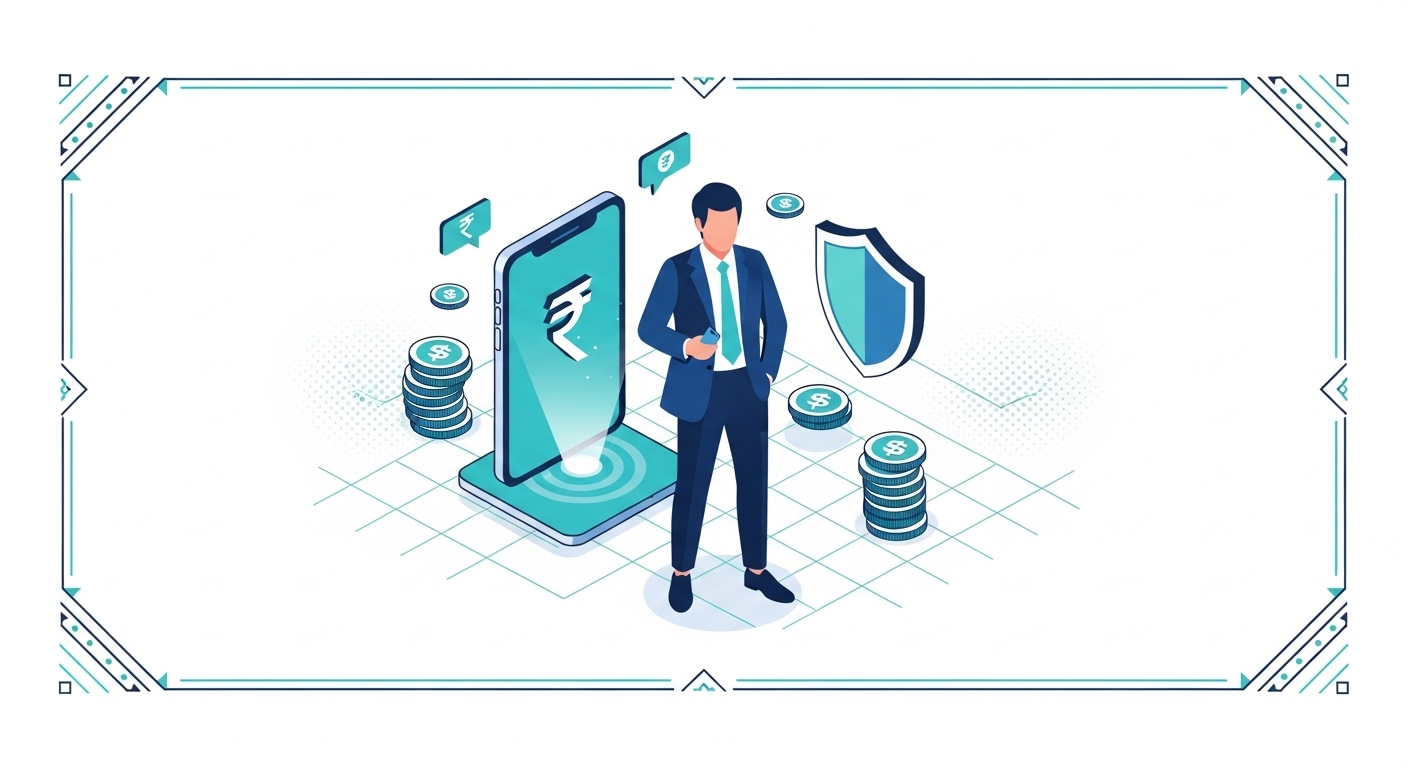
Many believe that a FASTag recharge failing means there’s a problem with the digital toll system itself. Actually, most failed recharges happen because of easily overlooked issues like an expired tag, insufficient account balance, or incorrect payment information. Understanding these common pitfalls is key to a smooth journey.
This guide will walk you through the real reasons your FASTag recharge might not go through, especially if you’ve faced this problem before. You’ll learn how to quickly identify the error, troubleshoot it effectively, and set up safeguards to prevent future recharge failures. This ensures your travels remain uninterrupted.
Table of Contents
What Is FASTag?
FASTag is an electronic toll collection system in India, operating under the National Electronic Toll Collection (NETC) programme, managed by the National Payments Corporation of India (NPCI). This system uses a reloadable Radio-Frequency Identification (RFID) tag affixed to your vehicle’s windscreen, allowing automatic deduction of toll charges as you pass through toll plazas.
According to NETC FASTag (2026), a minimum recharge of as per the latest official guidelines is generally required to top up your tag, and a refundable security deposit is also collected at the time of purchase. If your FASTag account has an insufficient balance or is inactive, your vehicle will be stopped at the toll plaza, and you’ll be required to pay double the applicable toll fare in cash.
To avoid these issues, regularly check and recharge your FASTag through your issuer bank’s online portal or the official NETC FASTag website.
What Is FASTag and Why Is It Important?
Digital Toll Collection System
FASTag represents India’s move towards fully digital and cashless toll payments on national highways. This system streamlines the collection process, making it faster and more efficient for commuters across the country. It helps reduce traffic congestion at toll plazas, which is a major benefit for everyone on the road.
The technology behind FASTag ensures that your vehicle doesn’t need to stop for cash transactions. An RFID reader at the toll plaza scans your tag, and the toll amount is automatically deducted from your linked account. This quick deduction process allows for smooth passage.
Benefits for Your Journey
Using FASTag brings several advantages, especially when you’re on a long journey and want to avoid unnecessary delays. It makes your travel experience much smoother and more predictable. You save both time and fuel by not having to wait in long queues.
- Reduced Waiting Time: Vehicles fitted with FASTag pass through dedicated lanes, significantly cutting down on queues at toll plazas.
- Cashless Transactions: You don’t need to carry cash for tolls, making payments convenient and secure.
- SMS Alerts: You receive instant SMS notifications for all toll deductions and low balance alerts, keeping you informed.
- Online Recharge: Recharging your FASTag is easy and can be done online through various payment methods, saving you trips to physical counters.
How It Works Briefly
When you purchase a FASTag, it’s linked to your vehicle and a prepaid account with an issuing bank. Each time your vehicle crosses a toll plaza, the RFID reader scans your tag, and the toll amount is deducted. The system sends you an SMS alert for every transaction.
You must ensure your FASTag account always has sufficient balance to cover toll charges. If the balance is low, your tag might not work, leading to payment issues at the plaza. Regular monitoring is essential to keep your journeys smooth.
Pro Tip: Keep an eye on your FASTag’s placement on the windscreen.
If it’s damaged or improperly affixed, the RFID reader might struggle to scan it, causing delays even with sufficient balance. Ensure it’s clean and unobstructed.
Why Your Recharge Might Not Go Through
Understanding Common Roadblocks
If your FASTag recharge failed before, you know how frustrating it can be, especially when you’re in a hurry. Most recharge failures aren’t mysterious technical glitches but rather common issues that are easy to overlook. These roadblocks often involve your account status or the payment process itself.
Identifying the exact reason for the previous failure is your first step towards preventing it from happening again. This article will help you pinpoint whether the problem lies with your FASTag account itself or with the payment method you used. Knowing the cause help you to fix it.
Importance of Regular Checks
Regularly checking your FASTag account balance and status can save you a lot of trouble on the road. Many issues, like low balance or an expired tag, can be identified and resolved proactively before you even start your journey. This simple habit prevents unexpected stops at toll plazas.
You should also review your transaction history periodically to ensure all deductions are correct and to spot any unusual activity. This practice helps you maintain control over your FASTag usage and avoid future recharge complications. A quick check can make all the difference.
Common Confusion: FASTag Recharge Myths
A widespread myth is that FASTag recharges automatically fail due to system-wide technical problems at the bank.
This is incorrect; while bank server issues can occur, most failures are due to specific user-related issues like an expired tag, incorrect payment details, or insufficient funds in the linked account.
Are There Issues with Your FASTag Account?
Sometimes, the problem isn’t with your payment but with the FASTag account itself. These account-related issues can prevent successful recharges and lead to complications at toll plazas. If you’ve had a recharge fail before, it’s worth checking these points first.
Understanding these common account pitfalls helps you diagnose the problem accurately. This way, you can address the root cause and ensure your FASTag is always ready for use. You’ll avoid the frustration of future payment failures.
Low Balance on Account
One of the most common reasons for a failed recharge is not having enough money in your FASTag account. If your account balance is below the minimum required amount or cannot cover the toll charge, the transaction will be declined. This is a frequent cause of issues at toll plazas.
Always ensure your FASTag account has a sufficient balance, ideally more than the exact toll amount, to account for any unexpected charges or minimum balance requirements. According to NETC FASTag (2026), maintaining a buffer above the minimum recharge amount is a good practice.
Incorrect Vehicle Tagging
Your FASTag is specifically linked to your vehicle’s registration number. If the tag details don’t match the vehicle you’re using, it can cause problems. This often happens if you’ve transferred a tag from one vehicle to another without updating the details with your issuer bank.
An incorrect vehicle tagging means the system won’t recognise your tag as valid for that particular car. This can lead to your tag being blacklisted or recharges failing because the system detects a mismatch. Always verify your tag’s linkage.
Account Temporarily Blocked
In some situations, your FASTag account might be temporarily blocked by the issuer bank. This can happen for various reasons, such as suspicious activity, repeated non-payment, or a violation of terms and conditions. A blocked account will naturally prevent any recharges.
- Fraudulent Activity: Your bank might block the account if they detect unusual or suspicious transactions.
- Multiple Violations: Repeatedly passing through a FASTag lane without a valid tag or sufficient balance can lead to a block.
- KYC Issues: If your Know Your Customer (KYC) documents are incomplete or outdated, your account might be suspended.
- Expired Validity: An expired FASTag will effectively block the account from processing new recharges or toll deductions.
Expired FASTag Validity
Like many digital instruments, your FASTag has a validity period. According to NETC FASTag (2026), a FASTag is typically valid for five years from its date of issuance. Once this period is over, the tag becomes inactive, and you won’t be able to recharge it.
If your recharge failed, check the expiry date printed on your FASTag or through your issuer bank’s portal. An expired tag requires you to apply for a new one, as it cannot be reactivated or recharged. This is a common reason for unexpected failures.
Quick Context: FASTag Blacklist
A blacklisted FASTag means it’s been deactivated by the issuing bank, often due to insufficient balance, expiry, or a mismatch in vehicle details. You cannot use or recharge a blacklisted tag until the underlying issue is resolved.
Did Your Payment Encounter Problems?
Even if your FASTag account is perfectly fine, the recharge process itself can run into snags. These payment-related issues are often temporary but can cause a recharge to fail. If your account status seems okay, focus on these potential payment problems.
Understanding these common payment hurdles helps you troubleshoot more effectively. You can then try alternative methods or wait for a short period before attempting the recharge again. This approach saves you time and frustration.
Incorrect Payment Details
Entering incorrect details is a very common reason for any online payment to fail, and FASTag recharges are no exception. This could involve typing the wrong amount, using an incorrect card number, or entering the wrong UPI ID. Even a small typo can lead to a declined transaction.
Always double-check all the payment information before confirming your recharge. If you’re using a saved payment method, ensure its details are still current and haven’t expired. This simple verification step prevents many avoidable failures.
Bank Server Issues
Sometimes, the problem isn’t with your details but with the banking system itself. Your bank’s servers, or even the payment gateway used for the recharge, might be temporarily down or experiencing technical difficulties. This can prevent transactions from going through.
If you suspect a bank server issue, wait for some time and try recharging again later. You can also check your bank’s official social media channels or website for any announcements regarding service outages. Such issues are usually resolved quickly.
Common Confusion: Payment Failure Myths
The belief is that if a payment fails, the money is always lost – but this is incorrect.
For most failed transactions, the amount is automatically reversed to your source account within a few business days, typically T+1 or T+3, as per official RBI/NPCI guidelines.
Transaction Limits Exceeded
Many payment methods, especially UPI and credit/debit cards, have daily or per-transaction limits. If your FASTag recharge amount exceeds these limits, the payment will be declined. This is a security feature designed to protect your funds.
For instance, UPI has a daily transaction limit of ₹1 lakh for most users, according to official NPCI guidelines (2026). If you’re trying to recharge a very large amount or have already made several high-value transactions that day, your payment might hit this ceiling.
Network Connectivity Problems
A stable internet connection is crucial for any online transaction, including FASTag recharges. If you have poor Wi-Fi or mobile data connectivity, the payment process might time out or fail to complete successfully. This is a common issue in areas with weak signals.
Before initiating a recharge, ensure you have a strong and reliable internet connection. If you’re using mobile data, try switching to Wi-Fi, or vice-versa, to see if that resolves the issue. A brief interruption can disrupt the entire process.
| Common Payment Error | Potential Cause | Quick Fix |
| Payment Failed | Incorrect card/UPI details | Double-check entry, try again |
| Transaction Declined | Bank server down, transaction limit | Wait and retry, use another method |
| Payment Pending | Network issue, gateway delay | Check history after 30 mins, contact bank if not resolved in 24 hrs |
| OTP Not Received | Mobile network issue, DND active | Check network, disable DND, request new OTP |
What Steps Can You Take Immediately?
If your FASTag recharge has failed again, don’t panic. There are several immediate steps you can take to diagnose and resolve the problem quickly. These actions focus on verifying your account and payment details, helping you get back on track.
Following these steps systematically will help you pinpoint the exact issue, allowing for a swift resolution. This methodical approach is particularly useful if you’ve experienced a failed recharge before and want to avoid repeat problems.
Verify Account Balance
The very first thing you should do is check your FASTag account balance. This often reveals the simplest reason for a failed recharge. You can usually do this through your issuer bank’s dedicated FASTag portal or mobile app.
Step 1: Log in to your FASTag issuer bank’s online portal or open their official mobile application on your phone.
Step 2: manage to the FASTag section, which is typically labelled “My FASTag” or “FASTag Account”.
Step 3: Check your current balance displayed on the screen; if it’s low, this is likely the reason for the failed recharge.
Check Transaction History
Reviewing your transaction history can provide clues about previous recharge attempts or deductions. It helps you see if the failed recharge attempt was registered and if any funds were debited from your bank account. This provides crucial information for troubleshooting.
Step 1: Within your FASTag issuer bank’s portal or app, find the “Transaction History” or “Statement” section.
Step 2: Look for the most recent recharge attempt and check its status (e.g., failed, pending, successful).
Step 3: If funds were debited but the recharge failed, note the transaction ID for future reference and wait for an automatic reversal.
Re-attempt Recharge Carefully
Once you’ve identified and potentially fixed the underlying issue, you can try recharging your FASTag again. This time, proceed with extra caution, double-checking every detail before finalising the payment. This careful approach minimises the chance of another failure.
Step 1: Initiate the recharge process through your preferred platform, such as your bank’s portal or an approved payment app like the bill payment system.
Step 2: Carefully enter your vehicle number or FASTag ID and the desired recharge amount, ensuring there are no typos.
Step 3: Select your payment method and meticulously verify all details, including card numbers or UPI IDs, before confirming the transaction.
Try Another Payment Method
If your recharge still fails with your usual payment method, consider trying an alternative. Sometimes, specific payment gateways or bank channels might be experiencing temporary issues that don’t affect others. This can be a quick workaround.
You could try using a different debit card, a credit card, or another UPI app if your primary method isn’t working. This flexibility often helps overcome temporary payment processing glitches. Ensure the alternative method has sufficient funds and is correctly linked.
Pro Tip: If your recharge fails repeatedly, try using the the bill payment system platform.
It’s a reliable channel for various bill payments, including FASTag recharges, and offers a unified interface for multiple issuers.
How to Check Your FASTag Status
Knowing the current status of your FASTag is vital, not for troubleshooting failed recharges but also for proactive management. You can check its status through various official channels, giving you peace of mind before you travel. This helps you confirm if your tag is active and ready.
Regularly checking your status is a smart habit, especially if you rarely use toll roads or have experienced past issues. It ensures you’re always aware of your tag’s condition and can address any problems promptly. This proactive approach saves you from unexpected delays.
Using Your Issuer’s Portal
Your FASTag issuer bank provides a dedicated online portal where you can manage all aspects of your tag. This is the most comprehensive way to check your FASTag status, view transactions, and initiate recharges. It’s your primary hub for FASTag management.
Step 1: Visit the official website of your FASTag issuer bank and locate the FASTag login section.
Step 2: Enter your registered mobile number or customer ID and password to log in to your account.
Step 3: Once logged in, you’ll typically see your FASTag status (active, inactive, blacklisted), balance, and other details on the dashboard.
Via Mobile Application
Many FASTag issuer banks also offer official mobile applications that provide similar functionalities to their web portals. These apps offer the convenience of checking your FASTag status on the go, directly from your smartphone. This makes it easy to stay updated.
Step 1: Download and install your FASTag issuer bank’s official mobile application from your device’s app store.
Step 2: Log in using your credentials, which are usually the same as your online portal login.
Step 3: manage to the FASTag section within the app, where you can view your tag’s status, balance, and transaction history.
SMS Alerts and Notifications
For every toll transaction and low balance, your issuer bank sends an SMS alert to your registered mobile number. These alerts are a simple and effective way to monitor your FASTag activity and status without needing to log in anywhere. They provide real-time updates.
You’ll receive a message detailing the toll amount deducted, your updated balance, and sometimes even a reminder if your balance is running low. Pay attention to these messages as they can signal an impending issue. This passive monitoring is very helpful.
Common Confusion: FASTag Status Myths
FASTag status only matters when you’re about to pass a toll plaza.
This is not true; regularly checking your FASTag status and balance even when not travelling helps you identify potential issues like expiry, incorrect deductions, or account blocks proactively, allowing time to resolve them.
Where Can You Find Help and Support?
Even after trying all troubleshooting steps, you might still encounter persistent issues with your FASTag recharge or account. In such cases, it’s crucial to know where to seek official help and support. Reaching out to the right channels ensures your problem is addressed effectively.
Don’t hesitate to contact support if you’re stuck, especially if funds were debited but the recharge didn’t reflect. Having the correct information ready will make the support process much smoother and faster. This saves you time and effort.
Contacting Your Issuer Bank
Your FASTag issuer bank is your primary point of contact for any account-related issues, including failed recharges, incorrect deductions, or account blocks. They have open to your specific account details and can provide the most accurate assistance. You should always start here.
Most banks offer a dedicated customer care helpline number for FASTag users, as well as email support. Make sure to have your vehicle registration number and FASTag ID ready when you call. This helps them quickly locate your account.
Reaching National Highway Helpline
For general FASTag queries or if you’re unable to get a resolution from your issuer bank, the National Highway Authority of India (NHAI) provides a central helpline. This can be particularly useful for issues related to toll plaza operations or system-wide problems. It’s an important secondary support channel.
According to NETC FASTag (2026), you can reach the NHAI FASTag customer care by dialling 1033. This helpline is available 24/7 and can assist with various FASTag-related concerns. They can guide you on the next steps if your bank isn’t responsive.
Providing Necessary Details
When contacting customer support, having all relevant information at hand will significantly speed up the resolution process. The support agent will need specific details to understand your issue and provide appropriate assistance. Being prepared saves time for everyone.
- Vehicle Registration Number: This is essential for identifying your FASTag.
- FASTag ID: The unique number printed on your FASTag.
- Transaction ID/Reference Number: For failed recharges, provide the payment gateway’s transaction ID.
- Date and Time of Failure: The exact timing of the failed recharge attempt.
- Error Message: Any specific error message displayed on your screen.
- Screenshot (if applicable): A screenshot of the error can be very helpful if you’re contacting via email.
Quick Context: CSC Centers for FASTag
Common Service Centres (CSCs) can assist with FASTag services, including purchase and initial linking, especially in rural areas. While they might not directly troubleshoot recharge failures, they can guide you on how to contact your issuer bank or NHAI.
How to Avoid Future Recharge Failures
Experiencing a failed FASTag recharge once is frustrating; having it happen again is even more so. By adopting a few proactive strategies, you can significantly reduce the chances of encountering these issues in the future. These tips help maintain a consistently active FASTag.
Implementing these preventative measures ensures your FASTag is always ready for use, making your journeys stress-free. You’ll gain confidence knowing that your digital toll payments will go through smoothly every time. This proactive management is key.
Set Up Auto-Recharge
Many FASTag issuer banks offer an auto-recharge facility, which automatically tops up your account when the balance falls below a certain threshold. This is one of the most effective ways to prevent low balance failures. It removes the need for manual monitoring.
You can link your bank account or a specific payment method to your FASTag for these automatic deductions. This ensures your tag always has sufficient funds, eliminating the most common reason for payment failure. It’s a convenient set-and-forget solution.
Keep Account Funded
Even without auto-recharge, make it a habit to keep a healthy buffer amount in your FASTag account. Don’t wait for the balance to hit zero before recharging. A slightly higher balance provides security against unexpected toll charges or system delays.
Consider topping up your FASTag account with a larger amount less frequently, rather than small amounts often. This reduces the chances of forgetting to recharge and hitting a low balance right before a journey. A buffer is your best friend.
Update Contact Information
Ensure your registered mobile number and email address are always up to date with your FASTag issuer bank. This is crucial for receiving important alerts, such as low balance notifications, transaction confirmations, and expiry reminders. Outdated information means you miss critical warnings.
If your contact details change, update them immediately through your bank’s portal or by contacting customer care. This ensures you receive all necessary communications, helping you stay informed about your FASTag status. Communication is key to prevention.
Monitor FASTag Validity
As mentioned, FASTags have a validity period, typically five years. Make it a point to check your tag’s expiry date periodically, perhaps once a year. This allows you ample time to apply for a new tag before the old one becomes invalid.
You can usually find the expiry date printed on the tag itself or within your issuer bank’s online portal. Setting a reminder on your phone or calendar a few months before the expiry date is a smart way to ensure you don’t forget. Proactive renewal prevents last-minute hassle.
Pro Tip: Consider setting up a monthly reminder on your phone to check your FASTag balance and validity.
A quick 30-second check can prevent hours of frustration at a toll plaza.
Conclusion
Understanding why your FASTag recharge failed before help you to prevent future issues and enjoy smooth travel. By systematically checking your account status, verifying payment details, and knowing where to seek support, you can overcome common roadblocks. Setting up auto-recharge is a simple yet effective action you can take today to ensure your FASTag is always ready, saving you time and hassle on every journey.
How can I check my FASTag's current status and balance?
What immediate steps should I take if my FASTag recharge fails?
Can I still use or recharge my FASTag if it has expired or been blacklisted?
What are the primary reasons a FASTag account might be blocked or become inactive, and how can I resolve these issues?
How do I differentiate between a FASTag account-related issue and a payment processing problem when my recharge fails?
Why should I opt for FASTag over traditional cash payments at toll plazas, and what are the key benefits for regular commuters?
What happens if my FASTag recharge payment is debited but the recharge doesn't reflect, or if I enter incorrect payment details?
How can I proactively prevent FASTag recharge failures due to low balance or tag expiry, especially if I don't use it frequently?
Author

