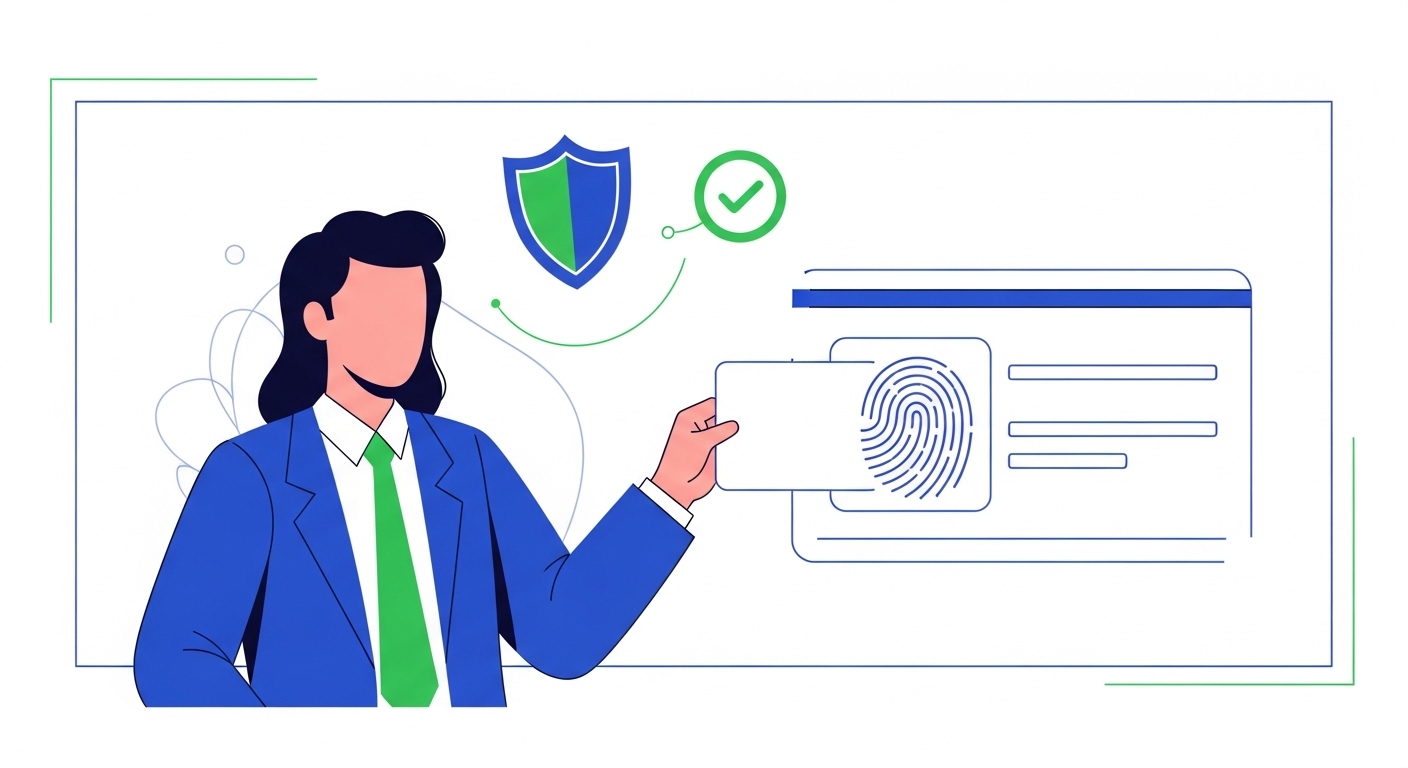
‘I need my Aadhaar copy for this form, but I left my wallet at home!’ ‘Don’t worry, you’ve got your e-Aadhaar on your phone, and it’s completely valid.’ This quick exchange highlights how your e-Aadhaar digital copy is a secure and legally accepted form of identification, always ready when you need it. It’s designed to be tamper-proof, ensuring your personal information remains safe and verified across various services.
This guide will explain the key features that make your e-Aadhaar so secure and valid, showing you exactly how its digital safeguards work. You’ll learn how to verify it, understand its legal standing, and confidently use it for everything from government services to opening a bank account in 2026.
Table of Contents
What Is Your e-Aadhaar Digital Copy?
Your e-Aadhaar digital copy is an electronic version of your Aadhaar card, officially issued and managed by the Unique Identification Authority of India (UIDAI). This digital document is secured with a digital signature from UIDAI and protected by a password, making it a reliable proof of identity. I
t includes a secure QR code that allows for instant offline verification, confirming its authenticity without needing an internet connection. If you use an invalid or tampered e-Aadhaar, it won’t be accepted by service providers, potentially delaying critical applications or services. Y
ou can download your official e-Aadhaar directly from the UIDAI portal or through the mAadhaar mobile application.
Your e-Aadhaar is essentially a digital version of your physical Aadhaar card, carrying the same legal weight and validity. It’s issued by the Unique Identification Authority of India (UIDAI) and can be accessed on your smartphone, computer, or any digital device. This makes it incredibly convenient, as you don’t need to carry a physical card everywhere you go.
This digital copy is more than a picture of your Aadhaar; it’s a secure document with built-in features that confirm its authenticity. You can easily download it from the official UIDAI website or the mAadhaar app, ensuring you always have an up-to-date version. It plays a crucial role in India’s Digital India Programme (2026), making e-governance and digital services more accessible to everyone.
Quick Context: Instant open to Your Identity
Your e-Aadhaar means your official identity proof is always a few taps away on your phone, removing the hassle of carrying physical documents.
Your e-Aadhaar serves several important functions, making it a versatile tool for your daily needs. It acts as your primary digital identity, recognised across various government and private sector platforms.
- Your unique digital identity: Each e-Aadhaar carries your unique 12-digit Aadhaar number, along with your demographic and biometric information, all digitally protected. This ensures that your identity is distinct and verifiable.
- Easy open anytime, anywhere: Once downloaded, you can open your e-Aadhaar even without an internet connection, provided you know your password. This flexibility is incredibly useful in remote areas or during emergencies.
- Official government document: The Ministry of Electronics & IT (MeitY) recognises e-Aadhaar as a valid proof of identity, equivalent to the physical Aadhaar card. This makes it acceptable for almost all official purposes where Aadhaar is required.
How Does Your e-Aadhaar Stay Secure?
The security of your e-Aadhaar is built on advanced digital technologies, ensuring that your personal data remains protected from unauthorised open or tampering. It’s not a scanned image; it’s a digitally fortified document designed for trust. These security measures are crucial for maintaining the integrity of your identity in the digital space.
The framework for e-Aadhaar’s security is part of the broader India Stack initiative, which provides secure digital public infrastructure. This strong foundation ensures that your digital identity is not only accessible but also incredibly safe. Understanding these features helps you appreciate why your e-Aadhaar is a trusted document.
Common Confusion: A widespread myth is that a physical Aadhaar card is more secure than an e-Aadhaar because it’s tangible.
This is incorrect; e-Aadhaar has multiple layers of digital security, including digital signatures and encryption, making it highly tamper-proof and often more secure than a physical card, which can be easily misplaced or duplicated.
While some older systems or less informed individuals might initially request a physical card, official guidelines state that a valid e-Aadhaar, especially one downloaded from UIDAI or displayed on the mAadhaar app, must be accepted as proof of identity.
Several key features contribute to the strong security of your e-Aadhaar. Each element works together to create a reliable and protected digital identity.
- Understanding digital signatures: Your e-Aadhaar is digitally signed by UIDAI, as per the eSign framework. This digital signature acts like a digital stamp of authenticity, confirming that the document was issued by UIDAI and hasn’t been altered since its creation. If the signature is invalid or missing, you’ll know the document isn’t genuine.
- Password protection feature: When you download your e-Aadhaar, it’s secured with a password, typically the first four letters of your name (in capitals) followed by your birth year. This password ensures that only you can open and view your e-Aadhaar, adding a layer of privacy. Without this password, the PDF file remains inaccessible.
- Secure QR code technology: Each e-Aadhaar contains a secure QR code that carries your demographic details and photograph. This QR code is digitally signed and can be scanned using the mAadhaar app or other authorised applications to verify your identity offline, without needing an internet connection. This provides an additional, strong verification method.
Key Elements Making It Tamper-Proof
The tamper-proof nature of your e-Aadhaar is not accidental; it’s a result of careful design and strong technological implementation. Every aspect, from data storage to verification, is engineered to prevent alteration and ensure integrity. This makes your e-Aadhaar a highly reliable document for all your identity verification needs.
The underlying technology leverages principles of cryptography and secure data handling, making it extremely difficult for anyone to change your information without detection. These security features are transparently verifiable, meaning you can easily confirm the authenticity of your digital copy. This system builds trust in every transaction or service where e-Aadhaar is used.
Pro Tip: Always keep your e-Aadhaar password confidential and avoid sharing it with anyone.
If you suspect your password is compromised, you can re-download your e-Aadhaar, which will generate a new password based on your latest details.
Let’s look at the specific elements that contribute to its tamper-proof design. These features give you confidence that your digital identity is secure.
- Encrypted personal data: All your personal information within the e-Aadhaar PDF is encrypted, meaning it’s converted into a code to prevent unauthorised open. This encryption protects your demographic details and photograph, ensuring they cannot be easily read or modified by malicious actors. The encryption process is a cornerstone of its security.
- Unique Aadhaar number: Your 12-digit Aadhaar number is unique to you and is embedded within the e-Aadhaar document. This number acts as a central identifier, linking all your information securely within the UIDAI database. Any attempt to alter this number would invalidate the digital signature and render the e-Aadhaar useless.
- Offline verification capability: The secure QR code on your e-Aadhaar allows for offline verification using the mAadhaar app or a QR code reader. This means service providers can verify your identity without requiring an internet connection, directly from the document itself. If the QR code is tampered with, the verification process will fail, immediately flagging the document as suspicious.
Verifying Your Digital Aadhaar Copy
Verifying your e-Aadhaar copy is a simple yet crucial step to ensure its authenticity and prevent the use of fraudulent documents. As a first-time user, knowing how to verify gives you confidence in using your digital identity. This process confirms that the e-Aadhaar you possess is indeed genuine and issued by UIDAI.
There are multiple official methods available for verification, catering to different situations and preferences. Each method is designed to be user-friendly and provides immediate confirmation of your e-Aadhaar’s validity. You should always verify an e-Aadhaar if you are a service provider or if you have any doubts about a copy presented to you.
Quick Context: Why Verification Matters
Verifying your e-Aadhaar protects you from identity fraud and ensures that your transactions and applications are based on legitimate identification.
Here’s how you can verify your digital Aadhaar copy using official channels. These steps are simple and accessible to everyone.
Step 1: Using the UIDAI website
Visit the official UIDAI website, uidai.gov.in, and look for the “Verify Aadhaar” or “Verify e-Aadhaar” option under the ‘Aadhaar Services’ section. You’ll need to enter your 12-digit Aadhaar number and the security captcha to proceed, and the website will display a message confirming if your Aadhaar number exists and is active, showing your age band, gender, state, and the last three digits of your mobile number.
Step 2: Through the mAadhaar app
Download and install the official mAadhaar app from your smartphone’s app store, then open the app and log in using your Aadhaar number and OTP. The app allows you to view your e-Aadhaar and also offers a “Verify Aadhaar” feature where you can scan a QR code or enter an Aadhaar number to check its authenticity.
Step 3: Scanning the secure QR code
Open the mAadhaar app and select the “QR Code Scanner” option, then point your phone’s camera at the secure QR code present on the e-Aadhaar document. The app will instantly display the demographic details embedded in the QR code, allowing you to cross-reference them with the visible information and confirm the document’s authenticity.
Why Your e-Aadhaar is Fully Valid
Your e-Aadhaar is not a convenient digital file; it holds full legal recognition and is considered equivalent to the physical Aadhaar card for identification purposes. This legal standing is crucial for its widespread acceptance across various sectors. The government has officially recognised its validity, making it a reliable form of identity.
This recognition stems from the Information Technology Act, 2000, which provides legal sanctity to electronic documents and digital signatures. Consequently, any e-Aadhaar that is digitally signed by UIDAI is deemed authentic and valid. This ensures that you can use your e-Aadhaar with confidence in any situation requiring identity proof.
Common Confusion: The misunderstanding here is that some places might not accept e-Aadhaar because they prefer a physical card.
While some older systems or less informed individuals might initially request a physical card, official guidelines state that a valid e-Aadhaar, especially one downloaded from UIDAI or displayed on the mAadhaar app, must be accepted as proof of identity.
This is incorrect; e-Aadhaar has multiple layers of digital security, including digital signatures and encryption, making it highly tamper-proof and often more secure than a physical card, which can be easily misplaced or duplicated.
Here’s why your e-Aadhaar is fully valid and widely accepted throughout India. These points clarify its legal and practical standing.
- Recognised by all authorities: As per the Ministry of Electronics & IT (MeitY) (2026), e-Aadhaar is an officially recognised document. This means government departments, financial institutions, and other service providers are mandated to accept it as valid proof of identity.
- Accepted as proof of identity: Whether you’re applying for a new service, receiving government benefits, or proving your identity, your e-Aadhaar serves the same purpose as your physical card. It contains all the necessary information for identity verification.
- Legal standing for transactions: For digital transactions and services, the e-Aadhaar, especially when used with eSign, provides a legally binding digital identity. This facilitates paperless processes and ensures the authenticity of the person undertaking the transaction.
| Feature | e-Aadhaar | Physical Aadhaar Card |
| Acceptance | Widely accepted by all official entities | Widely accepted by all official entities |
| Security | Digital signatures, password, encrypted QR code | Lamination, physical security features |
| Convenience | Instant download, mobile open, always available | Must carry physically, risk of loss |
| Tamper-Proof | Digitally signed, any alteration invalidates signature | Risk of physical alteration or damage |
Using Your Secure e-Aadhaar
Using your secure e-Aadhaar is incredibly simple and opens up a world of digital convenience. As a first-time user, you’ll find it simplifies many processes that previously required physical documents. Its secure and verified nature ensures that it’s accepted in a wide array of applications.
From accessing government schemes to setting up financial accounts, your e-Aadhaar acts as a universal digital key. The ease of open and strong security features make it an indispensable tool in your digital life. You’ll quickly realise how much time and effort it saves.
Pro Tip: Always download your e-Aadhaar only from the official UIDAI website or the mAadhaar app.
Downloading from unofficial sources could expose you to tampered or fraudulent documents, compromising your identity.
Here are some common ways you can use your secure e-Aadhaar in 2026. These examples demonstrate its versatility and importance.
- For government services: You can use your e-Aadhaar to open various government services online, such as applying for ration cards, pensions, or scholarships. It simplifies the process of identity verification for these essential services, supporting the Digital India Programme’s goal of e-governance.
- Opening bank accounts: Most banks in India accept e-Aadhaar as a valid Know Your Customer (KYC) document for opening new accounts. You can either provide a digitally signed e-Aadhaar PDF or use Aadhaar-based e-KYC services, making the account opening process faster and paperless. This is a significant convenience for new customers.
- Digital identity verification: For online platforms requiring identity proof, such as investing in mutual funds or applying for loans, your e-Aadhaar can be used for digital verification. This often involves sharing the password-protected PDF or using an Aadhaar-based authentication service. It ensures that only the rightful owner can open and use their identity.
Conclusion
Your e-Aadhaar digital copy is a highly secure and legally valid form of identification, thanks to its digital signatures, password protection, and encrypted QR code. Understanding these tamper-proof features allows you to confidently use it for various official and personal needs. You should always ensure you download your e-Aadhaar from the official UIDAI portal or the mAadhaar app to maintain its security and validity.
How can I download my e-Aadhaar digital copy and what password do I need to open it?
Can I use my e-Aadhaar for all official purposes, even if I don't have my physical Aadhaar card with me?
What is the primary difference between a physical Aadhaar card and an e-Aadhaar digital copy, beyond their format?
Why is my e-Aadhaar considered more secure and tamper-proof than a physical Aadhaar card, despite being digital?
What specific digital safeguards make my e-Aadhaar tamper-proof against fraud or unauthorised alteration?
Is it safe to share my e-Aadhaar PDF for online verification, and what precautions should I take to ensure its security?
What should I do if a service provider or institution refuses to accept my e-Aadhaar, insisting on a physical card?
How can I quickly and reliably verify if an e-Aadhaar copy presented to me by someone else is genuine and not tampered with?
Author