

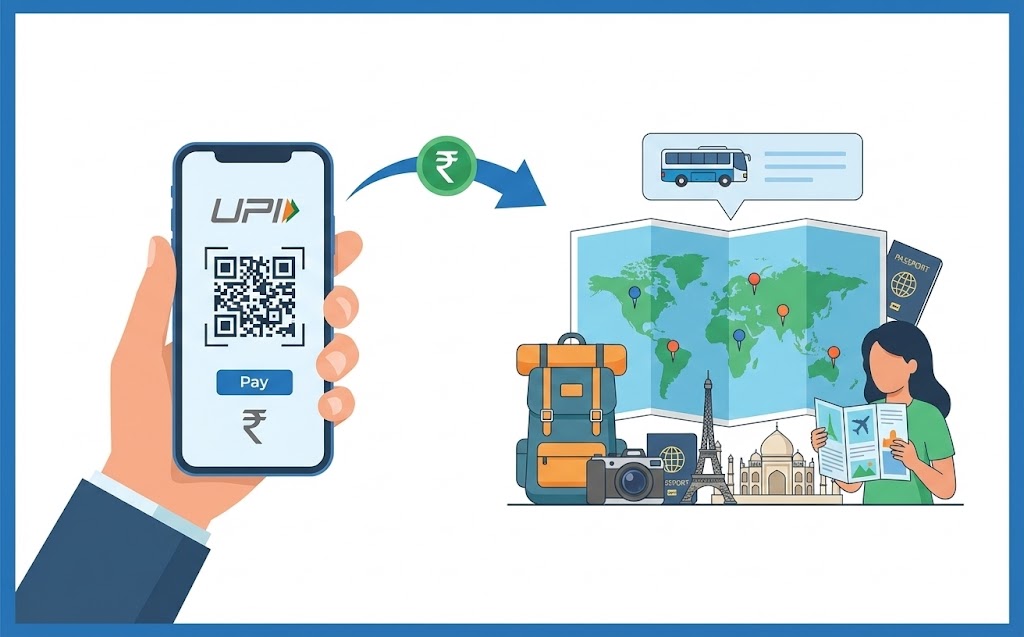
This guide explains how to use your unique digital payment ID for easy and secure tour package payments. Learn to set up your preferred digital payments application, link your bank account, and find your ID. Follow our step-by-step process to pay tour operators, ensuring you verify details, add notes, and use your secure PIN. Discover the advantages of quick, reliable, and convenient transactions for stress-free holiday bookings.
Planning a wonderful holiday often involves many exciting steps, from choosing your destination to packing your bags. An important part of this process is paying for your trip, and thankfully, digital payments have made this much simpler. This guide will help you understand how to use your UPI ID, a clever digital tool, to pay for your tour packages easily and safely.
Getting Started with UPI for Your Travels
Before you embark on your journey, let’s make sure you understand what UPI is and why it’s such a great option for your holiday payments.What Exactly is a UPI ID?
Imagine having a special, unique address for your bank account that allows you to send and receive money directly, without needing to share your full bank account number or other sensitive details. That’s essentially what a UPI ID is! It stands for Unified Payments Interface, and it’s a system that links all your bank accounts to a single mobile application. This makes sending and receiving money incredibly straightforward, right from your phone. It’s a system designed to make digital payments quick, secure, and accessible to everyone.Why UPI is a Smart Choice for Holiday Payments
When you’re booking a tour package, you often need to make a significant payment. Using UPI offers several excellent benefits:- Speed: Payments are usually instant, meaning your booking can be confirmed very quickly.
- Convenience: You can pay from anywhere, at any time, using just your mobile phone. No need to visit a bank or use complicated online forms.
- Security: Your transactions are protected with multiple layers of security, ensuring your money is safe.
- Simplicity: The process is designed to be user-friendly, even for those new to digital payments.
Preparing Your Digital Wallet for Your Trip
To use UPI, you’ll need to do a little bit of preparation. Don’t worry, it’s quite simple!Setting Up Your Preferred Digital Payments App
First, you’ll need a digital payments application on your smartphone. Many banks offer their own apps, and there are also several independent applications available. You can download one from your phone’s app store. Once installed, you’ll link your bank account to the app. This usually involves verifying your mobile number (which should be linked to your bank account) and setting up a secure PIN, often called an MPIN (Mobile Banking Personal Identification Number), which you’ll use to authorise your transactions.Finding Your Unique UPI ID
Once your digital payments app is set up and linked to your bank account, you will have your own unique UPI ID. This ID often looks like an email address (e.g., yourname@bankname or yourname@appname). You can usually find your UPI ID in the profile or settings section of your chosen digital payments app. It’s important to know what your ID is, though you’ll mainly be using it to receive money, not usually to send it when paying a tour operator.Making Sure You Have Enough Funds
Before you make any payment, especially for something as important as a holiday, it’s really important to check your bank account balance. You can easily do this within your digital payments app or through your bank’s own mobile banking application. Just make sure there’s enough money in your account to cover the full cost of your tour package. This simple check can save you from any payment delays or complications.Step-by-Step: Paying for Your Tour Package
Now, let’s walk through the actual process of paying for your tour package using your UPI ID.Getting the Tour Operator’s UPI Details
The first thing you’ll need is the tour operator’s UPI ID or their QR code. They should provide this to you on their website, invoice, or directly when you communicate with them. Always make sure you get these details from a trusted and official source.Starting Your Payment in the App
- Open your preferred digital payments app on your phone.
- Look for an option like “Pay”, “Send Money“, or “Scan & Pay“.
- If you have the tour operator’s UPI ID, select the option to “Pay to UPI ID” and carefully type it in.
- If they’ve provided a QR code, choose “Scan & Pay” and point your phone’s camera at the QR code.
Double-Checking the Amount
This step is crucial! After entering the UPI ID or scanning the QR code, the app will usually show the recipient’s name (the tour operator) and ask you to enter the amount. Carefully type in the exact amount for your tour package. Then, double-check it. A small mistake here could lead to paying too much or too little.Adding a Small Note for Your Records
Most digital payments apps allow you to add a short note or remark with your payment. It’s a very good idea to use this feature. For example, you could write “Payment for [Your Name] – [Tour Package Name] – Booking Ref [Number]”. This note helps both you and the tour operator easily identify what the payment is for, making record-keeping much clearer.Confirming Your Payment Securely
Once you’ve entered the amount and a note, the app will ask you to confirm the transaction. You’ll need to enter your MPIN (the secret PIN you set up earlier). This MPIN is your digital signature, authorising the payment from your bank account. Make sure no one else sees your MPIN.What Happens After You Pay?
Receiving Your Payment Confirmation
Almost instantly, your digital payments app will show a confirmation message indicating that your payment was successful. You will usually also receive an SMS message from your bank confirming the debit from your account. The tour operator should also receive a notification or see the payment in their system very quickly.Keeping a Record of Your Transaction
It’s always a good idea to keep a record of important payments. You can take a screenshot of the successful transaction screen in your app. Your app also keeps a transaction history, and your bank statement will show the payment. These records are important proof that you have paid for your tour package.Staying Safe While Paying Online
While UPI is very secure, it’s always wise to be careful when making any online payment.Spotting Potential Scams
- Never share your MPIN or OTP (One Time Password) with anyone. These are private and are only for you to authorise transactions.
- Be suspicious of requests for money from unknown sources or if someone asks you to send money to “receive” money.
- Always verify the identity of the person or company you are paying. If something feels wrong, it probably is.
Ensuring Your Tour Operator is Trustworthy
Before making any payment, take a moment to ensure your tour operator is legitimate. You can do this by:- Checking their official website and contact details.
- Reading reviews from other travellers.
- Looking for any official registrations or accreditations they might have.
What to Do if Something Goes Wrong
If you suspect a fraudulent transaction, or if your payment doesn’t go through correctly, act quickly:- Immediately contact your bank’s customer service.
- Contact the customer support of your digital payments app.
- Keep all transaction details handy.
The Advantages of Using UPI for Your Holiday Bookings
Quick and Easy Payments
The speed and simplicity are unmatched. You can book your dream holiday in minutes, without any paper forms or delays.Secure and Reliable Transactions
Backed by robust banking security systems, your transactions are encrypted and monitored, giving you peace of mind.Usually No Hidden Charges
For most everyday transactions, including paying for services like tour packages, using UPI typically involves no extra fees for you, the user.Ultimate Convenience for Travellers
Whether you’re booking from your sofa at home or on the go, UPI offers unparalleled convenience, making your holiday planning smoother than ever.Ready for Your Adventure!
With your UPI ID, you have a powerful and secure tool at your fingertips to manage your travel payments. By following these simple steps and staying mindful of online safety, you can confidently book your next adventure and focus on the excitement of your upcoming journey. Happy travels!Author

FAQs
What is a UPI ID?
It's a special, unique address for your bank account that lets you send and receive money directly using a mobile app. It links your bank accounts to one app.
Why should I use this payment method for my holiday?
It's quick, easy to use, safe, and very convenient as you can pay from your phone anywhere, anytime.
How do I set up a digital payments app?
Download an app, link your bank account by verifying your mobile number, and set up a secure PIN (MPIN) to approve payments.
Where can I find my unique payment ID?
You can usually find it in the profile or settings section of your digital payments app. It often looks like an email address.
What should I do before paying for my tour package?
Always check your bank account to make sure you have enough money to cover the full cost of your trip.
How do I pay a tour operator?
Get their payment ID or QR code. Open your digital payments app, choose to pay to an ID or scan the QR code, enter the amount, and confirm with your secure PIN.
Are there any extra costs when using this payment method?
For most everyday payments, including tour packages, you typically won't pay any extra fees.
What should I do to stay safe from scams?
Never share your secure PIN or one-time password with anyone. Be careful of requests for money from people you don't know, and always check who you are paying.
