

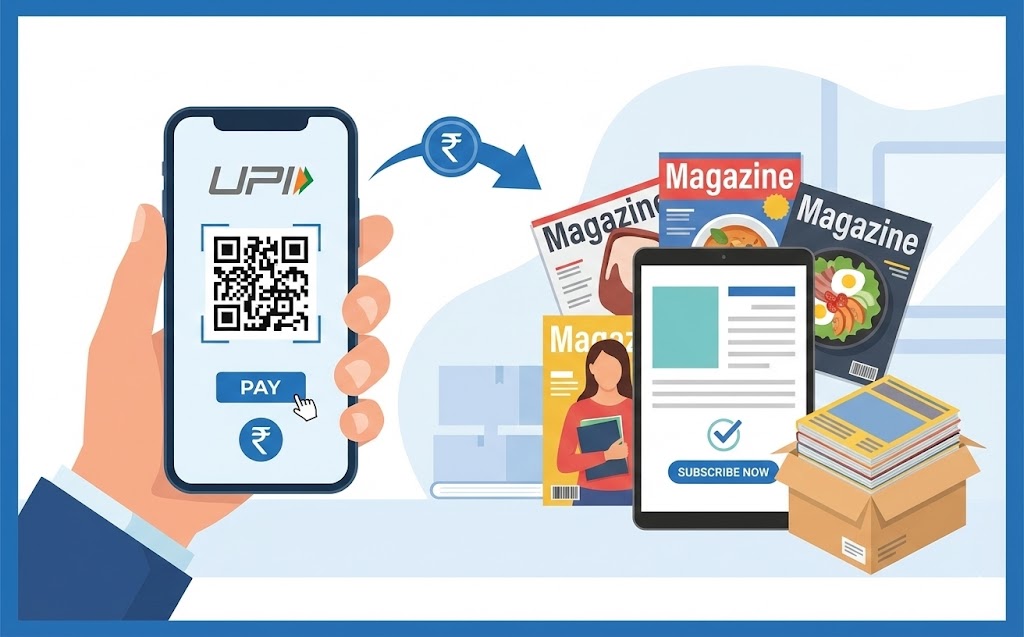
Discover how to easily subscribe to magazines using your UPI ID. This guide explains what a UPI ID is and how to set it up via your mobile payment application. Follow simple steps: select your desired magazine, choose UPI at checkout, enter your unique ID, and approve the payment using your PIN. Enjoy quick, secure transactions without sharing sensitive card details. Always protect your PIN and verify payment details for safety.
Reading magazines can be a wonderful way to learn new things, explore hobbies, or simply relax with interesting stories. If you enjoy getting your favourite magazines regularly, you might be looking for an easy and secure way to pay for your subscriptions. This is where your UPI ID comes in handy! It offers a simple and safe method for managing your payments, including those for your beloved magazines.
Understanding Your UPI ID
Before we dive into how to pay, let’s make sure we understand what a UPI ID is and why it’s such a great tool for payments.What exactly is a UPI ID?
Imagine having a special address just for receiving and sending money, much like an email address for your messages. That’s essentially what a UPI ID is! UPI stands for Unified Payments Interface, and it’s a clever system that allows you to move money between different bank accounts instantly, using just your mobile phone. Your UPI ID is a unique identifier, often looking something likeyourname@bank or yourmobile@bank. It’s linked directly to your bank account, but it keeps your bank account number private when you make payments. This system was developed by the National Payments Corporation of India (NPCI) to make digital payments easier and more accessible for everyone.
Why you might want to use UPI for payments
There are many reasons why using UPI for your payments, especially for things like magazine subscriptions, is a smart choice. Firstly, it’s incredibly fast – transactions happen almost instantly. Secondly, it’s very secure, as we’ll discuss more later. You don’t need to remember complicated bank account numbers or share your sensitive card details every time you pay. It’s all managed through a simple app on your phone, making it super convenient whether you’re at home or out and about.Getting Ready to Pay with UPI
To make sure your payment goes smoothly, there are a couple of things you need to have set up first. Don’t worry, it’s quite straightforward!Making sure your UPI ID is set up
To use UPI, you’ll need a bank account, of course. Then, you’ll need to link this bank account to a mobile payment application that supports UPI. Many banks offer their own apps, and there are also other popular payment apps available. Once you’ve chosen and installed an app, you’ll register your bank account with it and set up a special Personal Identification Number (PIN) for UPI transactions. This PIN is like your secret key to approve payments.How to find your unique UPI ID
Finding your UPI ID is usually very easy. Open your chosen mobile payment application on your smartphone. You’ll typically find your UPI ID displayed prominently on the home screen, in your profile section, or within the settings menu. It’s important to know your exact UPI ID, as you’ll need to type it in when making a payment.Step-by-Step: Paying for Your Magazine Subscription with UPI
Now, let’s walk through the simple steps of using your UPI ID to subscribe to your favourite magazine.Picking the magazine you want to read
First things first, visit the website of the magazine you wish to subscribe to. Browse through their offerings and choose the subscription plan that suits you best – perhaps a yearly plan or a shorter one to start with. Add it to your basket, just like you would when shopping online.Choosing UPI as your way to pay
When you reach the checkout page, you’ll see a list of different payment options. Look for and select ‘UPI’ from this list. This tells the website that you intend to pay using your unique UPI ID.Carefully typing in your UPI ID
After selecting UPI, a field will appear asking you to enter your UPI ID. This is where you’ll carefully type in your unique address, such asyourname@bank. It’s really important to double-check for any typing mistakes here, as even a small error could mean the payment doesn’t go through correctly. Once you’ve entered it, you’ll usually click a button to proceed or initiate the payment.
Approving the payment request on your app
Once you initiate the payment on the magazine’s website, you’ll receive a notification on your mobile payment application. Open the app, and you’ll see a payment request. This request will show you important details like the amount you need to pay and the name of the magazine publisher. Always check these details to make sure they are correct. If everything looks right, you’ll then enter your secret UPI PIN to approve the payment.Confirming your new magazine subscription
Once you’ve entered your PIN and the payment is approved, your mobile payment app will confirm that the transaction was successful. At the same time, the magazine’s website should also display a confirmation message, letting you know that your subscription is now active. You might also receive a confirmation email to your registered address.What Happens After Your UPI Payment
You’ve paid for your subscription – well done! Now, let’s see what happens next.Getting your payment confirmation message
Almost immediately after your payment is approved, you’ll receive a confirmation. Your bank will usually send you an SMS message confirming the debit from your account, and your mobile payment app will also show the transaction in your history. The magazine publisher will also send you an email confirming your new subscription.When to expect your magazine to arrive
For digital magazine subscriptions, access is often granted almost instantly, or within a few hours. If you’ve subscribed to a physical magazine, the delivery time will depend on the publisher’s schedule and your location. They usually provide an estimated delivery timeframe during the subscription process or in your confirmation email. If you have any questions, it’s always best to check their customer service details.Keeping Your UPI payments Secure and Sound
Security is a big advantage of using UPI, but it’s also important for you to play your part in keeping your payments safe.Protecting your special UPI PIN
Your UPI PIN is the key to authorising your payments. It’s incredibly important that you never share this PIN with anyone, not even friends, family, or anyone claiming to be from your bank or a payment service. Always memorise your PIN and avoid writing it down where others might find it. If you ever feel your PIN has been compromised, you should change it immediately within your mobile payment application.Always checking payment details before you approve
Before you enter your UPI PIN to approve any transaction, take a moment to carefully review all the details displayed on your mobile payment app. Check that the amount is correct and that the recipient’s name matches the magazine publisher you intend to pay. If anything looks suspicious or incorrect, do not approve the payment.What to do if you have a question or a problem
If you encounter any issues with your magazine subscription, such as not receiving access or a physical copy, your first step should be to contact the magazine publisher’s customer service directly. For any problems related to the payment itself, like an incorrect amount being charged or a transaction failing, you should reach out to your bank or the customer support team of your mobile payment application. They can help investigate and resolve the issue.The Advantages of Using UPI for Subscriptions
Choosing UPI for your magazine subscriptions brings several clear benefits, making your life a little easier and your payments more secure.Enjoying quick and simple payments
One of the biggest advantages is how fast and straightforward UPI payments are. You can subscribe to your favourite magazine in just a few taps on your phone, without the need for lengthy forms or waiting for payments to clear. This speed and simplicity make managing your subscriptions a breeze.Knowing your money is safe and secure
UPI transactions are built with strong security features. Each payment requires your unique UPI PIN, adding an extra layer of protection. Furthermore, the entire UPI system is regulated by the Reserve Bank of India (RBI) and managed by the NPCI, ensuring that it operates under strict guidelines designed to protect your money and personal information.No need to share your card details
When you pay with UPI, you don’t have to share your credit or debit card numbers, expiry dates, or the special security code on the back of your card with the merchant. This significantly reduces the risk of your sensitive card information being exposed, giving you greater peace of mind with every transaction. Only your UPI ID, which is a less sensitive identifier, is used for the payment.FAQs
What is a UPI ID?
A UPI ID is like a special address for sending and receiving money directly between bank accounts using your mobile phone. It's a unique identifier, often like `yourname@bank`, and keeps your bank account number private.
Why should I use UPI for payments?
UPI payments are very fast and secure. You don't need to remember bank account numbers or share card details, making it very convenient to pay with just your phone.
How do I set up my UPI ID?
First, you need a bank account. Then, link this account to a mobile payment app that supports UPI. You'll register your account and create a secret Personal Identification Number (PIN) to approve payments.
How can I find my UPI ID?
Open your mobile payment app. Your UPI ID is usually shown on the home screen, in your profile, or within the settings menu.
How do I pay for a magazine using UPI?
Choose your magazine and select 'UPI' at checkout. Carefully type in your UPI ID. Then, open your mobile payment app, check the payment details, and approve it by entering your secret PIN.
What happens after I pay for my subscription with UPI?
You'll get a confirmation message from your bank and mobile app. The magazine website will also confirm, and you'll likely receive an email. Digital access is often instant, while physical magazines follow a delivery schedule.
How can I keep my UPI payments safe?
Never share your secret UPI PIN with anyone. Always check payment details like the amount and recipient's name before approving a transaction.
What if I have a problem with my payment or subscription?
For subscription issues, contact the magazine's customer service. For payment problems, reach out to your bank or the support team of your mobile payment app.
What are the main benefits of using UPI for subscriptions?
UPI offers quick and simple payments, strong security features, and means you don't have to share your sensitive card details with the merchant.
Author

