

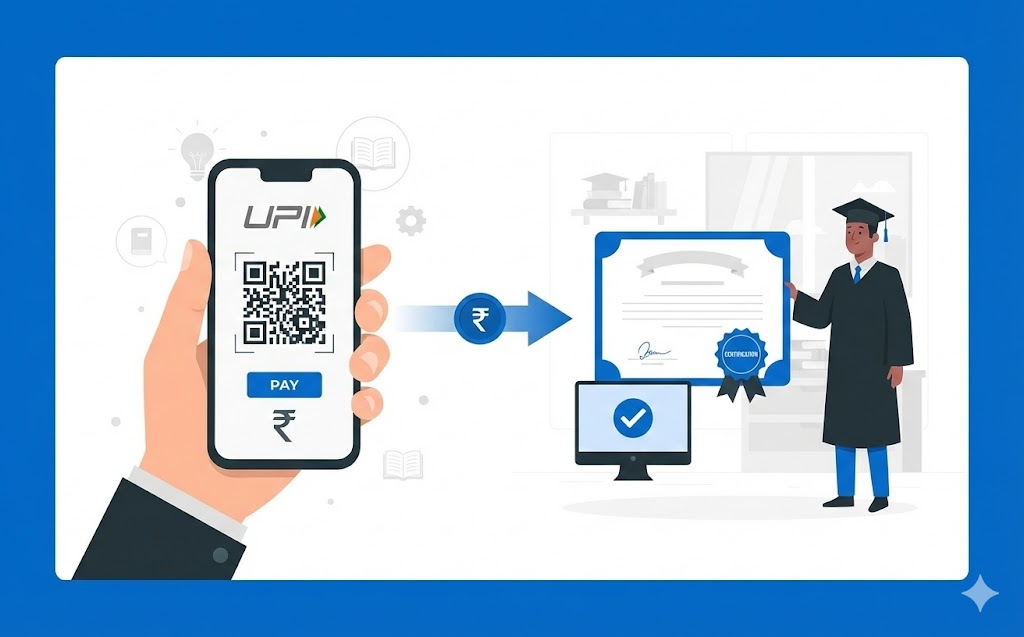
This guide details how to effortlessly pay certification fees using your UPI ID. Understand what UPI is, why digital payments are convenient, and how to find your unique ID. Follow a clear, step-by-step process to prepare for and complete your payment securely via your chosen payment application. Learn to verify details, confirm transactions with your PIN, and what to do after a successful payment, including keeping records. Enjoy quick, secure, and transparent transactions for your qualifications.
Getting certified can open up exciting new opportunities for you, whether it’s for a skill, a course, or a professional qualification. Paying for these certifications should be a straightforward process, and using your UPI ID offers a wonderfully simple and secure way to do just that. This guide will walk you through everything you need to know, from understanding what UPI is to successfully completing your payment.
Understanding What UPI Is and Why It Matters
Before we dive into the steps, let’s make sure we’re clear on what UPI is and why it’s such a valuable tool for your Digital payments.What Exactly Is UPI?
Imagine a clever system that lets you send money straight from your bank account to another, using just your phone. That, in essence, is UPI. It stands for Unified Payments Interface, and it’s a modern payment system that connects many different bank accounts into one easy-to-use mobile application. Developed by the National Payments Corporation of India (NPCI), UPI allows you to make instant payments, any time of day or night, even on holidays. It’s like having a digital wallet connected directly to your bank, but without needing to load money into a separate wallet first.The Convenience of digital payments for You
Think about how much easier life becomes when you don’t need to carry cash or even your bank card. Digital payments, especially through UPI, offer immense convenience. You can pay for things quickly and easily, right from your mobile device. For important payments like certification fees, this means:- No more trips to the bank: You can pay from the comfort of your home.
- Instant transactions: Payments happen in real-time, so you don’t have to wait.
- Always available: The system works 24 hours a day, 7 days a week.
Getting to Know Your UPI ID
Your UPI ID is your unique identifier in the digital payment world. Understanding it is key to making smooth transactions.What a UPI ID Looks Like
A UPI ID is usually a unique address that looks a bit like an email address. It often combines a name or your phone number with a bank or payment service identifier. For example, it might look something likeyourname@bankname or yourphonenumber@serviceprovider. This ID is what others use to send money to you, and what you’ll use to identify who you’re paying.
How to Find or Create Your Own UPI ID
When you first set up a payment application on your mobile device and link it to your bank account, a UPI ID is usually created for you automatically. You can typically find your UPI ID within the profile or settings section of your chosen payment application. If you have multiple bank accounts linked, you might have different UPI IDs for each, or you can choose one as your primary ID.Keeping Your UPI ID Safe and Secure
While your UPI ID is generally safe to share for receiving money, it’s very important to remember that it is not your password or PIN. Your UPI PIN is a secret number you use to approve payments, and you should never share it with anyone. Think of your UPI ID as your public address and your UPI PIN as the key to your safe. Always be wary of messages or calls asking for your PIN – a legitimate organisation will never ask for it.Preparing to Pay Your Certification Fees
A little preparation goes a long way in ensuring your payment for certification fees goes smoothly.What You Need Before You Start
Before you begin the payment process, make sure you have these things ready:- A working mobile device: Your smartphone or tablet with internet access.
- A payment application: An app linked to your bank account where your UPI ID is set up.
- Sufficient funds: Enough money in your linked bank account to cover the certification fee.
- The exact fee amount: Double-check the precise cost of the certification.
- The certification body’s official UPI ID or QR code: This is crucial for making sure your money goes to the right place.
Finding the Right Payment Details on the Certification Website
Always visit the official website of the certification body. Look for sections like “Fees,” “Payments,” “How to Pay,” or “Admissions.” They will usually provide clear instructions on payment methods, including details for UPI payments.Spotting the Official UPI ID or QR Code
On the certification body’s payment page, you should find their designated UPI ID (e.g.,certificationbody@bank) or a QR code. This QR code is a special image that your payment app can scan to automatically fill in the payment details. Make sure you are getting this information from the official source to avoid any mistakes.
Your Step-by-Step Guide to Paying with UPI
Now, let’s walk through the actual payment process together. It’s simpler than you might think!Opening Your Chosen Payment Application
First, unlock your mobile device and open the payment application you use and have linked to your bank account.Starting a New Payment
Once inside the app, look for an option that says “Send Money,” “Pay,” or “Scan & Pay.” The exact wording might vary slightly between apps, but it usually involves initiating a new transaction.Entering the Certification Body’s UPI ID or Scanning Their QR Code
You have two main ways to input the payment details:- If you have the UPI ID: Type the certification body’s UPI ID very carefully into the designated field. Double-check every letter and number.
- If you have a QR code: Select the “Scan & Pay” option, and use your phone’s camera to scan the QR code displayed on the certification body’s website or document. The app will then automatically retrieve the payment details.
Carefully Checking the Payee’s Name
This is a very important step! After entering the UPI ID or scanning the QR code, your payment application will usually display the name of the person or organisation linked to that ID. You must verify that this name matches the certification body you intend to pay. For instance, if you’re paying for a “National Skill Certification,” the name displayed should clearly relate to that organisation. If it doesn’t match, stop the transaction immediately.Putting in the Correct Certification Fee Amount
Enter the exact amount of the certification fee that you confirmed earlier. Be precise with the numbers and decimal points.Reviewing All the Details One Last Time
Before you finalise anything, take a moment to review all the information on your screen:- The payee’s name
- The UPI ID
- The exact amount you are paying
Confirming Your Payment with Your UPI PIN
Once you are absolutely certain all the details are correct, the app will ask you to enter your confidential UPI PIN. This is your personal authorisation for the payment. Enter your PIN carefully to complete the transaction.Receiving Your payment confirmation
After successfully entering your PIN, your payment application will display a confirmation message. This usually includes a transaction ID, which is a unique reference number for your payment. Keep this confirmation handy.What to Do After a Successful Payment
Your job isn’t quite finished after the payment goes through. There are a couple of important follow-up steps.Checking the Certification Body’s Portal
Many certification bodies have an online portal or account area where you can track your application status. Log in to your account on their official website to see if your payment has been successfully registered on their end. This might take a few minutes or hours, depending on their system.Keeping Your Payment Records Safe
It’s always a good idea to keep a record of your payment. Take a screenshot of the payment confirmation screen from your app, and note down the transaction ID. You might also receive an SMS or email confirmation from your bank or the payment application. These records serve as proof of payment if you ever need to refer back to them.Helpful Tips for Smooth UPI Payments
Here are some extra tips to make your UPI payment experience even better.Always Double-Check Your Details
We cannot stress this enough: always double-check the payee’s UPI ID and name, as well as the amount, before confirming any payment. A small mistake could send your money to the wrong place.What to Do if a Payment Doesn’t Go Through
If your payment fails, don’t panic. First, check your internet connection and ensure you have enough money in your bank account. You can usually try the payment again. If the problem persists, contact your bank’s customer service or the support team of your payment application for assistance.Keeping Your Mobile Device Secure
Since your mobile device is central to UPI payments, keep it secure. Use a strong screen lock (like a PIN, pattern, or fingerprint), avoid public Wi-Fi for sensitive transactions, and keep your payment application and phone’s operating system updated.Understanding Transaction Limits
Your bank or the UPI system may have daily or per-transaction limits on how much money you can send. If you are paying a very large certification fee, it’s wise to check these limits beforehand with your bank to ensure your payment will go through without issues.The Advantages of Using UPI for Your Fees
Using UPI for your certification fees brings several clear benefits.Quick and Easy Payments
The speed and simplicity of UPI mean you can complete your payment in just a few taps, saving you valuable time and effort. There’s no need for physical cheques or complicated bank transfers.Safe and Secure Transactions
UPI transactions are highly secure. They are protected by multiple layers of encryption and require your confidential UPI PIN for authorisation. The system is regulated by official bodies, ensuring a safe environment for your money.Clear Digital Records for You
Every payment you make through UPI is recorded digitally. You’ll have a clear history of your transactions within your payment application and on your bank statements, making it easy to track your spending and confirm your payments whenever you need to.Author

FAQs
What is UPI?
UPI is a clever system that lets you send money directly from your bank account to another using your mobile phone. It connects different bank accounts through one easy-to-use mobile application, allowing instant payments any time.
What does a UPI ID look like?
A UPI ID is a unique address, similar to an email address. It often combines a name or phone number with a bank or payment service's identifier, for example, `yourname@bankname`.
How do I find my UPI ID?
Your UPI ID is usually created automatically when you set up a payment application and link it to your bank account. You can typically find it in the profile or settings section of your payment application.
What should I have ready before paying certification fees with UPI?
Before paying, make sure you have a working mobile device, a payment application linked to your bank, enough money in your account, the exact fee amount, and the certification body's official ID or QR code.
Is it safe to share my UPI ID?
Yes, it is generally safe to share your ID if you are receiving money. However, you must never share your secret PIN, as this is used to approve payments.
What should I do if my payment fails?
If a payment fails, first check your internet and make sure you have enough money in your bank account. You can usually try again. If it keeps failing, contact your bank's customer service or your payment app's support team.
What is the most important step when making a payment?
The most important step is to carefully check the payee's name and the amount before confirming. Make sure the name displayed in your app matches the organisation you want to pay.
Why should I use UPI for my certification fees?
Using this payment method is quick and easy, allowing you to pay in a few taps. Transactions are safe, secure, and protected by your secret PIN. You also get clear digital records of your payments.
