

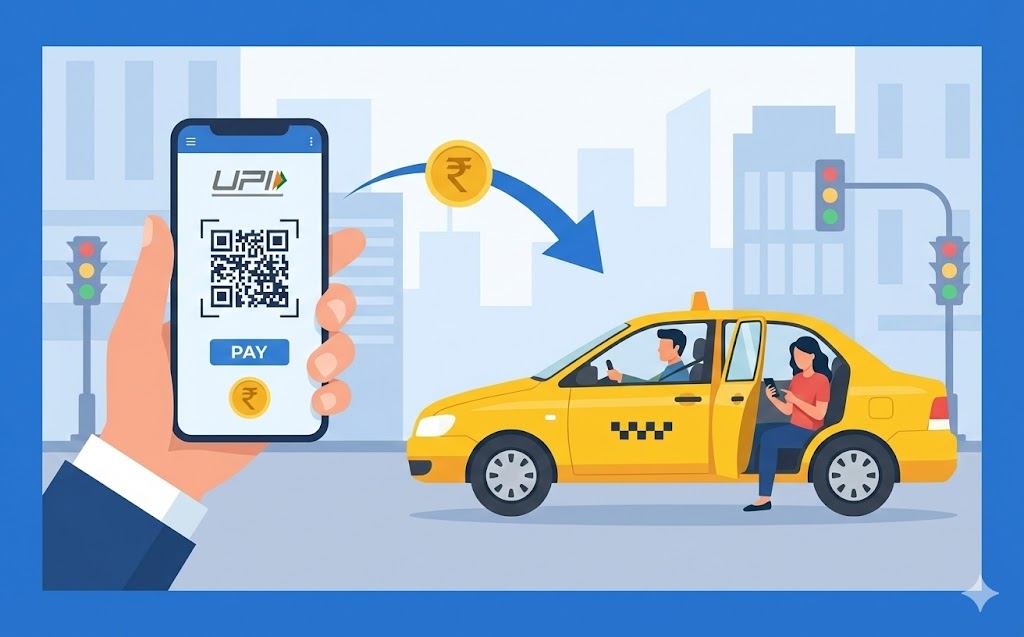
Discover how to use your UPI ID for seamless cab payments. This guide explains what a UPI ID is and why it's ideal for quick, secure transactions without cash or cards. Learn to set up your account, find your ID, and follow a clear, step-by-step process for paying your fare using QR codes or the driver's ID. Prioritise security by protecting your PIN and checking payment details carefully.
Imagine needing to pay for your cab journey without fumbling for cash or searching for your bank card. With a UPI ID, this convenience is now a reality for many people. This guide will help you understand how to use UPI for your cab payments, making your travels smoother and more efficient.
Understanding UPI for Easy Payments
Digital payments have transformed how we handle money, and UPI stands out as a particularly simple and secure method. It allows you to send and receive money directly from your bank account using just your smartphone, anytime and anywhere.What is a UPI ID?
A UPI ID is like your unique address for receiving and sending money through the UPI system. Think of it as a special email address, but specifically for your bank account. It typically looks something like ‘yourname@yourbank’ or ‘yourphonenumber@anotherprovider’. This unique identifier is directly linked to your bank account, meaning any money sent to your UPI ID goes straight into your bank, and any money you send from it comes directly from your bank account. It’s a very clever way to simplify banking transactions.Why UPI Makes Paying for Cabs Simple
Using UPI to pay for your cab rides brings a lot of ease and convenience. Firstly, you don’t need to worry about carrying enough cash, especially for longer journeys, or finding an ATM. Secondly, you won’t need to swipe a physical card or remember complicated card details, which can sometimes be a bit fiddly. Payments are usually completed in just a few seconds, making your exit from the cab much quicker. It’s all done through your phone, which most of us carry everywhere anyway, making it a truly handy way to settle your fare.Getting Ready to Pay with UPI
Before you hop into a cab and plan to pay with UPI, there are a couple of important steps to ensure you’re all set up. Taking a moment to prepare beforehand will make your payment experience smooth and stress-free.Making Sure Your UPI Account is Set Up
To use UPI, you first need to have a bank account in your name. Once you have that, you’ll need a smartphone and a reliable internet connection. The next step is to download a UPI-enabled application from your bank or a trusted payment service provider onto your phone. After installing the app, you will link your bank account to it, which usually involves verifying your mobile number (the one linked to your bank account). Finally, and very importantly, you will set up a unique UPI PIN. This PIN is a secret number you will use to authorise every payment, so keep it safe!Finding Your UPI ID
Once your UPI account is fully set up, finding your UPI ID is usually quite straightforward. Most UPI applications display your ID prominently on the main screen or within your profile section. It’s always a good idea to know what your UPI ID is, even though you might not always need to share it when paying. Knowing where to find it can be useful if someone needs to send money to you, or if you ever need to confirm it.Step-by-Step Guide to Paying Your Cab Fare with UPI
Paying your cab fare using UPI is a very simple process once you get the hang of it. Here’s a clear guide to help you through each step, ensuring a smooth end to your journey.Telling Your Cab Driver You Want to Pay with UPI
When your cab journey is complete, simply let your driver know that you would like to pay using UPI. Most cab drivers today are familiar with this payment method and will be able to guide you. They will usually either show you a QR code to scan or tell you their unique UPI ID.Using a QR Code for Quick Payments
Paying with a QR code is often the quickest way. The driver will typically have a QR code sticker or display it on their phone.- Open your UPI app: Launch your chosen UPI application on your smartphone.
- Select ‘Scan QR’: Look for an option to ‘Scan QR’ or ‘Pay by QR‘ within the app.
- Scan the code: Point your phone’s camera at the driver’s QR code. Your app will automatically detect the payment details.
- Enter the amount: Carefully type in the exact fare amount. Always double-check this to avoid mistakes.
- Confirm details: The app will usually show the driver’s name or business name. Make sure this matches who you are paying.
- Enter your UPI PIN: Input your secret UPI PIN to authorise the payment.
- Payment complete: You will receive an instant confirmation that your payment was successful.
Paying Directly with the Driver’s UPI ID
If the driver doesn’t have a QR code, or if you prefer, you can pay directly using their UPI ID.- Ask for their UPI ID: Request the driver’s unique UPI ID (e.g., ‘drivername@bank’).
- Open your UPI app: Go to your UPI application.
- Select ‘Pay to UPI ID’: Find the option to send money to a UPI ID.
- Enter the ID: Carefully type in the driver’s UPI ID.
- Verify name: The app will usually show the recipient’s name linked to that ID. Confirm it is your driver.
- Enter the amount: Type in the correct fare amount.
- Enter your UPI PIN: Input your secret UPI PIN to authorise the payment.
- Payment complete: You will receive a confirmation message.
Confirming Your Payment
Once you have completed the transaction, your UPI app will display a ‘Payment Successful’ message. It’s always a good practice to show this confirmation screen to your cab driver. They will also typically receive an instant notification on their phone confirming they have received the payment. This way, both you and the driver can be sure the transaction has gone through smoothly.Keeping Your UPI payments Safe and Secure
While UPI payments are incredibly convenient, it’s very important to always keep security in mind. Protecting your payment details ensures your money stays safe.Protecting Your UPI PIN
Your UPI PIN is the most critical piece of information for authorising payments from your bank account. You should treat it with the same care as you would a secret password for your bank. Never share your UPI PIN with anyone, not even family members, friends, or anyone claiming to be from your bank or a payment service. Your bank will never ask you for your PIN. It’s also wise to avoid writing your PIN down and to change it regularly to keep it even more secure.Checking Payment Details Carefully
Before you enter your UPI PIN and confirm any payment, always take a moment to double-check all the details. Make sure the amount you’re paying is correct and that the name of the person or business you are sending money to matches your cab driver. Sending money to the wrong person or entering an incorrect amount can be difficult to reverse, so careful checking is a very important step.What to Do If Something Goes Wrong
In the rare event that you experience an issue with a UPI payment – for example, if a payment fails but money is deducted, or if you suspect a fraudulent transaction – it’s important to act quickly.- Check your app: Many UPI apps have a ‘Help’ or ‘Dispute’ section where you can raise an issue directly.
- Contact your bank: Get in touch with your bank’s customer service immediately. They can investigate the transaction and provide guidance.
- Keep records: Make a note of the transaction ID and any other relevant details.
The Benefits of Using UPI for Your Journeys
Using UPI for your cab rides offers a range of fantastic benefits that make your travel experience much more convenient and modern.Quick and Easy Transactions
One of the biggest advantages of UPI is how incredibly fast and simple it is to use. You can complete a payment in a matter of seconds, which means no more waiting around while the driver looks for change or struggles with a card machine. This speed and ease save you valuable time, especially when you’re in a hurry.No Need for Cash or Cards
With UPI, your smartphone becomes your wallet. You no longer need to carry physical cash, which can be easily lost or stolen, nor do you need to worry about having the right bank card on you. This means less to carry and less to worry about, making your journeys lighter and more secure. Your phone is often all you need.Available Any Time, Any Day
UPI operates 24 hours a day, 7 days a week, including public holidays. This means you can pay for your cab ride at any time, whether it’s an early morning trip to the airport or a late-night journey home. You are not restricted by bank opening hours, giving you complete flexibility and peace of mind when you travel.FAQs
What is a UPI ID?
A UPI ID is your unique address for sending and receiving money through the UPI system. It's like a special email address for your bank account, directly linked to it.
Why is using UPI for cab payments helpful?
Using UPI means you don't need to carry cash or cards. Payments are quick, usually done in seconds through your phone, making your cab journey smoother and more efficient.
How do I set up my UPI account?
You need a bank account, a smartphone, and internet. Then, download a UPI app from your bank or a trusted provider, link your bank account by verifying your mobile number, and set up a secret UPI PIN.
What is a UPI PIN and how should I protect it?
Your UPI PIN is a secret number you use to approve every payment from your bank account. You must never share it with anyone, not even your bank, and it's good to change it often.
How can I pay a cab driver using a QR code?
Open your UPI app, choose 'Scan QR', and point your phone at the driver's QR code. Enter the correct fare amount, confirm the details, and then enter your UPI PIN to finish the payment.
What if the cab driver doesn't have a QR code?
You can ask the driver for their unique UPI ID. In your app, choose 'Pay to UPI ID', carefully type in their ID, confirm their name, enter the fare, and then use your UPI PIN to complete the payment.
What should I do if there's a problem with my UPI payment?
If something goes wrong, like money being taken but the payment failing, check your app's 'Help' section or contact your bank straight away. Remember to note down the transaction details.
Author

