

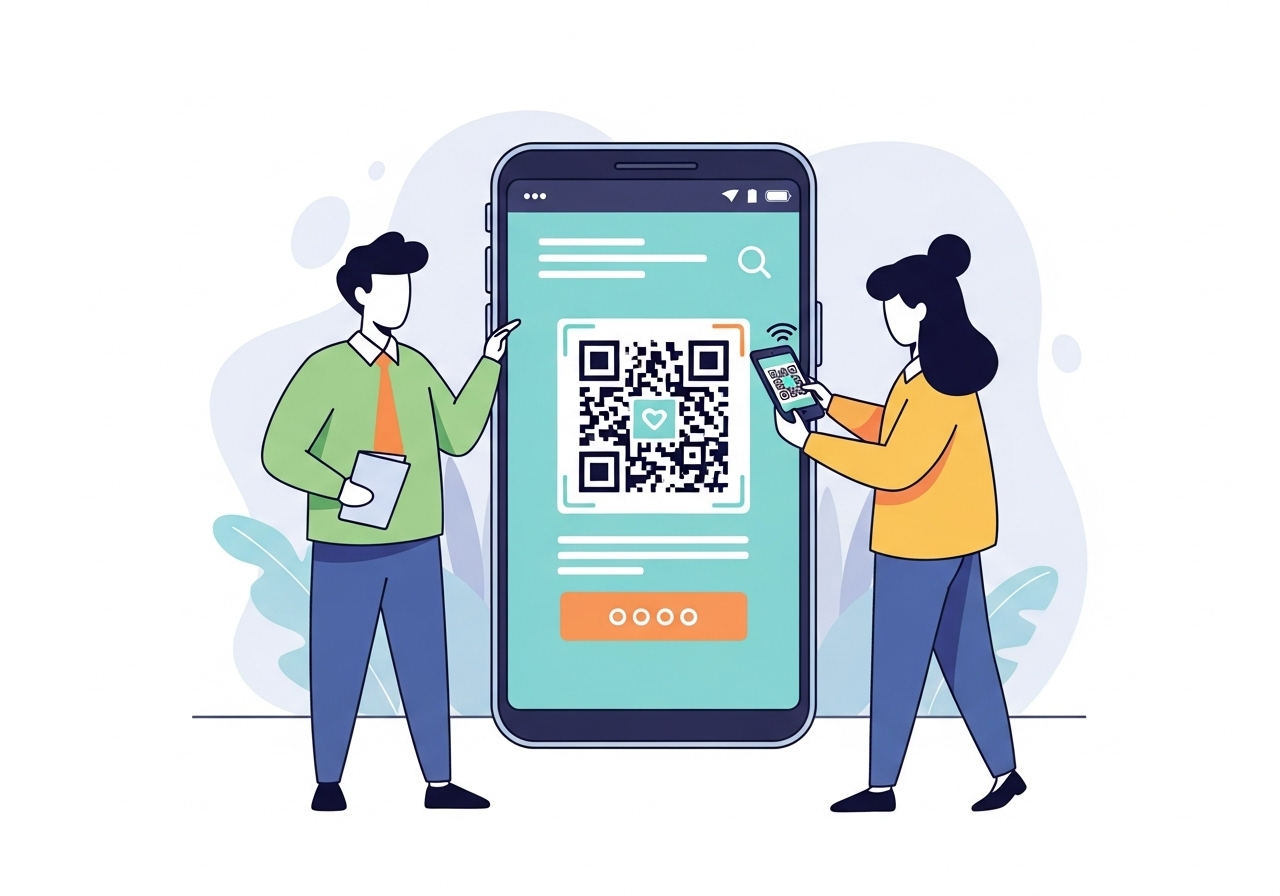
The Reserve Bank of India recently highlighted the rapid growth of digital payments, with millions of transactions occurring daily across the nation. This surge includes a significant rise in the use of ‘Scan and Pay’ methods, transforming how everyday Indians manage their money. These advancements are not just about convenience; they’re also about better financial transparency.
As more people embrace these digital tools, understanding their full potential beyond simple transactions becomes crucial for personal finance. Scan and Pay offers a powerful, yet often overlooked, way for you to track every single rupee you spend, helping you to make smarter choices about your budget. It’s about turning a quick payment into a valuable financial record.
What Is Scan and Pay?
Scan and Pay is a very easy way to pay for things using your smartphone. Instead of using cash or a card, you simply open a payment app on your phone, scan a special picture called a QR code, and confirm your payment. It’s a quick and secure method that has become very popular across India, from busy city markets to small village shops.
Digital Payment Basics
Digital payments are simply ways to send or receive money electronically, without needing physical cash. They happen instantly and are recorded digitally. In India, many digital payments use the Unified Payments Interface (UPI) system, which connects different bank accounts and payment apps.
When you use Scan and Pay, you’re tapping into this digital network. Your money moves directly from your bank account to the seller’s bank account through a secure channel. This means your transactions are clear, quick, and leave a digital trail.
Simple Transaction Method
The Scan and Pay method is designed to be straightforward for everyone. You don’t need to carry lots of change or worry about exact amounts. Just a few taps on your phone, and your payment is complete. It’s especially handy when you’re in a hurry or don’t have enough cash.
This simplicity encourages more people to use digital money. It also helps businesses of all sizes, making it easier for them to accept payments without needing complicated machines.
How It Works
Here’s a simple breakdown of how Scan and Pay works:
- You find a QR code: Many shops, stalls, and service providers display a QR code. This is a square-shaped barcode that holds their payment details.
- You open your payment app: On your smartphone, you open your preferred digital payment application.
- You scan the code: You use your phone’s camera through the app to scan the QR code. The app automatically reads the seller’s details.
- You enter the amount: You then enter how much money you need to pay.
- You confirm with your PIN: To make sure it’s really you, you’ll enter your secret Personal Identification Number (PIN).
- Payment is done: The money is sent, and both you and the seller usually get an instant confirmation message on your phones.
Quick Context: A QR code (Quick Response code) is like a digital barcode. When you scan it with your phone, it quickly gives your payment app all the necessary details for a transaction, making the process fast and error-free.
How Does Scan and Pay Help You Budget?
Budgeting means planning how you spend your money and making sure you don’t spend more than you have. Scan and Pay is a fantastic tool for this because every transaction leaves a clear digital record. This record acts like a diary of your spending, showing you exactly where your money goes.
Automatic Spending Records
When you pay with cash, it’s easy to forget where that ₹50 or ₹100 went. But with Scan and Pay, every single payment is automatically recorded by your bank and your payment app. You don’t need to write anything down or keep receipts.
This automatic record-keeping is a huge advantage for budgeting. It means you have a complete and accurate history of your expenses without any extra effort on your part. You can trust that the information is there whenever you need it.
Clear Transaction History
Your payment app and bank statements provide a very clear list of all your Scan and Pay transactions. Each entry usually shows:
- Date and Time: Exactly when the payment happened.
- Merchant Name: Who you paid (e.g., “Grocery Store,” “Cafe Delight”).
- Amount: The exact sum you spent.
- Transaction ID: A unique number for that specific payment.
This level of detail helps you review your spending easily. You can scroll through your history and see exactly what you bought and when. It’s much more organised than a stack of paper receipts.
Seeing Where Money Goes
One of the biggest challenges in budgeting is truly understanding your spending habits. Scan and Pay makes this much simpler. By regularly checking your transaction history, you can identify patterns. You might notice:
- How much you spend on food each week.
- Your monthly expenses for transport.
- Where you tend to make impulse purchases.
This clear view helps you realise if you’re spending too much in certain areas. It gives you the information you need to make adjustments and stick to your budget.
Real-World Scenario:
Priya, a student in Bengaluru, used to wonder where her pocket money went each month. After starting to use Scan and Pay for all her small purchases – from chai to bus tickets – she realised she was spending a lot more on snacks and drinks than she thought. By seeing these clear records, she decided to cut back, saving enough to buy a new book she wanted.
Key Benefits of Using Scan and Pay
Beyond just budgeting, Scan and Pay offers many other benefits that make managing your money easier and safer. It’s a modern way to handle your finances that brings convenience and control.
Easy Spending Tracking
As we’ve discussed, the automatic recording of transactions is a major plus. You can quickly pull up a of your spending for a day, a week, or a month. This makes it simple to see if you’re staying within your financial limits.
You don’t need to manually enter data into a spreadsheet or jot down every expense. Your payment app does the hard work for you, leaving you more time to focus on other things.
No Need for Cash
Carrying cash can sometimes be a hassle. You might worry about losing it, or you might not have the exact change. Scan and Pay removes this problem completely. You can pay for almost anything with just your phone.
This also means you don’t have to visit an ATM as often, saving you time and effort. It’s a cleaner, more efficient way to handle everyday transactions.
Quick Payment Process
Imagine you’re at a busy market. Fumbling for cash or waiting for change can slow things down. Scan and Pay transactions are usually completed in a matter of seconds. This speed benefits both you and the seller.
It makes shopping and paying for services much smoother and more enjoyable. You can move quickly through queues and get on with your day.
Better Financial Control
When you have a clear picture of your spending, you gain better control over your money. You can make informed decisions about what you buy and where you can save. This sense of control is empowering.
Financial Control Aspects:
- Awareness: You always know how much you’ve spent.
- Decision-making: You can decide if a purchase fits your budget before you make it.
- Planning: You can plan for future expenses and savings more effectively.
- Goal Setting: It helps you work towards financial goals, like saving for something big.
Pro Tip: Many payment apps allow you to categorise your spending. For example, you can mark transactions as “Food,” “Transport,” or “Entertainment.” This makes it even easier to see your spending patterns at a glance.
Understanding Your Digital Transactions
To truly use Scan and Pay for budgeting, you need to know how to read and understand your digital transaction records. These records are not just numbers; they tell a story about your money movements.
What Transaction Records Show
Every transaction record is a piece of important information. Look for these details:
- Transaction Reference Number: A unique ID for each payment, useful if you ever need to query a transaction.
- Status: Whether the payment was “Successful,” “Failed,” or “Pending.”
- Sender/Receiver: Your name and the name of the person or business you paid.
- Bank Account Details (masked): Often shows the last few digits of the bank accounts involved for security.
Understanding these details helps you verify that your payment went through correctly and to the right place.
Checking Payment Apps
Most digital payment apps have a dedicated ‘History’ or ‘Transactions’ section. This is where you’ll find a list of all your past payments. It’s usually very easy to navigate, with options to filter by date or type of transaction.
Regularly checking this section is a key habit for good budgeting. It keeps you informed and helps you catch any unusual activity quickly.
Finding Payment Details
Sometimes, you might need to find a specific payment detail, perhaps for a return or to settle a dispute. Here’s how you can usually find them:
- In-app History: The quickest way is through your payment app’s transaction history.
- Bank Statements: All digital payments linked to your bank account will appear on your monthly bank statements. These are official records.
- SMS/Email Confirmations: Many apps and banks send an SMS or email confirmation for each successful transaction.
| Feature | Payment App History | Bank Statement | SMS/Email Confirmation |
| Ease of Access | Very easy, real-time | Monthly, online or physical | Instant, but can be cluttered |
| Detail Level | High, often includes merchant names | High, official record | Basic, quick |
| Search/Filter | Excellent, by date, merchant, amount | Limited, usually by date | Difficult to search |
| Official Record | Good for personal tracking | Excellent, legally recognised | Good for immediate verification |
Common Confusion: Some people think that if their app shows ‘successful’, it’s always final. While usually true, it’s good practice to also glance at your bank statement periodically to cross-check, especially for larger amounts.
Keeping Your Digital Payments Safe
While Scan and Pay is convenient, it’s very important to keep your digital payments safe. Just like you’d protect your physical wallet, you need to protect your digital wallet and information.
Protecting Your PIN
Your Personal Identification Number (PIN) is the key to your digital money. Treat it like a secret code that only you know.
- Never share your PIN: Not with friends, family, or even bank officials (they will never ask for it).
- Choose a strong PIN: Avoid easy numbers like your birth date or “1234.”
- Don’t write it down: Memorise your PIN and avoid keeping it where others can find it.
- Cover your hand: When entering your PIN in public, always cover the keypad with your other hand to prevent others from seeing it.
Recognising Secure Payments
Most payment apps and platforms in India are built with strong security features. However, it’s good to be aware of what makes a payment secure:
- Official QR Codes: Always scan QR codes displayed by reputable businesses or individuals you trust. Be wary of codes that look tampered with or are simply pasted on unofficial surfaces.
- HTTPS in URLs: If you’re ever asked to enter details on a website, make sure the address starts with “https://” (the ‘s’ stands for secure).
- Official App Stores: Only download payment apps from official app stores like Google Play Store or Apple App Store. Avoid downloading from unknown websites.
- Confirmation Messages: Always wait for the success confirmation message on your phone and, if possible, from the seller’s device too.
What to Do If Lost
What if you lose your phone or suspect someone has accessed your payment app without permission? Act quickly:
- Block your SIM card: Contact your mobile network provider immediately to block your SIM.
- Block your bank account/UPI: Contact your bank’s customer service or use their official app to block your bank account or disable your UPI services.
- Report to authorities: Inform the police if you suspect fraud or theft.
- Change passwords: Change passwords for your email and other important accounts that might be linked to your phone.
Real-World Scenario:
Anil from Chennai was shopping when his phone was stolen. He quickly remembered the advice about digital safety. Within minutes, he called his mobile provider to block his SIM and then his bank to disable his UPI access. This swift action prevented any unauthorised transactions from happening, saving his money.
Making Scan and Pay Part of Your Budget Plan
Now that you understand what Scan and Pay is and its benefits, let’s look at how you can actively use it to improve your budget planning. It’s about turning a convenient tool into a powerful financial habit.
Regularly Checking Spending
The first step is to make it a routine to check your transaction history. You could:
- Daily Quick Check: Spend 5 minutes each evening reviewing the day’s payments.
- Weekly Review: Dedicate a specific time each week (e.g., Sunday morning) to look at all your spending.
- Monthly: At the end of each month, review your entire month’s spending to see overall trends.
This regular review helps you stay on top of your finances and quickly spot if you’re overspending in any area. It makes budgeting an ongoing process, not just a one-off task.
Setting Spending Limits
Once you understand your spending patterns, you can set limits for different categories. For example:
- “I will spend no more than ₹2000 on eating out this month.”
- “My daily transport costs shouldn’t exceed ₹150.”
While payment apps don’t always enforce these limits directly, your regular checks will show you if you’re sticking to them. This self-discipline is crucial for successful budgeting.
Quote:
“The best way to predict your financial future is to create it.” This quote reminds us that taking active steps, like using Scan and Pay for budgeting, puts you in charge of your money.
Planning for Savings
Budgeting isn’t just about spending; it’s also about saving. By tracking your expenses with Scan and Pay, you can identify areas where you can cut back. The money you save can then be put towards your financial goals.
- Emergency Fund: Build up savings for unexpected situations.
- Future Purchases: Save for a new gadget, a trip, or higher education.
- Investments: Start learning about and planning for future investments.
Every rupee you save by being mindful of your spending adds up and helps you achieve these goals.
Empowering Your Financial Future
Using Scan and Pay as a budgeting tool is more than just managing daily transactions; it’s about building a strong foundation for your financial future. It empowers you with knowledge and control over your money.
Building Good Habits
The consistent use of Scan and Pay for tracking creates positive financial habits. You become more aware of your money, more disciplined in your spending, and more proactive in planning for the future. These habits will serve you well throughout your life.
Learning to manage your digital rupees today sets you up for smart financial decisions tomorrow.
Taking Control of Money
When you understand where your money comes from and where it goes, you take control. You’re no longer guessing or wondering; you have clear data. This control reduces financial stress and gives you confidence in your ability to handle money.
It’s about making your money work for you, rather than feeling like you’re always working for your money.
Smart Financial Choices
Ultimately, Scan and Pay helps you make smarter financial choices. Whether it’s deciding between two purchases, allocating funds for savings, or planning for a big expense, you’ll have the information needed to make the best decision. Embracing digital payments for budgeting is a practical step towards a more secure and prosperous financial journey in India’s growing digital economy.
Conclusion
Understanding Scan & Pay as a Tool for Personal Budgeting: Tracking Every Digital Rupee can help you make informed decisions. By following the guidelines outlined above, you can navigate this topic confidently.
Author

