


In order to enable employers to make monthly contributions to employees’ ESIC accounts, ESIC has an online portal for payments. This online portal not only provides a convenient platform for making payments but also offers additional features such as registration, login capabilities, and serves as a comprehensive information guide.
Whether you are starting a new company or are an HR or new finance professional, understanding how to make payments to ESIC accounts for your employees is crucial. Let’s now understand this process step-by-step.
How to Make ESIC Payment Online?
Step 1: Go to the official ESIC website and log in using the necessary credentials.
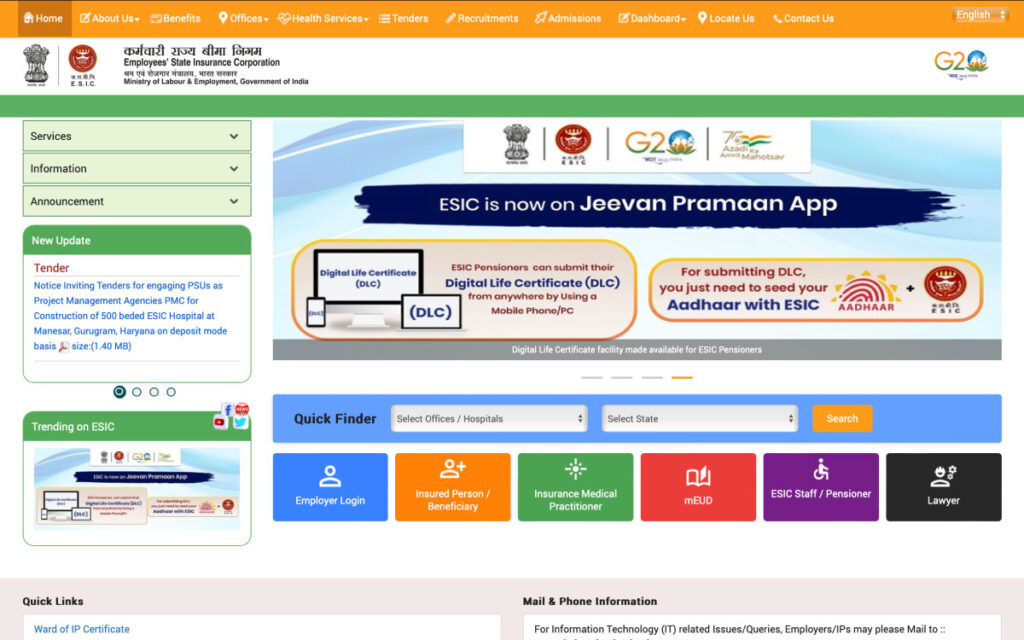
Step 2: On the redirected page, you will see a list of ESIC links and modules. Click on ‘Pay e-Challan’ to proceed with the ESIC payment. You’ll see this page.
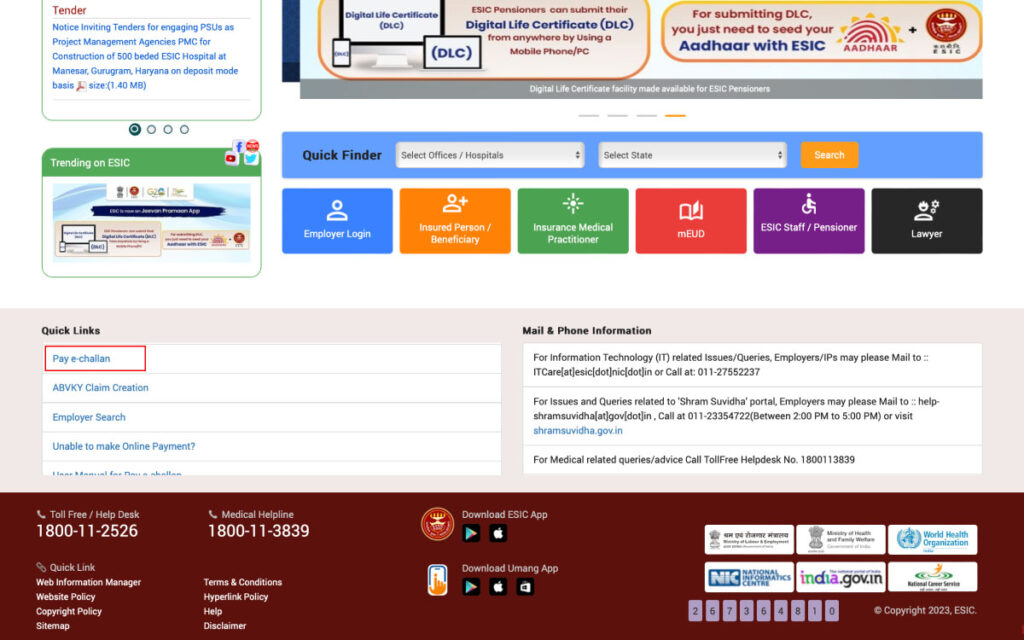
Step 3: Now enter the employer code, the ‘CAPTCHA’ and then ‘Search’.
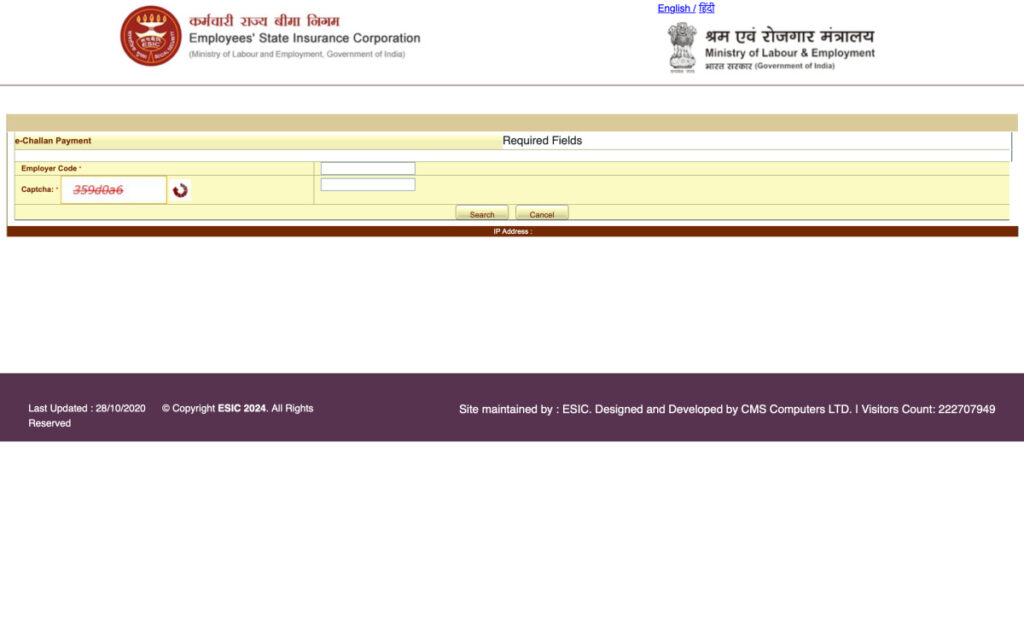
Step 4: After proceeding, you’ll see a list of challans. Select the challan number to proceed with the payment.
Step 5: You will have two payment options: through SBI or through other internet banking services.
Step 6: Choose your bank from the drop-down menu, and you’ll be redirected to the payment gateway.
Step 7: You’ll be prompted again to enter credentials to proceed with the payment.
Step 8: Now you’ll see a page with complete details of the challan and a “Pay” button at the bottom.
Step 9: You’ll get a payment successful receipt upon completion, confirming your transaction is complete.
Read More: UAN Registration Online & UAN Activation Process
How to Download ESIC Online Challan?
After successfully paying the challan for your employee, the next step is to download the ESIC challan. Let’s see how.
Step 1: Visit Challan Double Verification page.
Step 2: Enter “Employer’s Code No” and “Challan Number” and click on Submit.
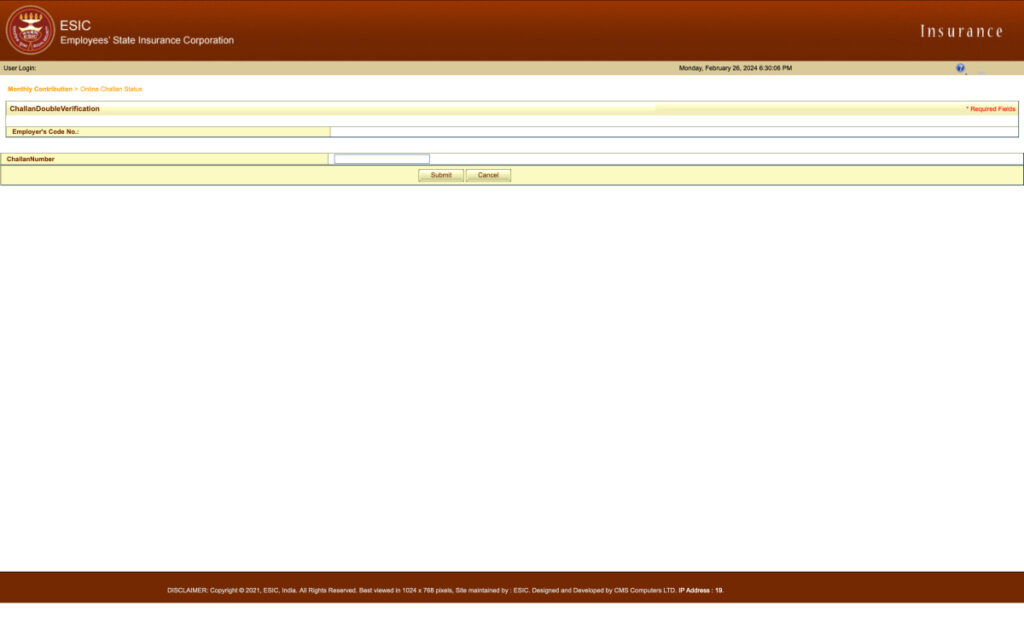
Step 3: A screen with challan details will appear and you’ll get the option to download it.
That’s it! Your challan will be downloaded to your system with these three easy steps.
What Happens In Case of Non-Payment or Delayed Payment of Contribution?
In the case of non-payment or delayed ESIC contributions, ESIC may levy and recover damages at the following rates:
| Period of Delay | Damages in % Per Annum |
|---|---|
| Less than 2 months | 5% |
| 2 to 4 months | 10% |
| 4 to 6 months | 15% |
| 6 months and above | 25% |
Since a delay in contributions to ESIC can attract penalties, it is important to be mindful of the deadlines. Ensure your organization submits payments promptly to avoid any unexpected penalties. For more frequently asked questions, you can visit ESIC’s FAQ page.
What is ESI Scheme?
Author
