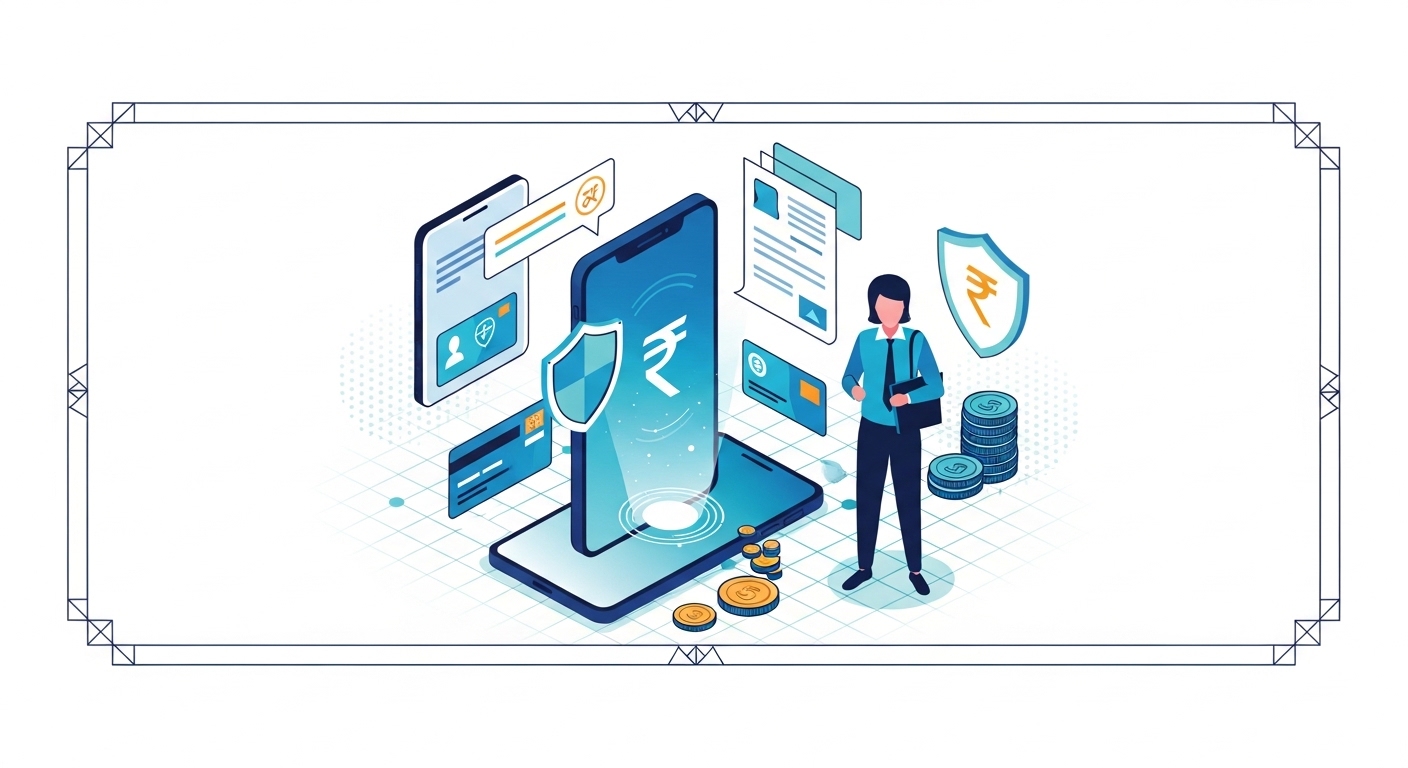
Many people believe that a strong, unique password is all you need to keep your online accounts safe from cyber threats. Actually, relying on a password, no matter how complex, leaves you vulnerable to sophisticated attacks like phishing and brute-force attempts. Your digital identity and finances require much stronger protection today.
This guide will explain exactly what Multi-Factor Authentication (MFA) is and why it’s your best defence against account takeover in 2026. You’ll learn how MFA works, its different forms, and how to easily set it up to safeguard your money and personal information across all your online services.
Table of Contents
What Is Multi-Factor Authentication?
Multi-Factor Authentication (MFA) is a security system that requires more than one method of verification to prove your identity when logging into an account, as recommended by the Reserve Bank of India (RBI) for financial transactions. This mechanism adds extra layers of protection by combining different types of credentials, making it much harder for unauthorised users to gain open even if they know your password.
For instance, many government services, including those for eSign, require an OTP sent to your registered mobile number as a second factor for authentication, ensuring that only you can authorise digital signatures. If you don’t enable MFA on your critical accounts, you’re leaving your digital life exposed to potential fraud and identity theft, which can lead to significant financial losses.
You should check the security settings within your online banking portal or government service websites to enable MFA today.
You might think of account security as a single lock on a door, but Multi-Factor Authentication, or MFA, is more like having several different locks that all need to be opened. It’s a method of confirming your identity by requiring two or more verification factors before granting open to an account. This approach significantly increases security compared to using a password.
In 2026, with so much of our lives online, from banking to government services, protecting your digital identity has never been more crucial. MFA acts as a vital barrier, ensuring that even if a cybercriminal somehow gets hold of your password, they still can’t get into your account. It’s about adding extra steps to verify it’s really you.
More Than a Password
A password is something you know, but it can be guessed, stolen, or exposed in data breaches. If someone learns your password, they could easily log into your accounts and cause serious harm. This single point of failure is why relying solely on passwords is no longer enough to protect your valuable information.
MFA goes beyond this single layer, demanding additional proofs of identity. It creates a much more strong security posture, making it incredibly difficult for unauthorised open. You’re building a stronger digital fortress around your online presence.
Adding Layers of Security
MFA works by combining different types of authentication factors. These factors typically fall into three categories: something you know (like a password), something you have (like your phone), and something you are (like your fingerprint). When you try to log in, you’ll need to provide at least one item from two or more of these categories.
This layered approach means that even if one factor is compromised, the others still protect your account. For example, if a hacker steals your password, they still won’t have your phone to receive the One-Time Password (OTP) or your fingerprint to bypass biometric checks.
Protecting Your Digital Life
Enabling MFA is a simple yet powerful step you can take to secure your digital life. It applies to everything from your email and social media to your banking and investment accounts. The peace of mind that comes with knowing your information is better protected is invaluable.
The PM Jan Dhan Yojana, for example, aims to bring financial services to everyone, and securing these accounts with MFA is vital for financial inclusion. Protecting your open means protecting your funds and personal data from falling into the wrong hands.
Quick Context: The Three Pillars of MFA
Multi-Factor Authentication relies on three main types of verification: something you know (like a password), something you have (like a phone or security key), and something you are (like your fingerprint or face scan). You’ll typically use a combination of at least two of these.
Why You Need Multi-Factor Authentication
In today’s interconnected world, cyber threats are constantly evolving, making strong security measures essential. You need Multi-Factor Authentication because it significantly reduces the risk of your accounts being compromised, safeguarding your finances and personal data. It’s an active defence against the increasing sophistication of online attacks.
Think about how much of your life is stored online-your bank details, your investment portfolio, your personal communications. Without MFA, a single stolen password could give criminals open to all of this. It’s a small step that offers massive protection.
Stopping Online Thieves
Account takeovers are a major concern, where fraudsters gain control of your online accounts. They can use stolen credentials to make fraudulent transactions, apply for loans in your name, or even lock you out of your own accounts. MFA acts as a critical roadblock, making these attacks far less likely to succeed.
Even if a phishing scam tricks you into revealing your password, the thief won’t have the second factor, like your phone, to complete the login. This extra layer often frustrates criminals and makes them move on to easier targets.
Protecting Your Money
Your financial accounts are prime targets for cybercriminals. Whether it’s your savings account, demat account, or pension fund, a breach can lead to significant financial loss. Platforms like CDSL, which manage your securities, rely on strong authentication to protect your investments in 2026.
MFA adds an essential layer of security to your banking and investment portals. It ensures that only you can open your funds, transfer money, or make changes to your financial profiles. This protection is especially important for long-term savings like the Public Provident Fund (PPF) managed by India Post or the National Pension System (NPS) via NSDL, where your future security is at stake.
Safeguarding Personal Information
Beyond money, your online accounts hold sensitive personal information, including your address, date of birth, and even family details. If this data falls into the wrong hands, it can be used for identity theft, blackmail, or other malicious purposes. MFA helps keep this private information secure.
By protecting your email, social media, and cloud storage accounts with MFA, you’re preventing unauthorised open to your digital footprint. This significantly reduces the risk of your personal life being exposed or exploited.
Responding to Cyber Threats
Cyber threats are constantly evolving, from sophisticated malware to highly convincing phishing emails. As per the latest official guidelines from government cybersecurity agencies, a multi-layered defence is crucial. MFA is a proactive response to this changing threat space.
It’s a modern security standard that many institutions and services are now recommending or even requiring. By adopting MFA, you’re aligning your personal security with the best practices designed to combat current and future cyber risks.
Common Confusion: A widespread myth is that only large businesses or wealthy individuals need to worry about account security.
This is incorrect; everyone with an online presence is a potential target.
Cybercriminals often target individuals because they may have weaker security, making them easier to exploit.
| Security with MFA | Security Without MFA |
| Requires multiple proofs of identity | Relies on a single password |
| Significantly harder for hackers to open | Vulnerable to password theft/guessing |
| Protects finances and personal data robustly | High risk of financial loss and identity theft |
| Adds peace of mind and confidence | Constant worry about breaches |
How Multi-Factor Authentication Works
Understanding how Multi-Factor Authentication works makes it easier to appreciate its power. It’s not about making your life harder, but about making it much more secure by asking for different kinds of proof that you are who you say you are. You combine at least two distinct verification methods to confirm your identity.
This process ensures that even if one piece of your login information is compromised, the others remain secret. It creates a strong defence system, significantly reducing the chances of an unauthorised login.
Something You Know
The most common “something you know” factor is your password or a Personal Identification Number (PIN). This is the traditional first line of defence for almost every online account you have. You create it, you remember it, and you type it in.
While essential, this factor alone is the weakest link if it’s not strong or if it’s reused across multiple sites. MFA builds on this by adding other factors, so your password isn’t the only gatekeeper.
Something You Have
This factor involves a physical item that only you possess. Your smartphone is the most common example, used to receive One-Time Passwords (OTPs) via SMS or through an authenticator app. It could also be a physical security key, like a USB device.
When you log in, the service sends a unique code to your device, or the app on your device generates one. You then enter this code to complete your login. This ensures that only someone with your specific device can proceed.
Something You Are
This category refers to your unique biological characteristics, known as biometrics. Examples include your fingerprint, face scan, or iris scan. These are inherently unique to you and are incredibly difficult for anyone else to replicate.
Many modern smartphones and laptops have built-in biometric scanners that allow you to use this factor for quick and secure authentication. It’s a convenient and highly secure way to verify your identity without needing to type anything.
Combining Security Layers
When you use MFA, you’re typically combining at least two of these factors. For example, you might enter your password (something you know) and then receive an OTP on your phone (something you have). Or you could use your fingerprint (something you are) after entering your PIN (something you know).
This combination makes it incredibly difficult for a hacker to gain open. They would need to know your password and have physical open to your phone or be able to spoof your biometrics, which is a monumental task.
Pro Tip: Use an Authenticator App
While SMS OTPs are common, authenticator apps like Google Authenticator or Microsoft Authenticator are generally more secure. They generate codes directly on your device, avoiding potential risks associated with SMS interception.
Common Types of Multi-Factor Authentication
You’ll encounter several different types of Multi-Factor Authentication in your day-to-day online activities. Each method offers a different balance of convenience and security, but all aim to provide that crucial second layer of protection. Knowing the common types helps you choose the best options for your accounts.
Most online services will offer you a choice of MFA methods when you go to set it up. It’s important to select the one that best fits your needs and the level of security required for that particular account.
One-Time Passwords (OTP)
One-Time Passwords are temporary codes, usually 4 to 8 digits long, that are valid for a single login session or a very short period. You typically receive these via SMS to your registered mobile number or sometimes through email. OTPs are widely used in India for various transactions and services.
For example, when you use eSign to digitally sign a document, an OTP is often sent to your phone to confirm your identity. This ensures that only the legitimate owner can authorise the signature, adding a layer of trust to digital processes.
Authenticator Apps Explained
Authenticator apps, such as Google Authenticator or Microsoft Authenticator, are software applications installed on your smartphone. These apps generate time-based One-Time Passwords (TOTPs) that refresh every 30 or 60 seconds. Unlike SMS OTPs, these codes are generated offline on your device and don’t rely on network signal.
To set this up, you’ll usually scan a QR code provided by the online service, linking the app to your account. This method is generally considered more secure than SMS OTPs because it’s not vulnerable to SIM-swapping attacks.
Using Biometrics for Security
Biometric authentication uses your unique physical characteristics for verification. The most common forms are fingerprint scanning and facial recognition, which are now standard features on most smartphones and many laptops. You might also encounter iris scanning in some high-security environments.
When you enable biometric MFA, your device securely stores a digital representation of your biometric data. During login, it compares your live scan to this stored data to confirm your identity, offering a very fast and convenient way to authenticate.
Physical Security Keys
Physical security keys are small hardware devices that plug into your computer’s USB port or connect wirelessly via Bluetooth. These keys generate cryptographic codes that verify your identity to an online service. They are often considered the most secure form of MFA.
When you log in, you insert or tap the key when prompted. This method offers excellent protection against sophisticated phishing attacks, as the key directly verifies the website’s legitimacy before authenticating you.
Common Confusion: The misunderstanding here is that all One-Time Passwords (OTPs) are equally secure.
While all OTPs add a layer of security, SMS-based OTPs can be vulnerable to certain attacks, such as SIM swapping.
Authenticator app-generated OTPs or physical security keys offer stronger protection.
Setting Up Multi-Factor Authentication
Setting up Multi-Factor Authentication might seem a bit technical, but most online services have made the process quite simple. It’s a crucial step that help you to take control of your digital security. You’ll typically find the option within your account’s security or privacy settings.
Don’t put it off; enabling MFA is one of the most impactful actions you can take to protect your online presence. Many services will guide you through the process with clear instructions.
Step 1: Check Your Account Settings
Log in to your online banking, email, social media, or any other important service. Look for a section labelled “Security,” “Privacy,” “Account Settings,” or “Login & Security.” Within this section, you’ll usually find an option for “Two-Factor Authentication” (2FA) or “Multi-Factor Authentication” (MFA). Once you locate it, click to begin the setup process.
Step 2: Choose Your Second Factor
The service will present you with different MFA options. These might include receiving an SMS OTP, using an authenticator app, or setting up a physical security key. Consider which method is most convenient and secure for you. For most users, an authenticator app offers a good balance of security and ease of use.
Step 3: Follow Simple Steps
If you choose an authenticator app, the service will display a QR code. Open your authenticator app on your phone and scan this QR code. The app will then generate a six-digit code. If you opt for SMS, you’ll enter your mobile number, and a code will be sent to it. Enter the code from your chosen method back into the online service’s setup page to link your account.
Step 4: Test Your New Security
After completing the setup, many services will prompt you to test your MFA by logging out and then attempting to log back in. This ensures that the second factor is working correctly. You’ll enter your password, and then be asked for the code from your authenticator app, SMS, or to use your biometric. Successfully logging in confirms your MFA is active.
Quick Context: Backup Codes
Many services provide backup codes when you set up MFA. Store these in a safe, offline place. They’re vital for regaining open to your account if you lose your phone or can’t open your primary second factor.
Staying Safe with Multi-Factor Authentication
While Multi-Factor Authentication significantly boosts your security, it’s not a magic bullet. You still have a role to play in maintaining your digital safety.
Combining MFA with other good security habits creates the strongest defence against cyber threats. It’s about ongoing vigilance and smart online practices.
You’re the first and best line of defence for your own accounts, even with MFA enabled. Being aware of common pitfalls and knowing what to do if something goes wrong is crucial.
Keeping Your Devices Secure
Your devices, especially your smartphone, are integral to MFA. Ensure your phone, computer, and other devices are always updated with the latest software.
These updates often include critical security patches that protect against new vulnerabilities. You should also use strong passcodes or biometrics to lock your devices.
Install reputable antivirus and anti-malware software on your computers and keep it updated. This helps protect against malicious software that could try to intercept your login credentials or OTPs.
Recognising Phishing Attempts
Even with MFA, phishing remains a threat. Cybercriminals might try to trick you into entering your MFA code on a fake website.
Always check the URL of any login page carefully to ensure it’s the legitimate site. Don’t click on suspicious links in emails or messages.
Legitimate organisations will rarely ask for your full password or MFA code via email or text message. If you receive such a request, be extremely suspicious and verify it through official channels directly.
Updating Your Security Regularly
Periodically review your security settings on all your important accounts. Make sure MFA is still enabled and that your recovery options (like backup email addresses or phone numbers) are up to date. Consider changing your main passwords every few months, even if MFA is active.
This regular review helps you stay ahead of potential security issues. It ensures that any old, compromised information isn’t lingering and that your security profile is as strong as possible in 2026.
What to Do if Compromised
If you suspect your account has been compromised, even with MFA, act immediately. Change your password for that account and any other accounts where you used the same password. If possible, revoke open for any suspicious devices or apps linked to your account.
Contact the service provider’s support team immediately to report the breach. If financial accounts are involved, also inform your bank. Prompt action can minimise potential damage and help recover your account quickly.
Pro Tip: Use Unique Passwords
Even with MFA, using a unique, strong password for each account is a fundamental security practice. A password manager can help you create and store these complex passwords without needing to remember them all.
The Future of Your Digital Security
The space of digital security is always changing, and Multi-Factor Authentication will continue to play a central role in protecting your online life. As technology advances, so do the methods used by cybercriminals, meaning our defences must also evolve. You are an essential part of this evolving security ecosystem.
The goal is to make online interactions both secure and convenient, and future MFA solutions will aim to achieve this balance even more effectively. Your active participation now sets the stage for a safer digital tomorrow.
Stronger Protection Ahead
Expect to see even more advanced forms of MFA emerging in the coming years. This might include behavioural biometrics, which analyse how you type or move your mouse, or continuous authentication, which constantly verifies your identity in the background. These innovations aim to provide stronger security with less friction.
The push for passwordless authentication, where MFA factors like biometrics or security keys replace passwords entirely, is also gaining traction. This could simplify logins while maintaining high levels of security.
Making Online Life Safer
Government bodies and financial institutions are continually working to enhance digital security standards. The Controller General of Accounts (cga.nic.in), for instance, oversees public financial management, highlighting the importance of secure digital processes for the nation’s finances. These efforts trickle down to the services you use daily.
Your adoption of MFA contributes to a safer overall online environment for everyone. The more users who secure their accounts, the harder it becomes for cybercriminals to succeed, creating a collective shield.
Your Role in Security
Ultimately, you are the most important factor in your digital security. While technology provides the tools, your awareness and actions determine how effective they are. Regularly updating your knowledge about cyber threats and best practices is crucial.
By embracing MFA and maintaining good security habits, you’re not protecting yourself; you’re also contributing to a more secure digital India. Your proactive steps today safeguard your future online interactions.
Common Confusion: Multi-Factor Authentication (MFA) only matters if you have valuable financial accounts.
This is incorrect; MFA is vital for all your online accounts, including email and social media, as they often contain personal data that can be exploited for identity theft or other malicious purposes.
Conclusion
Enabling Multi-Factor Authentication is a fundamental and proactive step you can take to protect your digital identity and finances in 2026. It adds essential layers of security, making it significantly harder for online thieves to compromise your accounts, even if they somehow get your password. By setting up MFA on your email, banking, and other critical services today, you’re actively safeguarding your money and personal information from potential account takeovers.
Author
