

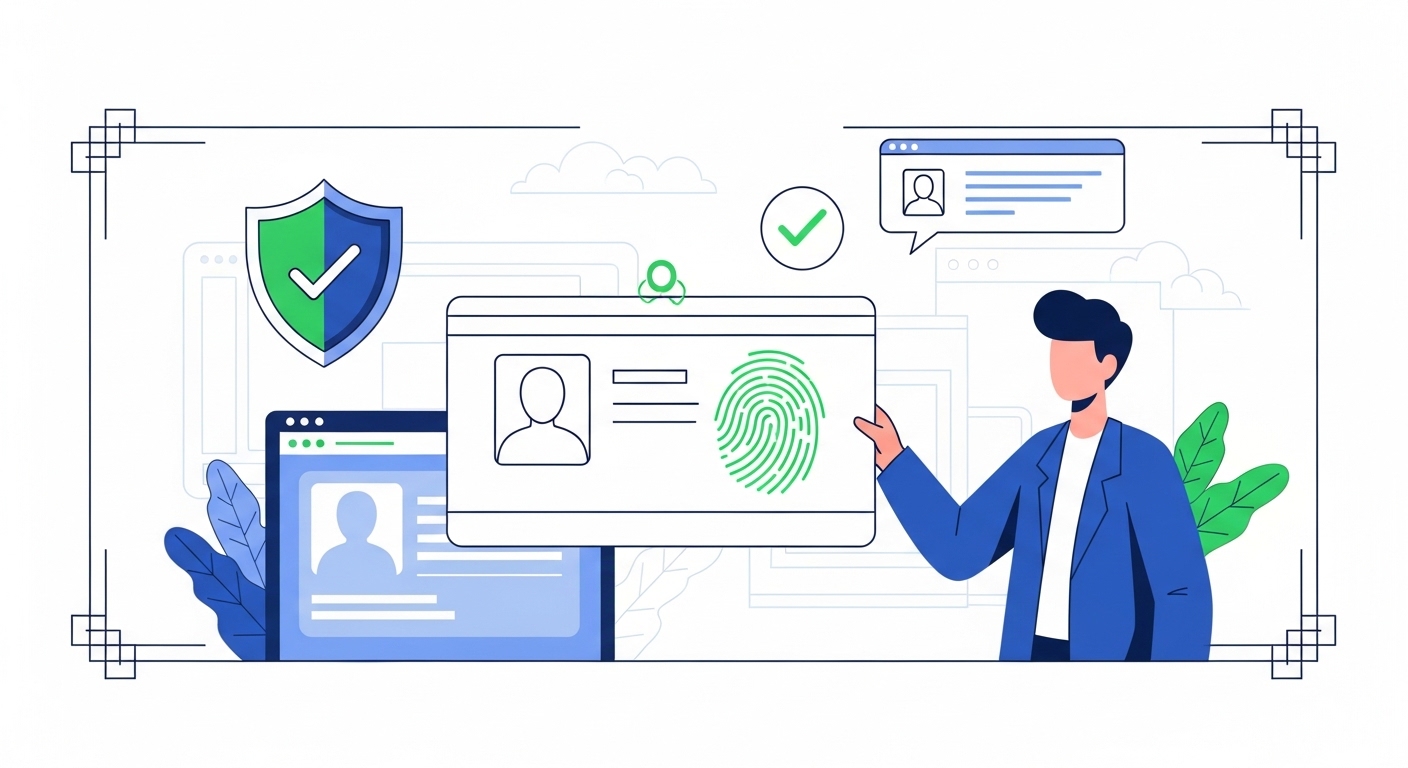
With over 1.4 billion Aadhaar numbers issued across India by 2026, digital verification has become a cornerstone of accessing essential services. You’ve likely started an online process, perhaps for a new bank account or government benefit, where Aadhaar eKYC is required. This widespread reliance means understanding its security is more crucial than ever.
If you’re currently midway through a digital verification, or planning one, you’ll want to know how your data stays safe. This guide explains the strong security features built into Aadhaar eKYC and provides practical steps to protect your personal information. You’ll learn how to complete your verification securely and confidently.
Table of Contents
What Is Aadhaar eKYC?
Aadhaar eKYC (Electronic Know Your Customer) is a paperless digital verification process, governed by the Unique Identification Authority of India (UIDAI), that confirms your identity using your Aadhaar number. This mechanism allows service providers to instantly verify your details electronically, often via biometric authentication or a One-Time Password (OTP).
According to UIDAI (2026), over 1.4 billion Aadhaar numbers have been issued, making it a primary method for identity verification nationwide. If you don’t complete eKYC accurately, your application for services like banking, mobile connections, or government schemes won’t proceed, leaving you unable to open them.
To manage your Aadhaar and related services, always use the official UIDAI portal at uidai.gov.in.
Aadhaar eKYC is your digital handshake for official services, allowing you to prove who you are without physical documents. It streamlines the process of opening accounts or accessing benefits, replacing paperwork with a quick electronic check. When you use eKYC, you’re giving consent for a service provider to open your Aadhaar details from UIDAI.
This system relies on the Aadhaar infrastructure to provide a unique identity to every resident. It’s designed to make verification faster and more convenient, especially if you’re midway through an application. You’ll find it used widely across banks, telecom providers, and various government portals.
Digital identity explained
Your digital identity, powered by Aadhaar, is a secure and verifiable electronic representation of your real-world self. It includes your demographic information like name, address, and date of birth, alongside biometric data such as fingerprints and iris scans. This comprehensive identity ensures that when you’re asked for eKYC, your details are pulled directly from a trusted source.
Paperless verification process
The paperless verification process means you don’t need to submit photocopies or physical forms to complete your identity check. Instead, you provide your Aadhaar number, and with your explicit consent, the service provider retrieves your verified information electronically. This method significantly speeds up the verification timeline, often allowing immediate service activation.
Key benefits of Aadhaar eKYC for your current process:
- Instant Verification: Your identity is confirmed in moments, reducing waiting times for service activation.
- Reduced Errors: Direct data retrieval from UIDAI minimises manual data entry mistakes.
- Convenience: You can complete verification from almost anywhere, saving trips to physical branches.
- Security: strong encryption and authentication protocols protect your data during transmission.
Quick Context: Understanding eKYC Consent
When you agree to eKYC, you’re authorising a one-time, secure pull of your identity data from UIDAI to the service provider. This isn’t a continuous data share; it’s a specific transaction for your current application.
Why Is Aadhaar eKYC Important?
Aadhaar eKYC is crucial because it simplifies and accelerates processes that used to take days or weeks. If you’re stuck waiting for a traditional KYC, you’ll appreciate how eKYC cuts through delays. It means faster open to services when you need them.
This system also ensures your identity is verified against a central, reliable database, reducing the chances of fraud or identity mismatch. This translates into a more secure and trustworthy experience when applying for essential services. It’s about getting things done quickly and correctly.
Quick service open
One of the biggest advantages is the speed at which you can open new services. Whether it’s a new bank account, a mobile connection, or even a government scheme application, eKYC allows for near-instant verification. This means you can move forward with your application without frustrating delays.
Reduced paperwork burden
Imagine not having to gather, photocopy, and submit multiple documents every time you need to prove your identity. Aadhaar eKYC eliminates this paperwork burden entirely. Your verified digital identity is enough to satisfy most regulatory requirements, making your life much simpler.
Common Confusion: Extent of Data Sharing
A widespread myth is that eKYC shares all your personal information with every service provider.
This is incorrect. eKYC only shares specific, verified demographic data required for identity confirmation, and only with your explicit consent for each transaction. Your biometric data is never shared with the service provider.
| Feature | Traditional KYC | Aadhaar eKYC |
| Process | Manual document submission, physical verification | Digital verification, biometric/OTP authentication |
| Time Taken | Several days to weeks | Minutes to hours |
| Paperwork | High, multiple copies required | Minimal to none |
| Accessibility | Requires physical presence or courier | Can be done remotely, often via app/web |
| Cost | Higher operational costs for providers | Lower operational costs, potentially passed as savings |
What Are the Risks of Digital Verification?
While Aadhaar eKYC offers convenience, it’s important to be aware of potential risks with any digital process. Understanding these helps you stay vigilant, especially if you’re navigating verification right now.
The digital nature of eKYC means your data, while protected, is part of an online ecosystem. This creates opportunities for cyber threats if you’re not careful with personal information.
Identity theft concerns
Identity theft is a major worry. If your Aadhaar number or biometric data falls into the wrong hands, it could be misused to impersonate you for fraudulent activities. This could lead to unauthorised open to services or financial accounts in your name.
Data misuse worries
Another concern is the misuse of your data by unscrupulous entities. While UIDAI ensures data security, you must be cautious about which service providers you share your Aadhaar details with. Always verify the legitimacy of the requesting entity before proceeding with eKYC.
Phishing attempts
Phishing is a common threat where fraudsters try to trick you into revealing your Aadhaar details or OTPs through fake websites, emails, or messages. They might pretend to be a legitimate service provider or even UIDAI itself. Always double-check the sender and the website URL.
Pro Tip: Verify the Requester
Before performing Aadhaar eKYC for any service, always confirm the legitimacy of the requesting organisation. Check for official logos, valid website addresses, and contact numbers. If you’re unsure, pause the process and contact the organisation directly via their official channels.
Common red flags during digital verification:
- Unsolicited requests for your Aadhaar number or OTP via SMS or email.
- Websites with suspicious URLs that don’t match the official organisation.
- Pressure to complete verification immediately without time to review.
- Requests for personal details beyond what’s usually required for eKYC.
- Calls or messages promising benefits if you share your Aadhaar details.
Strong Security Features of Aadhaar eKYC
Despite the risks, Aadhaar eKYC is built with multiple layers of security designed to protect your data during verification. These features work together to ensure your identity is confirmed securely and your personal information remains confidential.
UIDAI has implemented strong technological safeguards, making Aadhaar one of the most secure digital identity systems globally. When you’re asked to complete an eKYC, you’re interacting with a system that prioritises your privacy and data integrity.
Encryption for safety
All data transmitted during an Aadhaar eKYC transaction is encrypted, meaning it’s scrambled into a secret code. This prevents unauthorised open or tampering with your information as it travels between the service provider and UIDAI. It’s like sending your data in a locked, secure box.
Biometric authentication power
Biometric authentication uses your unique physical characteristics, like fingerprints or iris scans, to verify your identity. This method is highly secure because biometrics are extremely difficult to replicate or steal. When you use your biometrics for eKYC, you’re providing an unforgeable proof of identity.
One-time password (OTP)
The One-Time Password (OTP) is a crucial security layer, especially for online eKYC. An OTP is a unique code sent to your registered mobile number or email address for a single transaction.
It ensures that only you, with open to your registered device, can authorise the eKYC process. Never share your OTP.
Digital signature assurance
For certain eKYC processes, digital signatures are used. According to eSign (2026), digital signatures provide cryptographic assurance of the signer’s identity and document integrity. This adds a legal and technical layer of non-repudiation, meaning you can’t deny having signed a document once it’s digitally sealed.
Common Confusion: Biometric Data Storage
The misunderstanding here is that your biometric data is stored by every company you do eKYC with.
This is incorrect. Your biometric data is stored securely by UIDAI only. Service providers only receive a ‘yes’ or ‘no’ verification response, not your actual biometric information.
Your Consent Is Key
Your explicit consent is the foundation of any legitimate Aadhaar eKYC process. Without your clear permission, no service provider can open your Aadhaar details from UIDAI. Always remember you control your data.
If you’re midway through verification, you’ll be prompted for consent before data sharing. This isn’t a formality; it’s a critical security step protecting your privacy. Take a moment to understand what you’re agreeing to.
Always ask permission
Legitimate service providers always ask for explicit consent before initiating an Aadhaar eKYC. They’ll explain what data they need and why. If a provider tries to proceed without clear permission, stop immediately.
Understand what you share
Before clicking “agree” or providing your biometric scan, understand what information is requested and for what purpose. While UIDAI only shares verified demographic data, knowing the context helps you make an informed decision. You have the right to know.
Step 1: Review the consent screen carefully. Read the details about which information will be shared and for what purpose by the service provider.
Step 2: Confirm the identity of the requesting entity. Ensure it’s the legitimate organisation you intend to share data with, not a phishing site.
Step 3: Provide your consent through the specified method, whether it’s an OTP, biometric scan, or digital signature. This action authorises the one-time data pull.
Step 4: Look for a confirmation message. After successful consent, you should receive an acknowledgement that your eKYC is complete or progressing.
Pro Tip: Read the Fine Print
Don’t click ‘Agree’ without understanding. Legitimate eKYC processes will clearly state what data is being accessed and for what purpose. If it’s vague or hidden, consider it a red flag.
The Role of UIDAI in Security
The Unique Identification Authority of India (UIDAI) plays a central role in safeguarding your Aadhaar data and eKYC. It’s the government agency responsible for issuing Aadhaar numbers and maintaining the core database securely. You can rely on UIDAI’s strict protocols.
UIDAI operates under stringent legal and technical frameworks to ensure data integrity and confidentiality. This includes continuous monitoring, regular security audits, and adherence to global best practices. Their commitment is to keep your digital identity safe.
Government agency’s commitment
UIDAI is a statutory authority established under the Aadhaar Act, 2016, tasked with managing the Aadhaar ecosystem. This legal backing means they are bound by law to protect your data with the highest standards. Their commitment extends to ensuring secure eKYC transactions.
Keeping your data safe
UIDAI employs modern encryption, multi-layered security, and strict open controls. Your biometric information is encrypted at capture and stored in a highly secure Central Identities Data Repository (CIDR). This means your sensitive data is never exposed during an eKYC transaction.
Common Confusion: UIDAI Data Sharing Practices
State the wrong belief directly as a fact: UIDAI shares your personal data with various government departments without your knowledge.
This is incorrect. UIDAI does not share your personal data with any entity without your explicit consent for a specific transaction. It acts as a secure intermediary for identity verification.
Key security measures by UIDAI:
- Data Encryption: All data, especially biometrics, is encrypted end-to-end.
- Restricted open: Only authorised personnel with multi-factor authentication can open the CIDR.
- Regular Audits: Independent security audits are conducted regularly to identify and fix vulnerabilities.
- Consent-Based Sharing: No data is shared without your explicit, auditable consent for each eKYC transaction.
- Biometric Locking: You have the option to lock your biometrics, preventing any misuse without unlocking them first.
Simple Steps to Protect Your Information
Your active participation is vital in protecting your Aadhaar information during digital verification. Taking a few simple precautions can significantly reduce your risk of data misuse or identity theft.
Never share your OTP
Your One-Time Password (OTP) is key to authorising transactions. Never share your OTP with anyone; a legitimate entity won’t ask for it.
Use masked Aadhaar
When sharing your Aadhaar, use a Masked Aadhaar. It hides the first 8 digits, providing proof of identity while reducing full number compromise risk.
Check verification requests
Always scrutinise eKYC requests. Confirm the legitimate source and that you initiated the process. Be wary of unsolicited calls, SMS, or emails.
Report suspicious activity
If you encounter suspicious Aadhaar or eKYC activity, report it immediately. Quick action prevents fraud and helps authorities.
Step 1: Verify the identity of the requesting service provider. Use official websites or apps for eKYC.
Step 2: Read the consent declaration carefully before proceeding. Understand what data is being shared.
Step 3: Use a Masked Aadhaar whenever possible for identity proof.
Step 4: Never disclose your Aadhaar OTP to anyone.
Step 5: Regularly check your Aadhaar authentication history on the UIDAI portal.
Common Confusion: Permanent Data Exposure
It is commonly assumed that once you’ve done eKYC, your data is permanently exposed.
This is incorrect. Each eKYC transaction requires fresh consent, and your biometric data is never shared with the service provider, only a ‘yes’ or ‘no’ verification.
What Is Masked Aadhaar?
Masked Aadhaar is a smart security feature provided by UIDAI that allows you to share your Aadhaar details safely without revealing your full 12-digit number. It’s a downloadable version of your e-Aadhaar where the first 8 digits of your Aadhaar number are replaced with “XXXX-XXXX”. This simple change adds a significant layer of protection.
When you’re asked to provide your Aadhaar for verification, especially in situations where the full number isn’t strictly necessary, a Masked Aadhaar is your preferred option. It serves as valid proof of identity while safeguarding your complete Aadhaar number from potential misuse. You should always consider using it.
Hiding your full number
The primary purpose of Masked Aadhaar is to hide your unique 12-digit identification number. Only the last four digits are visible, making it harder for fraudsters to compile your full Aadhaar number from various sources. This reduces the surface area for identity theft.
Secure alternative option
Masked Aadhaar is a perfectly valid and secure alternative to sharing your full Aadhaar number in many scenarios. According to UIDAI (2026), it is accepted as proof of identity by various service providers. You can download it directly from the UIDAI website whenever you need it.
Pro Tip: Download Your Masked Aadhaar
You can easily download your Masked Aadhaar from the official UIDAI website (uidai.gov.in) by selecting the ‘Masked Aadhaar’ option. Keep a digital copy on your device for quick open when needed.
| Feature | Regular Aadhaar | Masked Aadhaar |
| Aadhaar Number Display | All 12 digits visible | First 8 digits masked (XXXX-XXXX) |
| Purpose | Primary identity proof, eKYC | Identity proof with enhanced privacy |
| Validity | Fully valid document | Fully valid document |
| Risk of Misuse | Higher if full number is compromised | Lower due to masked digits |
| Download Source | UIDAI portal | UIDAI portal |
How to Lock and Unlock Biometrics
A powerful security feature available to you is the ability to lock and unlock your Aadhaar biometrics. This means you can temporarily disable the use of your fingerprints and iris scans for authentication, adding an extra layer of protection against potential misuse.
When your biometrics are locked, no one can use them, even with your Aadhaar number. You’ll need to unlock them specifically for any biometric eKYC transaction you wish to perform.
Adding an extra layer
Locking your biometrics prevents any unauthorised biometric authentication using your Aadhaar. This means even if someone obtains your Aadhaar number, they won’t be able to complete a biometric eKYC without your explicit action to unlock them. It provides peace of mind.
Controlling open yourself
This feature puts you in direct control of when and how your biometrics can be used. You can lock them for extended periods and only unlock them for the brief time needed to complete a specific transaction. Remember to re-lock them immediately after use for maximum security.
Step 1: Visit the official UIDAI website (uidai.gov.in) and manage to the ‘Aadhaar Services’ section.
Step 2: Click on ‘Aadhaar Lock/Unlock Biometrics’. You’ll be redirected to a new page requiring your Aadhaar number and the security captcha.
Step 3: Enter your 12-digit Aadhaar number and the security code, then click ‘Send OTP’. An OTP will be sent to your registered mobile number.
Step 4: Enter the OTP and click ‘Submit’. You’ll then see options to ‘Lock Biometrics’ or ‘Unlock Biometrics’.
Step 5: To lock, tick the consent box and click ‘Lock Biometrics’. To unlock, click ‘Unlock Biometrics’. You’ll receive a confirmation message.
Quick Context: Biometric Locking Duration
Your biometrics remain locked until you explicitly unlock them. For temporary unlocking, you can choose to unlock for a specific period, after which they will automatically re-lock.
Reporting Security Concerns
If you suspect any security breach, data misuse, or fraudulent activity related to your Aadhaar or eKYC, it’s vital to report it immediately. Swift action helps prevent further damage and assists authorities.
UIDAI has established channels for you to report such issues, ensuring your concerns are heard and addressed. Knowing where to turn is crucial for your data’s safety.
Contacting UIDAI support
The primary point of contact for Aadhaar-related security concerns is UIDAI’s official support channels. They offer a dedicated helpline and an online grievance redressal portal. You should provide as much detail as possible about the incident when you report it.
Acting quickly matters
Time is of the essence when it comes to cybersecurity incidents. The sooner you report a suspicious activity, the higher the chances of mitigating its impact. Prompt reporting can help block fraudulent transactions and protect your identity from further compromise.
Step 1: Note down all details of the suspicious activity, including dates, times, and what happened.
Step 2: Visit the UIDAI official website (uidai.gov.in) and find the ‘Grievance Redressal’ section.
Step 3: Call the toll-free helpline number 1947 for immediate assistance, explaining your concern clearly to the representative.
Step 4: Alternatively, use the online grievance portal to lodge a formal complaint and receive a tracking number.
Step 5: For cybercrime, also report to CERT-In (cert-in.org.in), India’s national agency for cybersecurity incident response.
Pro Tip: Keep Records
Always keep a record of your complaint number and any communication with UIDAI or other authorities. This documentation can be vital for follow-up and resolution.
Continuous Improvements in Aadhaar Security
The digital threat space is constantly evolving, and so too are the security measures protecting your Aadhaar and eKYC processes. UIDAI, supported by initiatives like the Digital India Programme, continuously works to enhance the security infrastructure.
This ongoing commitment means your digital identity is protected. You can be confident the system is not static; it’s always adapting to new challenges and emerging technologies.
Regular updates and security patches are deployed to safeguard against vulnerabilities.
New technologies emerging
UIDAI actively explores and integrates new technologies to bolster Aadhaar security further. This includes advanced encryption methods, artificial intelligence for anomaly detection, and improved authentication protocols. These innovations are designed to stay ahead of potential attackers.
Staying ahead of threats
Organisations like CERT-In (cert-in.org.in) play a crucial role in identifying and alerting about cybersecurity threats, which directly informs UIDAI’s security strategies. By collaborating with national cybersecurity agencies, the Aadhaar system is better equipped to anticipate and neutralise emerging threats. This collective effort strengthens the overall digital security environment.
Common Confusion: Relevance of Security Improvements
Continuous security improvements only matter if you’re a new user or haven’t done eKYC before.
This is incorrect. Continuous security improvements matter for everyone, ensuring ongoing protection for all Aadhaar holders, whether you’re a new user or have been using eKYC for years.
Recent security enhancements in Aadhaar eKYC:
- Aadhaar Vault: Encourages entities to store Aadhaar numbers in a secure, tokenised format.
- Offline eKYC: Allows verification without internet, enhancing privacy by not requiring real-time UIDAI open.
- Face Authentication: An additional biometric option, offering another layer of verification.
- Enhanced Audit Trails: Improved logging of eKYC transactions for better tracking and accountability.
Conclusion
Protecting your data during Aadhaar eKYC is a shared responsibility, combining UIDAI’s strong security with your informed vigilance. By understanding features like biometric locking and using Masked Aadhaar, you can confidently manage digital verification processes. Taking these simple steps ensures your personal information remains secure, safeguarding your open to essential services.
How can I ensure my Aadhaar eKYC is secure when applying for a new service?
What is Masked Aadhaar and when should I use it for verification purposes?
Can I prevent my biometric data from being misused during digital verification processes?
Why is my explicit consent so crucial for Aadhaar eKYC, and what does it actually mean?
What are the main security features that protect my data during an Aadhaar eKYC transaction?
Is Aadhaar eKYC truly safer than traditional paper-based verification methods, and why?
What should I do if I suspect my Aadhaar eKYC details have been compromised or misused?
How does Aadhaar eKYC differ from traditional KYC, and which method is more beneficial for me?
Author

