

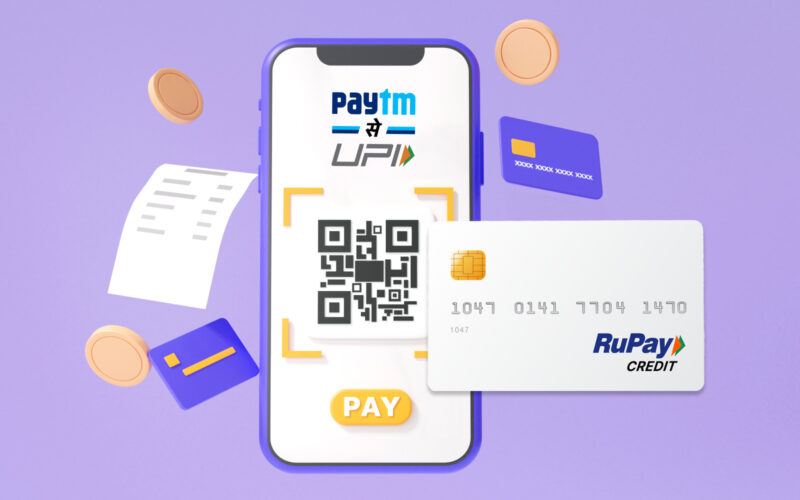
Scan any UPI QR Code, Pay with your RuPay Credit Card!

byPaytm Editorial TeamLast Updated: March 16, 2026
Scan any UPI QR code, pay with your RuPay Credit Card!

Many individuals mistakenly believe that UPI payments are exclusively linked to bank accounts, requiring direct debit from savings or current accounts for every transaction. The reality, however, is that India’s digital payment landscape has evolved significantly, now empowering you to utilise your credit line for everyday UPI transactions.

This article clarifies how you can seamlessly link your RuPay credit card to your chosen UPI application, detailing the process of making payments and highlighting the specific advantages this innovative feature offers you, alongside important eligibility criteria.

The Evolution of Digital Payments: RuPay Credit Cards on UPI

The integration of RuPay credit cards with the Unified Payments Interface (UPI) marks a pivotal advancement in India’s digital payment ecosystem. Launched by the National Payments Corporation of India (NPCI) in 2022, this initiative allows you to scan any UPI QR code and complete transactions using your RuPay credit card, extending the convenience of UPI beyond traditional bank account debits. This functionality aims to broaden credit accessibility and enhance the utility of credit cards for small-value transactions.

By linking your RuPay credit card, you gain the flexibility to manage your finances more effectively, separating your daily spends from your immediate bank balance. This not only offers a new dimension to your payment options but also integrates credit card benefits into the ubiquitous UPI framework. As of early 2025, several leading Indian banks actively support this feature, making it accessible to a wide user base.

Quick Context: What is RuPay Credit Card on UPI?

It is an NPCI-led initiative enabling you to link your RuPay credit card to your UPI application, allowing payments via QR codes or online using your credit line instead of your bank account.

Key Advantages of Using RuPay Credit Cards on UPI

Integrating your RuPay credit card with UPI offers a compelling set of benefits that enhance your digital payment experience. These advantages range from financial management to transaction convenience, making it a preferred choice for many.

  • Earn Credit Card Rewards: Every UPI transaction made with your linked RuPay credit card can accrue reward points, cashback, or other benefits offered by your card issuer, similar to traditional credit card usage.
  • Maintain Bank Balance: By using your credit card for UPI payments, you keep your savings account balance higher for longer, potentially earning more interest on your funds.
  • Simplified Transactions: You no longer need to enter your Card Verification Value (CVV) or wait for an One-Time Password (OTP) for UPI payments. A simple UPI PIN entry authorises the transaction, streamlining the payment process significantly.
  • Enhanced Security: Payments are processed via your UPI PIN, adding an extra layer of security compared to sharing card details online.
  • Track Credit Limits: Just as you check your bank balance, your UPI application allows you to view your total and available credit limits for your linked RuPay credit card.

Eligibility and Essential Checks Before Linking

Before attempting to link your RuPay credit card to your UPI application, it is crucial to understand the specific eligibility criteria and perform a few essential checks. This ensures a smooth linking process and prevents common frustrations. The National Payments Corporation of India (NPCI) sets the overarching guidelines, with participating banks implementing the feature for their RuPay cardholders.

The primary requirement is possession of a valid RuPay credit card issued by a bank that supports UPI linkage. Not all banks have enabled this feature for all their RuPay credit cards, so verifying your card’s eligibility with your issuer is the critical first step. You must also have an active UPI ID registered with a bank account on your chosen UPI application, as this forms the foundational framework for linking.

Common Confusion: Not all credit cards can be linked

Misconception: Any credit card can be linked to UPI. Correction: Only RuPay credit cards issued by participating banks are eligible for linkage to UPI. Visa, Mastercard, or other card networks are not supported for this specific feature.

#1 Eligibility Check and Common Mistakes

The single most important eligibility check you must perform is confirming that your credit card is a RuPay branded card and that your card-issuing bank is listed as a participant in the RuPay Credit Card on UPI programme. You can typically find this information on your bank’s official website or through their customer service channels.

A common mistake Indians make is attempting to link non-RuPay credit cards or debit cards, which are not supported by this specific initiative. Another error is expecting the feature to work instantly without setting a UPI PIN for the credit card, which is a mandatory step for transaction authorisation. Ensure your mobile number linked to your credit card is the same as the one registered for your UPI ID to avoid authentication issues.

  • Possess a RuPay Credit Card: Your card must carry the RuPay logo.
  • Participating Bank: Your card issuer must be a bank that has enabled RuPay Credit Card on UPI.
  • Active UPI ID: You must have an existing and active UPI ID on your preferred UPI application.
  • Registered Mobile Number: The mobile number linked to your credit card must match the one registered with your UPI account.
  • Up-to-date KYC: Ensure your Know Your Customer (KYC) details are current with both your bank and your UPI application.

Linking Your RuPay Credit Card to Your UPI Account

Linking your eligible RuPay credit card to your UPI application is a straightforward process, designed to integrate seamlessly with your existing digital payment habits. This procedure typically involves a few simple steps within your preferred UPI-enabled application. Once linked, you can then set up a unique UPI PIN specifically for your credit card, distinct from any existing bank account UPI PINs you might have.

The process leverages the secure infrastructure of UPI, ensuring that your credit card details are protected. It eliminates the need for repeated card detail entry, streamlining future transactions. This integration is a testament to NPCI’s commitment to enhancing the user experience while maintaining robust security protocols.

Pro Tip: Verifying Your Linked Card

After linking, make a small test transaction (e.g., INR 10 to a trusted merchant) to ensure your RuPay credit card is correctly set up and ready for use on UPI.

Step 1: Open your preferred UPI application and navigate to the ‘UPI Payment settings’ or ‘Bank Account & Cards’ section.

Step 2: Look for an option that says ‘Link RuPay Credit card on UPI’ or similar. This might be under ‘Other Settings’ or ‘Credit Cards’.

Step 3: Select your credit card issuing bank from the list provided. Your eligible RuPay credit card(s) linked to your registered mobile number should appear automatically.

Step 4: Choose the RuPay credit card you wish to link. If you have not set a UPI PIN for this card, you will be prompted to create one.

Step 5: Enter the last six digits of your RuPay credit card number and its expiry date.

Step 6: You will receive a 6-digit One-Time Password (OTP) on your mobile number linked to your credit card. Enter this OTP into the application.

Step 7: Set a 4-digit or 6-digit UPI PIN for your RuPay credit card. Confirm the PIN by entering it again.

Step 8: Once confirmed, your RuPay credit card is successfully linked and ready for UPI payments.

Making Payments: Scan QR or Pay Online with Your RuPay Credit Card

Once your RuPay credit card is successfully linked to your UPI application, making payments becomes incredibly convenient, whether you are scanning a QR code at a local shop or completing an online purchase. The experience is designed to be as fluid as using your bank account for UPI transactions, with the added benefit of leveraging your credit line.

For transactions, your UPI application will present your linked RuPay credit card as a payment option alongside your bank accounts. You simply select the credit card before authorising the payment with your UPI PIN. This dual functionality ensures that you have complete control over your payment source for each transaction, allowing you to optimise for rewards or manage your cash flow.

Step-by-Step for QR Code Payments

Paying via QR code with your RuPay credit card is identical to a standard UPI QR payment, with one crucial difference: selecting your payment source. This method is ideal for quick, everyday transactions.

Step 1: Open your UPI application and tap on the ‘Scan QR’ option.

Step 2: Scan the UPI QR code displayed by the merchant.

Step 3: Enter the exact amount you wish to pay.

Step 4: On the payment confirmation screen, select your linked RuPay credit card from the available payment options (it will be listed alongside your bank accounts).

Step 5: Enter your 4-digit or 6-digit UPI PIN set for your RuPay credit card.

Step 6: The transaction will be processed instantly, and you will receive a confirmation message.

Step-by-Step for Online Payments

For online purchases on websites or mobile applications that support UPI as a payment option, using your RuPay credit card is equally straightforward. This eliminates the need to manually enter lengthy card details, enhancing security and speed.

Step 1: On the checkout page of the website or app, choose ‘UPI’ as your payment method.

Step 2: Enter your UPI ID or select your UPI application if prompted.

Step 3: You will receive a payment request notification on your UPI application. Open the application.

Step 4: Review the payment details and select your linked RuPay credit card as the payment source.

Step 5: Enter your UPI PIN for your RuPay credit card to authorise the payment.

Step 6: The payment will be completed, and you will be redirected back to the merchant’s website or app with a confirmation.

Understanding Transaction Limits and Merchant Categories

While the convenience of using RuPay credit cards on UPI is significant, it is important to be aware of specific transaction limits and the impact of Merchant Category Codes (MCCs). These regulations are primarily set by the Reserve Bank of India (RBI) and NPCI to ensure responsible credit usage and manage transaction risks. Understanding these nuances will help you utilise your linked card effectively.

As of early 2025, a key regulation stipulates that transactions exceeding INR 2,000 using a RuPay credit card on UPI for certain merchant categories, particularly those with low interchange fees, may incur a small processing fee. However, most everyday transactions, especially with smaller merchants, typically fall within the fee-exempt categories. It is always prudent to check your bank’s specific terms and conditions regarding these charges.

Quick Context: What are Merchant Category Codes (MCCs)?

MCCs are four-digit numbers used by card networks to classify businesses by the type of goods or services they provide. These codes influence interchange fees and can impact transaction charges for RuPay credit cards on UPI.

Important Transaction Considerations

The distinction in transaction limits and potential fees often depends on the type of merchant. For instance, payments to specific merchant categories like education, utilities, and insurance typically do not fall under the purview of interchange fees for transactions above INR 2,000 when paid via RuPay credit cards on UPI. However, for other categories, especially Person-to-Merchant (P2M) payments, the INR 2,000 threshold is relevant.

For example, Srinivas, an agricultural officer in Bhubaneswar, regularly uses his linked RuPay credit card for buying seeds from a local vendor. If his purchase exceeds INR 2,000, he might encounter a nominal processing fee, depending on the vendor’s MCC and his bank’s policy. Always confirm with your credit card issuer for the most current and specific details regarding transaction limits and any applicable fees.

  • Transaction Limit Awareness: Be mindful of the INR 2,000 threshold for certain merchant categories, as transactions above this amount may attract a processing fee.
  • Merchant Category Codes (MCCs): Understand that different merchant types (identified by MCCs) can have varying rules regarding transaction fees.
  • Bank-Specific Policies: Always refer to your specific credit card issuer’s terms and conditions for precise details on charges and limits.
  • No Person-to-Person Payments: RuPay credit cards on UPI are strictly for Person-to-Merchant (P2M) transactions; you cannot use them for sending money to another individual.
  • Credit Card Statement: All transactions made using your RuPay credit card on UPI will reflect on your monthly credit card statement, just like regular card purchases.

Conclusion

Linking your RuPay credit card to your UPI application offers a powerful blend of convenience and financial flexibility, transforming how you approach everyday digital payments. By following the straightforward steps to link your card and understanding the specific transaction considerations, you can seamlessly leverage your credit line for QR code and online payments. This integration ensures you continue to earn valuable credit card rewards on your spends while maintaining a healthier bank balance, making it a smart financial choice for the modern Indian consumer.

FAQs
Yes, linking your RuPay credit card to a UPI application is a straightforward process. First, open your preferred UPI application and navigate to the 'UPI Payment settings' or 'Bank Account & Cards' section. Look for an option like 'Link RuPay Credit card on UPI' and select your card-issuing bank. Your eligible RuPay card should appear. You'll then enter the last six digits of your card and its expiry date, receive an OTP on your registered mobile number, and finally set a 4-digit or 6-digit UPI PIN specifically for your credit card. Once confirmed, your card is ready for use. For instance, a small shop owner in Mumbai can link their RuPay card to accept payments easily.

Can I use any credit card, such as Visa or Mastercard, to pay via UPI?

No, currently, only RuPay branded credit cards issued by participating banks can be linked to a UPI application for payments. This initiative, launched by NPCI, is specifically designed for RuPay credit cards, allowing users to leverage their credit line for UPI transactions. Other card networks like Visa or Mastercard are not supported for this specific feature. Always check for the RuPay logo on your credit card to confirm its eligibility. If you try to link a non-RuPay card, the process will not proceed.

What are the main advantages of using my RuPay credit card for UPI payments instead of my bank account?

Using your RuPay credit card for UPI payments offers several key advantages over direct bank account debits. You can earn credit card rewards, cashback, or other benefits on your daily spends, similar to traditional credit card usage. It also helps you maintain a higher balance in your savings account for longer, potentially earning more interest. Transactions are simplified as you only need your UPI PIN, eliminating the need for CVV or OTPs. For example, a student in Delhi can earn points on their daily chai and snack purchases, while keeping their bank balance for larger expenses.

Why should I choose to pay with my RuPay credit card on UPI instead of always using my bank account?

You should consider using your RuPay credit card on UPI for the added financial flexibility and benefits it offers. By separating your daily spending from your immediate bank balance, you can manage your cash flow more effectively and keep your savings intact. This allows you to accrue credit card rewards or cashback on everyday purchases, which you wouldn't get with a debit card. For instance, a professional in Bengaluru can use their credit card for groceries and fuel, earning rewards, while ensuring their bank account has sufficient funds for rent or EMIs, leveraging their credit line smartly.

What are the potential charges or fees I might incur when using a RuPay credit card for UPI transactions?

While most everyday transactions are seamless, you should be aware of potential fees. Transactions exceeding INR 2,000 using a RuPay credit card on UPI for certain merchant categories, particularly those with low interchange fees, may incur a small processing fee. However, payments to specific categories like education, utilities, and insurance typically do not attract these fees, even above INR 2,000. For example, if you pay your electricity bill of INR 3,000 via a linked RuPay card, you likely won't be charged extra, but a large purchase at a general store might be. Always check your specific credit card issuer's terms and conditions for precise details on charges and limits.
Yes, it is generally safe to link your RuPay credit card to a trusted UPI application. The process leverages the robust and secure infrastructure of UPI, which is regulated by NPCI. Payments are authorised solely by your unique UPI PIN, adding an extra layer of security compared to sharing full card details online or waiting for OTPs. This significantly reduces the risk of fraud. To ensure maximum safety, always use official and reputable UPI applications, protect your UPI PIN diligently, and regularly monitor your credit card statements for any unauthorised transactions.

What if my RuPay credit card linking fails or I cannot make a payment with it on UPI?

If you encounter issues, first ensure your card is a RuPay credit card issued by a bank participating in the 'RuPay Credit Card on UPI' programme. A common mistake is attempting to link non-RuPay cards. Also, verify that the mobile number linked to your credit card matches the one registered with your UPI account, and that you have set a unique UPI PIN for your credit card. For payment failures, check your credit limit, ensure the merchant category isn't restricted, and confirm you're not attempting a Person-to-Person (P2P) transfer. If problems persist, contact your credit card issuer's customer care for specific assistance.

Can I send money to another person using my RuPay credit card linked to a UPI application?

No, you cannot use your RuPay credit card linked to a UPI application for Person-to-Person (P2P) money transfers. This feature is strictly designed for Person-to-Merchant (P2M) transactions, meaning you can only use it to pay businesses, vendors, or for online purchases. For example, you can pay a shopkeeper for groceries or an online retailer for clothes, but you cannot send money to a friend or family member directly using your credit line through UPI. For P2P transfers, you must use your bank account linked to UPI.
something

You May Also Like
