

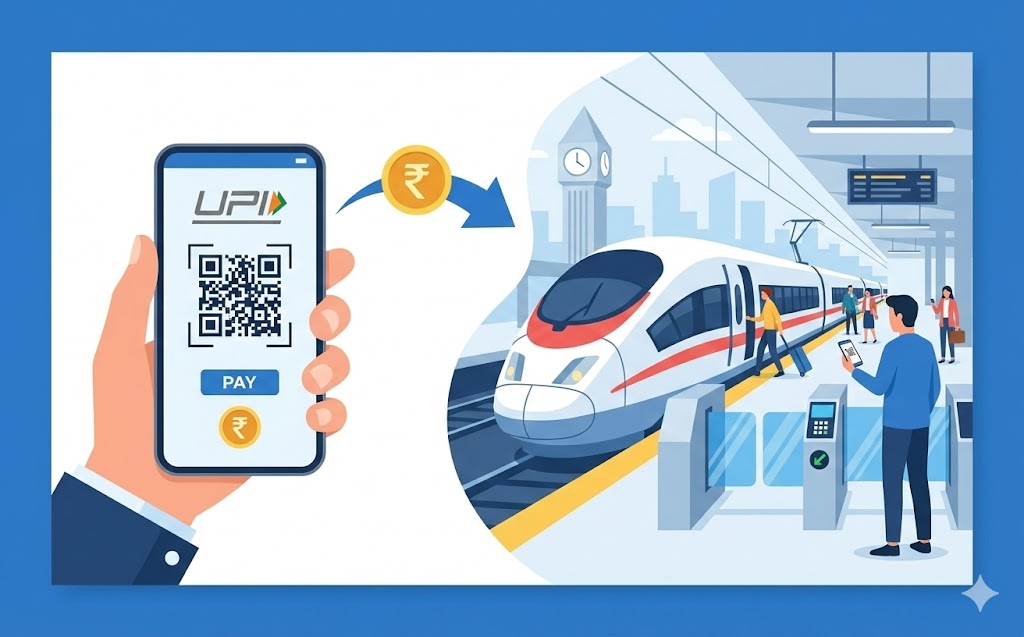
This guide simplifies booking train tickets using your UPI ID. Learn what a UPI ID is, why it's beneficial for travel, and how to prepare. Follow step-by-step instructions to find your journey, select UPI as payment, and approve securely with your PIN. Enjoy quick, safe, and convenient transactions without needing physical cards, making your travel preparations smoother and stress-free.
Planning a train journey can be an exciting adventure, and booking your tickets should be just as simple and stress-free. Thanks to modern digital payment methods, you can now secure your train seats with remarkable ease, using something called a UPI ID. This guide will walk you through everything you need to know about using your UPI ID to book train tickets, making your travel preparations smoother than ever before.
Understanding Your UPI ID for Travel
Before we dive into booking, let’s make sure you understand what a UPI ID is and why it’s such a helpful tool for your travels.What Exactly is a UPI ID?
A UPI ID, which stands for Unified Payments Interface ID, is a unique identifier that allows you to send and receive money directly from your bank account using a mobile application. Think of it like a special, easy-to-remember address for your bank account, but much simpler than sharing your account number and bank code. This clever system was created by the National Payments Corporation of India (NPCI) to make digital payments quick, safe, and available to everyone. It links your mobile phone number to your bank account, so all you need is your UPI ID and a secure PIN to complete transactions.Why Your UPI ID Makes Booking Train Tickets Easier
Using your UPI ID to book train tickets brings a lot of ease to the process. Instead of typing in long credit or debit card numbers, expiry dates, and security codes, you only need to remember your unique UPI ID. This saves you time and reduces the chance of making mistakes. It’s a quick, direct way to pay, meaning your ticket can be confirmed almost instantly, allowing you to focus on planning the fun parts of your trip.The Simple Benefits of Using UPI for Your Journeys
- Speed: Payments are processed in moments, so you don’t have to wait around.
- Safety: Your transactions are protected with high-level security measures and your personal PIN.
- Convenience: You can pay from anywhere, at any time, using just your smartphone.
- No Physical Cards: There’s no need to carry cash or remember your physical bank cards, making it perfect for when you’re on the go.
Getting Ready to Book Your Train Ticket with UPI
To ensure your train ticket booking goes smoothly, there are a few simple things you’ll need to prepare beforehand.What You’ll Need Before You Start
Before you begin the booking process, please make sure you have the following ready:- A smartphone with an active internet connection.
- A bank account linked to your mobile number.
- A UPI-enabled application installed on your smartphone.
- Your unique UPI ID, which you would have set up within your UPI application.
Making Sure Your UPI Service is All Set Up
If you haven’t used UPI before, you’ll need to set it up first. This usually involves downloading a trusted UPI-enabled application from your app store. Once installed, you will register your mobile number, which must be the same one linked to your bank account. The application will then help you link your bank account.Linking Your Bank Account to Your UPI-Enabled Application
When you first set up your UPI application, it will typically detect your bank account using your registered mobile number. You’ll then be asked to select your bank and create a unique UPI PIN. This PIN is a secret number that you will use to approve all your payments, much like a password, so it’s very important to keep it safe and never share it with anyone.Your Step-by-Step Guide to Booking Train Tickets with UPI
Now that you’re all set up, let’s go through the process of booking your train ticket using your UPI ID.Finding Your Train Journey Online
First, visit the official railway booking website or an authorised travel application. Enter your starting station, your destination, and your preferred travel date. Then, search for available trains.Choosing Your Preferred Train and Seat
Once you see the list of trains, select the one that best suits your travel plans. You’ll then choose your preferred class of travel (like Sleeper, AC Chair Car, etc.) and select your seats or berths. After this, you’ll need to enter the details of the passengers travelling.Selecting UPI as Your Payment Method
When you reach the payment page, you will see various options for how to pay. Look for and select “UPI” as your chosen payment method.Entering Your Unique UPI ID or Scanning a QR Code
You will usually be given two ways to pay with UPI:- Entering your UPI ID: Type in your unique UPI ID (which often looks like an email address, e.g., yourname@bankname).
- Scanning a QR Code: Sometimes, the booking website or application will display a QR code. You can then open your UPI-enabled application on your phone and use its ‘Scan & Pay‘ feature to scan this code.
Approving Your Payment Securely with Your PIN
After you’ve entered your UPI ID or scanned the QR code, you will receive a payment request notification on your UPI-enabled application. Open the application, carefully review the payment details to make sure they are correct, and then enter your secret UPI PIN to approve the transaction. This step is crucial for your payment’s security.Receiving Your Confirmed Train Ticket
Once your payment is successfully approved, the booking will be confirmed almost immediately. You will usually receive your train ticket via email and/or SMS, and it will also be available within the booking application. Always save a copy of your ticket for your journey.Important Things to Keep in Mind When Paying with UPI
While UPI makes payments easy, it’s good to be aware of a few important points to ensure a smooth experience.Checking the Status of Your Payment
After making a payment, always check the status on both the booking website/application and within your UPI-enabled application. You should receive notifications confirming whether your payment was successful. If there’s any doubt, check your bank statement or transaction history in your UPI app.What to Do if Your Payment Doesn’t Go Through
Occasionally, a payment might fail, but the money might still appear to have left your account. In such cases, please do not panic or try to pay again immediately. UPI transactions are usually reversed automatically within 1 to 3 business days. If the money isn’t returned after this time, contact your bank or the customer support of your UPI-enabled application for assistance.Keeping Your UPI PIN a Secret
Your UPI PIN is like the key to your bank account for digital payments. It is absolutely vital that you never share your UPI PIN with anyone, not even bank officials or customer service representatives. Always enter your PIN privately and securely.Understanding Payment Limits for UPI Transactions
Banks and the NPCI set daily limits on how much money you can send using UPI. For most general transactions, this limit can be quite high, often up to ₹1,00,000 per day. However, these limits can vary depending on your bank or the type of transaction, so it’s wise to be aware of them, especially for larger bookings.How to Find Your UPI Transactions on Your Bank Statement
All your UPI payments are recorded and will appear on your bank statement, just like any other debit from your account. You can also view a detailed history of your transactions within your UPI-enabled application, which can be very useful for keeping track of your spending.The Advantages of Choosing UPI for Your Travel Payments
Selecting UPI for your train ticket bookings offers a range of fantastic benefits that truly enhance your travel experience.Quick and Effortless Transactions
With UPI, the days of fumbling with cash or typing out long card details are gone. A few taps on your phone and a quick PIN entry are all it takes to complete your payment, making the process incredibly fast and straightforward. This speed means less time spent on booking and more time to prepare for your exciting journey.Secure and Protected Payments
Security is a top priority with UPI. Every transaction is encrypted, and your unique UPI PIN ensures that only you can authorise payments. You also receive instant notifications for every transaction, allowing you to monitor your account activity and quickly spot anything unusual. This robust protection gives you peace of mind when making payments.No Need for Cash or Physical Cards
One of the biggest conveniences of UPI is that you no longer need to carry a wallet full of cash or multiple bank cards. Your smartphone becomes your payment tool, which is incredibly handy when you’re travelling and want to keep your belongings light and secure. It simplifies the entire payment process, from booking to other travel-related expenses.Access to Payments Anytime, Anywhere
UPI services are available 24 hours a day, 7 days a week, including holidays. As long as you have your smartphone and an internet connection, you can book your train tickets or make other payments at any time, no matter where you are. This constant availability means you’re never restricted by bank opening hours or specific payment windows, offering ultimate flexibility for your travel plans.Author

FAQs
What exactly is a UPI ID?
A UPI ID is a unique address for your bank account that lets you send and receive money using a mobile application. It links your mobile phone number to your bank account, allowing you to complete payments quickly and safely with a secret PIN.
Why is using a UPI ID helpful for booking train tickets?
Using a UPI ID makes booking train tickets easier because it saves time and reduces mistakes. You only need to remember your unique ID instead of long card numbers, making payments quick, direct, and confirming your ticket almost instantly.
What do I need to prepare before booking a train ticket with a UPI ID?
You will need a smartphone with an active internet connection, a bank account linked to your mobile number, a UPI-enabled application installed on your phone, and your unique UPI ID.
How do I set up my UPI service for the first time?
You need to download a trusted UPI-enabled application, register your mobile number (which must be linked to your bank account), and then link your bank account within the app. You will also create a unique UPI PIN.
How do I pay for a train ticket using my UPI ID?
On the payment page of the booking website or app, select "UPI". You can then either type in your unique UPI ID or scan a QR code. Finally, open your UPI application, check the payment details, and enter your secret UPI PIN to approve the transaction.
What should I do if my UPI payment for a ticket fails?
If a payment fails but the money appears to have left your account, do not panic or try to pay again immediately. UPI transactions usually reverse automatically within 1 to 3 working days. If the money isn't returned after this time, contact your bank or the customer support of your UPI application.
Is it safe to share my UPI PIN with others?
No, your UPI PIN is like the key to your bank account for digital payments and must be kept absolutely secret. You should never share your UPI PIN with anyone, including bank staff or customer service representatives.
Are there any limits on how much I can pay using a UPI ID?
Yes, banks and the National Payments Corporation of India (NPCI) set daily limits on how much money you can send using UPI, often up to ₹1,00,000 per day. These limits can vary depending on your bank or the type of transaction.
