

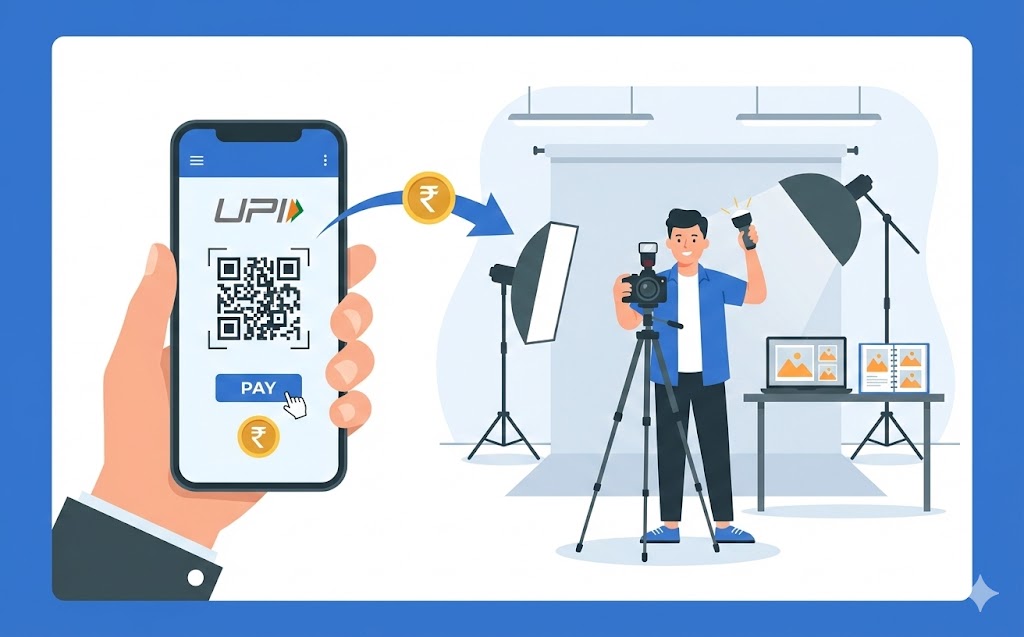
Simplify paying your photographer using a digital payment ID for fast, secure transactions. This comprehensive guide covers everything from setting up your trusted payment application and linking your bank account, to finding your photographer's unique ID. Follow easy steps to enter details, confirm with your secure PIN, and receive instant confirmation. Embrace the ease of digital payments, making financial interactions smoother for everyone.
Imagine you have just had some wonderful photographs taken, perhaps for a family event or a special portrait. Now it is time to pay your talented photographer. While cash and cheques have been traditional methods, there is a much simpler, faster, and more secure way available today: using a Unified Payments Interface (UPI) ID. This guide will walk you through everything you need to know about making such a payment, ensuring a smooth and worry-free experience.
Understanding What a UPI ID Is
Let us begin by understanding what a UPI ID actually is and why it has become so popular for making payments.What exactly is a UPI ID and how does it make payments easy?
A UPI ID is like a unique address for your bank account, but much easier to remember than a long account number and an IFSC code. It is often created using your mobile number or a name you choose, followed by an “@” symbol and the name of your payment service provider (for example,yourname@bankname). This system, developed and operated by the National Payments Corporation of India (NPCI), allows you to send or receive money instantly, directly between bank accounts, using just this simple ID. It makes payments incredibly straightforward, much like sending an email, but for money.
Why choosing a UPI ID is a smart way to pay
Using a UPI ID for payments offers several excellent advantages. Firstly, it is incredibly convenient. You do not need to remember complex bank details; just the recipient’s UPI ID. Secondly, transactions are lightning-fast, happening in real-time, 24 hours a day, seven days a week, even on holidays. Thirdly, it is a very secure method, as each transaction requires your personal secure PIN, similar to how you use a PIN with your bank card. This combination of speed, convenience, and security makes it a truly smart choice for managing your finances.How both you and your photographer benefit from this payment method
Both you, as the payer, and your photographer, as the recipient, gain a great deal from using this digital payment method. For you, it means no more searching for an ATM for cash or writing out cheques. You can pay from anywhere, at any time, with just a few taps on your phone. For your photographer, it means receiving payment instantly, directly into their bank account, without the hassle of handling physical cash or waiting for cheques to clear. It also provides clear digital records, making financial tracking much simpler for both parties.Preparing to Pay Your Photographer Digitally
Before you make your first digital payment, there are a few simple steps to ensure you are ready.Making sure you have a trusted payment application ready
The first step is to have a reliable digital payment application installed on your smartphone. These applications are readily available from official app stores. It is always wise to choose well-known, reputable applications that are widely used and supported. Ensure your phone has an active internet connection to use the app effectively.Securely connecting your bank account to your payment app
Once you have your chosen app, you will need to link your bank account to it. This is a secure, one-time process. Typically, your app will guide you through verifying your mobile number (which must be the same one registered with your bank account) and then allow you to select your bank. You will then set up a secure personal identification number (PIN) for approving transactions. Always ensure you are doing this in a private setting and never share your bank details or PIN with anyone.Finding your photographer’s unique UPI ID
To pay your photographer, you will need their specific UPI ID. They might provide this on their invoice, share it with you verbally, or even display a QR code that you can scan. A UPI ID usually looks like an email address, for example,photographername@bank or mobile.number@provider. Make sure you get the exact ID to avoid any mistakes.
Your Easy Steps to Making a UPI Payment
Now that you are prepared, let us go through the simple steps to make your payment.Opening your preferred digital payment application
Start by opening the digital payment application on your smartphone. You might need to enter a password or use your fingerprint/face recognition to log in, ensuring your account is secure.Carefully typing in the photographer’s UPI ID
Within the app, look for an option like “Send Money,” “Pay,” or “Transfer.” Select the option to pay using a UPI ID. Then, carefully type in your photographer’s UPI ID. It is very important to enter it precisely as even a small typo could send money to the wrong person.Double-checking everything: the name, the amount, and the reason
After entering the UPI ID, the app will usually show you the recipient’s name linked to that ID. This is your chance to double-check that you are paying the correct person. Next, enter the exact amount you need to pay. It is also a good idea to add a short note or “remark” about the payment, such as “Photography services for [Your Event Name],” which helps both you and the photographer keep clear records.Confirming your payment with your secure PIN
Once you are absolutely sure all the details are correct, the app will ask you to enter your secure PIN. This PIN is crucial for authorising the transaction and confirms that you are the one making the payment. Treat your PIN like the key to your bank account; never share it with anyone.Receiving instant confirmation for your peace of mind
After entering your PIN, the payment will usually go through instantly. You will receive an immediate confirmation message within the app, often accompanied by an SMS from your bank. Your photographer will also receive a notification that they have been paid. This instant confirmation offers great peace of mind, knowing your payment has been successfully completed.After Your Payment: What to Expect
Once your payment is made, there are a few things you might want to do or be aware of.How to quickly check if your payment went through successfully
You can easily verify a successful payment in a few ways:- Check your app’s transaction history: Most payment apps have a “History” or “Transactions” section where you can see all your past payments.
- Look for an SMS: Your bank will typically send an SMS confirmation to your registered mobile number.
- Confirm with the photographer: A quick message or call to your photographer can also confirm they have received the funds.
What to do if you accidentally send money to the wrong place or amount
Mistakes can happen, but it is important to act quickly. If you realise you have sent money to the wrong UPI ID or the incorrect amount, immediately contact your bank’s customer service. They can guide you on the steps to take, which might include trying to reverse the transaction or reaching out to the unintended recipient. The NPCI also has a dispute resolution framework in place to help with such issues.Keeping a helpful record of your payment
It is always a good practice to keep a record of your payments. You could take a screenshot of the successful transaction confirmation in your app, or simply note down the transaction ID. This record can be very useful for your personal finances, for tax purposes, or if you ever need to refer back to the payment details.Staying Safe While Making digital payments
While digital payments are convenient and secure, it is important to always be vigilant and follow some safety practices.Always taking a moment to verify who you are paying
Before you confirm any payment, always take an extra moment to verify the recipient. Double-check the name that appears after you enter the UPI ID. If anything seems unusual or if you are pressured to pay quickly without verification, pause and confirm the details directly with your photographer through a trusted channel.Keeping your personal identification number secret and safe
Your PIN is the key to your digital payments. Never share it with anyone, not even your bank or family members. Be wary of calls, messages, or emails asking for your PIN or other sensitive information, as these are often attempts to trick you. Change your PIN regularly to maintain security.Knowing about any limits or small charges for your transactions (if they apply)
Most banks and payment applications have daily or per-transaction limits on how much money you can send. It is a good idea to be aware of these limits, especially for larger payments. While UPI transactions are generally free for individuals, it is wise to check with your bank or app provider for any specific charges that might apply to certain types of transactions, although this is rare for standard payments.When and how to get help if something goes wrong with a payment
If you encounter any issues with a payment, such as a transaction failing or a dispute, do not hesitate to seek help.- Contact your payment app’s customer support: They are usually the first point of contact for technical issues.
- Reach out to your bank: For any issues directly related to your bank account or if the app support cannot resolve it, your bank’s customer service is essential.
- Refer to NPCI guidelines: The National Payments Corporation of India (NPCI) provides guidance on dispute resolution for UPI transactions, which your bank or app can help you navigate.
The Simple Joy of Digital Payments for Creative Work
Embracing digital payment methods truly simplifies how we manage our money, especially when paying for valuable services like photography.How digital payments make paying for services so much simpler
Gone are the days of needing to carry large sums of cash or dealing with the formalities of cheques. Digital payments offer a streamlined, paperless, and hassle-free way to pay for services. It is a modern convenience that saves time and effort for everyone involved, making financial interactions much more pleasant.The speed and ease of using UPI for quick transactions
The core benefit of using UPI is its incredible speed and ease. A transaction that might once have taken days to clear now happens in mere seconds. This efficiency is particularly beneficial for creative professionals like photographers, who can receive their earnings quickly and focus more on their craft, rather than administrative delays.Helping to build a more digital and less cash-dependent way of life
By choosing to pay digitally, you are also contributing to a broader movement towards a more digital and less cash-dependent society. This shift brings benefits like increased transparency, reduced risk of theft for both parties, and greater convenience for everyone. It is a step towards a more efficient and connected financial ecosystem, simplifying life for individuals and businesses alike.Author

FAQs
What is a digital payment ID?
A digital payment ID is like a unique address for your bank account, much simpler than a long account number. It lets you send or receive money instantly between bank accounts.
What are the main benefits of using a digital payment ID?
It's very handy as you only need the recipient's ID. Payments are super fast, happening instantly day and night. It's also safe because each transaction needs your private PIN.
How do I get ready to pay someone using a digital ID?
First, install a trusted digital payment app on your smartphone. Then, securely link your bank account to the app, which usually involves checking your mobile number and setting up a secure PIN.
How do I find the digital payment ID of the person I want to pay?
The person you are paying might give it to you on an invoice, tell you it, or show a QR code to scan. It often looks like an email address, for example, `name@bank`.
What are the steps to make a payment using a digital ID?
Open your payment app, type in the recipient's digital payment ID, double-check their name and the amount, add a note, and then confirm with your secure PIN.
What should I do if I accidentally send money to the wrong person or amount?
If you make a mistake, contact your bank's customer service straight away. They can help you with steps like trying to reverse the payment or reaching out to the person who received it. The national payment system also has ways to help with such problems.
How can I stay safe when making digital payments?
Always take a moment to check the recipient's name before paying. Never share your personal PIN with anyone, and be careful of anyone asking for it.
