

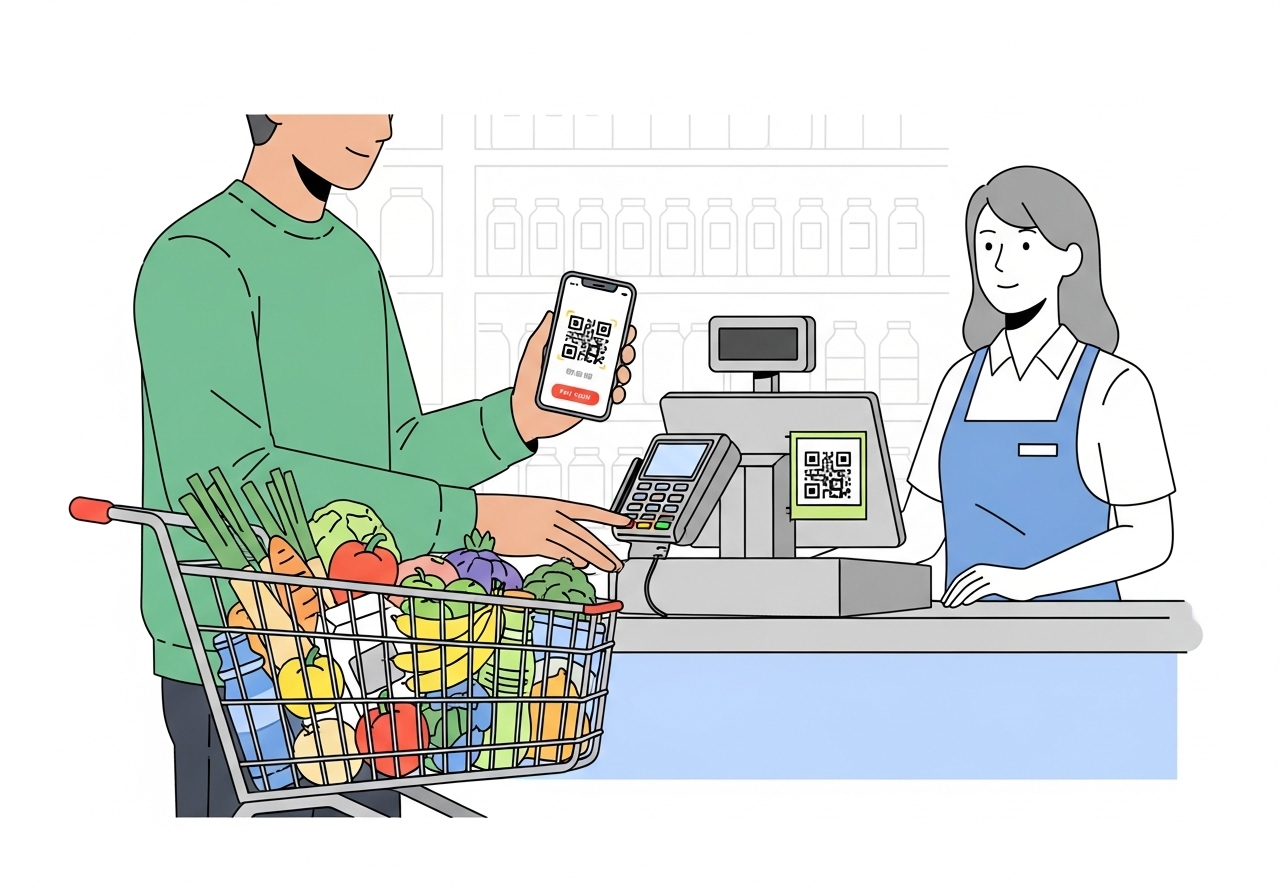
Discover how your UPI ID transforms grocery shopping into a fast, secure, and convenient experience. Learn to choose a trusted digital payments app, link your bank, and set a secret PIN. Pay effortlessly using QR codes or a merchant's unique ID. Understand crucial security tips for safe transactions, and enjoy benefits like quick payments, no need for cash, and easy spending tracking. Embrace a smarter way to shop for everyday essentials.
Imagine having a special digital key on your phone that lets you send or receive money directly from your bank account, anytime, anywhere. That’s exactly what a UPI ID helps you do! In today’s busy world, finding ways to make everyday tasks simpler is a real bonus. Grocery shopping, which many of us do regularly, can become much easier and quicker when you use your UPI ID. It’s a clever way to pay that means you don’t always need to carry cash or cards. Let’s explore how this simple digital payment method can transform your trips to the grocery store.
What is a UPI ID?
Understanding this simple digital payment method.
A UPI ID is like your unique address for sending and receiving money directly from your bank account using your smartphone. UPI stands for Unified Payments Interface, and it’s a system created by the National Payments Corporation of India (NPCI), which is an organisation backed by the government. Think of it like a special email address, but for your money! Instead of sharing your bank account number and other details every time, you just share your UPI ID. This system lets you make payments instantly, 24 hours a day, 7 days a week, even on holidays. It’s a very efficient and modern way to handle your money.Why it’s a smart choice for your grocery shopping.
Using your UPI ID for grocery shopping is a truly smart move. Firstly, it’s incredibly fast. No more fumbling for change or waiting for card machines to connect. A quick scan or entry, and you’re done! Secondly, it’s very secure, as we’ll discuss more later. You don’t have to worry about losing cash or someone seeing your card details. Thirdly, it’s convenient; all you need is your smartphone. Most grocery shops, from small local stores to large supermarkets, now accept UPI payments, making your shopping experience smooth and hassle-free.Getting Ready to Use Your UPI ID
Before you can start enjoying the ease of UPI payments at the grocery store, there are a few simple steps to get set up.Choosing a trusted digital payments application.
To use your UPI ID, you’ll need a digital payments application on your smartphone. It’s important to choose an app that is well-known, secure, and widely trusted. Many banks offer their own UPI-enabled apps, and there are also other reputable payment service providers. When selecting an app, look for one that has good reviews and is known for its strong security features. This ensures your money and personal information are kept safe.Safely connecting your bank account to the application.
Once you have chosen your application, the next step is to link your bank account to it. This process is designed to be very secure. You will typically need to:- Open the app and select the option to add a bank account.
- The app will usually detect your bank account automatically using the mobile number registered with your bank.
- You might need to verify your identity using details from your debit card, such as the last few digits and the expiry date.
Setting up your secret digital payment PIN.
This is a crucial step for your security. A digital payment PIN (Personal Identification Number) is a secret code, usually 4 or 6 digits long, that you create. You will need to enter this PIN every time you make a transaction. It’s like the key that unlocks your ability to send money. Remember these important points about your PIN:- Keep it secret: Never share your digital payment PIN with anyone, not even family members or bank staff.
- Memorise it: Do not write it down where others might find it.
- Change it if needed: If you ever feel your PIN might be compromised, you can change it through your app.
Your Guide to Paying at the Grocery Store with UPI
Now that you’re all set up, let’s look at how you actually use your UPI ID to pay for your groceries. It’s simpler than you might think!Spotting the UPI payment options at the shop.
When you’re at the grocery store, keep an eye out for signs or stickers that show the UPI logo. You’ll often see a QR code displayed prominently at the checkout counter. Many shops, big or small, now accept digital payments, so it’s becoming a very common sight. If you’re unsure, you can always ask the shopkeeper if they accept UPI payments.How to pay using a QR code with your UPI application.
Paying with a QR code is the most popular and easiest method. Here’s how it works:- Open your digital payments application on your smartphone.
- Look for the “Scan QR code” option within the app. It often looks like a small camera icon.
- Point your phone’s camera at the QR code displayed by the merchant. The app will quickly read the code.
- Enter the amount you need to pay, if it’s not automatically filled in.
- Check the merchant’s name to make sure you’re paying the right person or shop.
- Confirm the details and then enter your secret digital payment PIN.
- You’ll then receive an instant confirmation message on your phone, and the shopkeeper will also get a notification that the payment has been successful.
Paying directly with a merchant’s unique UPI ID.
Sometimes, a shop might not have a QR code, or you might prefer to pay by entering their UPI ID directly. This method is just as straightforward:- Ask the shopkeeper for their unique UPI ID. It usually looks something like
shopname@banknameorshopname@psp. - Open your digital payments application and select the option to “Pay to UPI ID” or “Send Money”.
- Enter the merchant’s UPI ID carefully into the app.
- Enter the exact amount you need to pay.
- Verify the merchant’s name that appears on your screen to ensure it’s correct.
- Confirm the transaction and enter your secret digital payment PIN.
- Just like with QR codes, you’ll receive an instant confirmation once the payment is complete.
Keeping Your UPI Transactions Safe and Secure
Security is a top priority when it comes to digital payments. UPI has many safety features built-in, but you also play an important role in keeping your transactions secure.Guarding your secret digital payment PIN.
We cannot stress this enough: your digital payment PIN is the key to your money. You must guard it very carefully.- Never share your PIN with anyone. No bank official, payment app representative, or government agency will ever ask you for your PIN.
- Be wary of phone calls or messages asking for your PIN or other sensitive information. These are usually scams.
- Don’t write your PIN down or store it in an unsecured place on your phone.
Simple steps for secure UPI payments.
Beyond your PIN, there are other simple habits you can adopt to ensure your UPI payments are always safe:- Always double-check the amount and the merchant’s name on your screen before you confirm any payment. Mistakes can happen, so a quick check can save you trouble.
- Use a strong screen lock on your smartphone. This prevents unauthorised access to your apps if your phone is lost or stolen.
- Be cautious when using public Wi-Fi for transactions, as these networks can sometimes be less secure.
- Regularly check your bank statements or transaction history in your app to spot any unusual activity.
- Only download digital payment applications from official app stores (like Google Play Store or Apple App Store) to avoid fake apps.
What to do if you face a problem with a transaction.
Even with the best precautions, sometimes issues can arise. If you face a problem, such as money being debited but the transaction failing, or an incorrect amount being paid:- Contact your bank immediately. They can help track the transaction and initiate a refund if necessary.
- Reach out to the customer support of your digital payments application. They can also provide assistance and guidance.
- Note down all transaction details, including the transaction ID, date, time, and amount. This information will be very helpful when reporting the issue.
- NPCI has a clear process for dispute resolution, and your bank or app provider will guide you through it.
The Benefits of Using Your UPI ID for Groceries
Using your UPI ID for grocery shopping brings a host of fantastic benefits that make your life much easier.Fast and fuss-free shopping experiences.
Imagine finishing your grocery shopping and paying in a matter of seconds. That’s the reality with UPI. There’s no need to count out cash, wait for change, or even swipe a card. This speed reduces queues and makes your entire shopping trip more efficient and enjoyable. It truly takes the fuss out of paying.No more searching for cash or cards.
How many times have you been at the checkout, only to realise you’ve forgotten your wallet, or don’t have enough cash? With UPI, as long as you have your smartphone, you’re ready to pay. It means less to carry and one less thing to worry about. It’s also a more hygienic way to pay, as you avoid handling physical money that has passed through many hands.Easily keeping track of your spending.
Every transaction you make using your UPI ID is recorded digitally. This means you can easily check your spending history within your digital payments app or through your bank statements. This feature is incredibly helpful for budgeting and keeping track of where your money goes, giving you better control over your finances. No more guessing how much you spent on groceries each month!Embracing a Smarter Way to Shop
Making everyday grocery shopping simpler and more convenient with UPI.
Adopting your UPI ID for grocery shopping is more than just a new way to pay; it’s about embracing a smarter, more efficient lifestyle. It simplifies one of your most regular errands, making it faster, more secure, and incredibly convenient. By using your UPI ID, you’re not just making a payment; you’re stepping into a modern world where technology makes your everyday life smoother and gives you greater control over your finances. So, next time you head to the grocery store, remember your smartphone and your UPI ID – your key to a fuss-free shopping experience!Author

FAQs
What is a UPI ID?
A UPI ID is like your special address for sending and receiving money directly from your bank account using your smartphone. It's a quick and modern way to handle money, available 24 hours a day, every day.
How does using a UPI ID help with grocery shopping?
It makes grocery shopping much easier because payments are very fast, you don't need to carry cash or cards, and it's a secure way to pay. Most shops, big and small, now accept these payments.
What do I need to do to start using a UPI ID?
First, you need to choose a trusted digital payments app for your smartphone. Then, you link your bank account to the app, and finally, you set up a secret digital payment PIN.
How do I connect my bank account to a digital payments app?
Open your chosen app and select "add a bank account". The app will usually find your bank account using your phone number. You might then need to confirm your identity with details from your debit card.
How do I pay at a grocery store using a QR code?
Open your digital payments app and choose "Scan QR code". Point your phone's camera at the shop's QR code. Enter the amount, check the shop's name, and then enter your secret digital payment PIN to complete the payment.
What is a digital payment PIN and why is it important?
Your digital payment PIN is a secret code, usually 4 or 6 numbers long, that you create. You must enter this PIN for every payment. It's vital to keep it secret and never share it, as it protects your money.
What should I do if a payment goes wrong?
If you have a problem, like money leaving your account but the payment not going through, you should contact your bank straight away. You can also get help from your digital payments app's customer support. Make sure to note down all the payment details.
How can I make sure my payments are safe?
Always double-check the amount and the shop's name before you pay. Keep your secret digital payment PIN private, use a strong screen lock on your phone, and only download payment apps from official app stores.
