

Table of Contents
What Is Two-Factor Authentication (2FA) and One-Time Passwords (OTPs)?
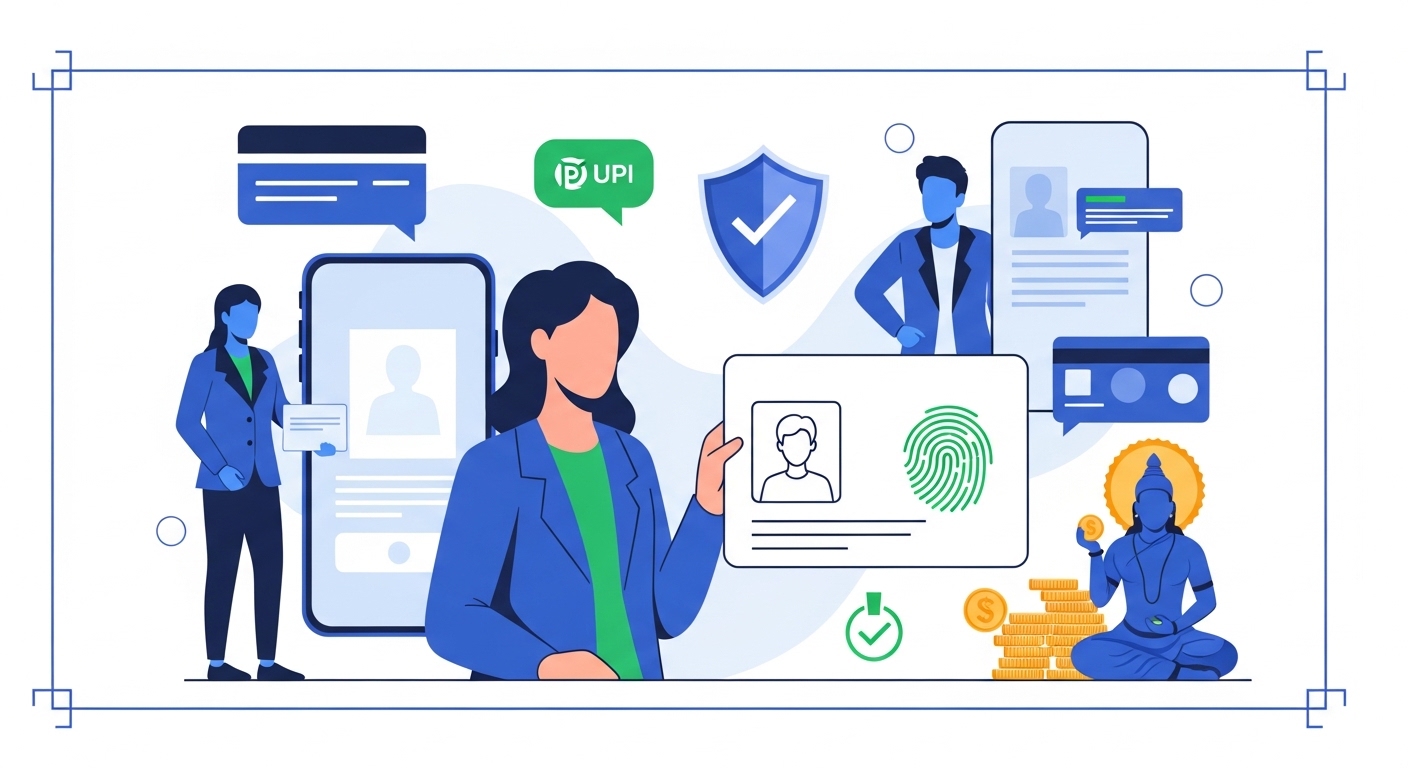
Two-Factor Authentication (2FA) and One-Time Passwords (OTPs) are fundamental security layers mandated by regulatory bodies like the Reserve Bank of India for online financial transactions. 2FA adds a second verification step beyond your password, typically requiring something you know (like a PIN) and something you have (like your phone). An OTP is a unique, time-sensitive code sent to your registered mobile number or email, valid for a very short period, often a few minutes, to authorise a specific transaction or login. Failing to use or protect these security features can lead to unauthorised open to your accounts, potentially resulting in financial loss or identity theft. Always verify any requests for OTPs directly through your bank’s official channels or the official cybercrime reporting portal, cybercrime.gov.in, if you suspect fraud.Your Money Online: Staying Safe
The world of digital banking offers unparalleled convenience, allowing you to manage your finances from anywhere, at any time. For professionals with demanding schedules, being able to pay bills, transfer funds, or check account balances on the go is indispensable. This swift open helps you stay on top of your financial commitments without needing to visit a physical bank branch. However, this ease of open also introduces new security challenges that you must understand and actively manage. Cybercriminals are constantly developing new methods to exploit vulnerabilities, making it crucial to be aware of the risks involved. Staying informed about the latest threats is your first step in safeguarding your digital assets.The Digital Banking World
In 2026, digital banking isn’t an option; it’s the standard for millions across India. You can complete almost any banking task from your smartphone or computer, saving valuable time. This shift has been driven by innovations like UPI, which allows instant payments 24/7. The speed and simplicity of these systems mean you can make urgent payments or transfers in seconds. This efficiency is a huge advantage for managing your busy life. However, it also means that if your account is compromised, funds can be moved as quickly.Quick Context: The Speed of Digital
UPI transactions, for instance, are processed in real-time by NPCI, making them incredibly fast. This speed is a double-edged sword: convenient for you, but also for fraudsters if they gain open.
Risks of Online Banking
Despite the convenience, online banking carries specific risks you need to be aware of. Phishing scams, malware, and data breaches are constant threats aimed at stealing your login credentials or personal information. These attacks often try to trick you into revealing sensitive details. A successful attack can lead to unauthorised transactions, identity theft, or even the complete takeover of your bank account. The financial and personal consequences of such breaches can be severe and time-consuming to resolve. You must protect your accounts with the strongest possible defences.Why Security Matters
Protecting your online bank accounts isn’t about preventing financial loss; it’s about safeguarding your time and peace of mind. Resolving a compromised account can be a lengthy and stressful process, involving multiple calls to your bank and potentially law enforcement. This takes precious time away from your professional and personal life. Strong security measures, such as 2FA and OTPs, act as a strong barrier against these threats. They ensure that even if someone gets hold of your password, they cannot open your funds without the second layer of verification. This proactive approach is the most efficient way to protect yourself.Read More
Create UPI Account without bank account- Preventing Financial Loss: Direct protection of your savings and investments.
- Safeguarding Personal Data: Keeps your identity and sensitive information private.
- Maintaining Peace of Mind: Reduces stress and anxiety about potential breaches.
- Saving Time and Effort: Avoids the lengthy process of recovering compromised accounts.
What Is Two-Factor Authentication (2FA)?
Two-Factor Authentication, or 2FA, is an essential security feature that adds an extra layer of protection to your online accounts. It requires two different types of verification before you can log in or complete a transaction. This means that even if someone manages to guess your password, they still won’t be able to open your account without the second factor. Think of it like having two different keys to open a safe; you need both to get inside. This significantly reduces the risk of unauthorised open, making your accounts much more secure. Many banks now mandate 2FA for specific transactions, as per RBI guidelines, recognising its critical role in digital security.More Than a Password
Your password is the first line of defence, but it’s often not enough on its own. Cybercriminals use sophisticated methods to steal or crack passwords, making them vulnerable. 2FA goes beyond this by demanding a second piece of evidence that only you should possess. This second factor could be something only you know, something only you have, or something only you are. By combining two distinct types of authentication, 2FA creates a much stronger barrier against potential attackers. It’s a simple yet powerful way to enhance your digital security.Something You Know
This category includes information that only you should know, such as your password, a Personal Identification Number (PIN), or a secret answer to a security question. These are typically the first factor you use when logging into an online banking portal or app. Choosing strong, unique passwords and PINs is crucial for this layer of security. You should never use easily guessable information like your birth date or common words. Regularly updating these details also adds an extra layer of protection against potential breaches. Remember, this is the most common target for cybercriminals.Something You Have
This factor relies on a physical item that is uniquely yours, such as your registered mobile phone receiving an OTP, a smart card, or a hardware security token. When you initiate a transaction, the bank sends a verification code to this device. Without physical open to your device, an attacker cannot complete the second step of authentication. This is a very effective layer because it’s much harder for a remote hacker to gain open to your physical phone or token. Most banks use your registered mobile number for sending OTPs, making your phone a critical part of your security setup.Common Confusion: A widespread myth is that 2FA is only for very large transactions.
This is incorrect; 2FA is a blanket security measure that protects all open to your account, regardless of transaction size, and is often required for login itself.
This is a dangerous misconception; legitimate bank employees will never ask for your OTP as they already have open to your account details. Any such request is a scam.
Something You Are
This refers to biometric identifiers unique to you, such as your fingerprint, facial recognition, or iris scan. Many modern smartphones and banking apps now incorporate these features for quick and secure authentication. Biometrics offer a highly convenient and secure way to verify your identity. While biometrics are very secure, it’s important to ensure your device’s biometric security is strong and that you’re using official banking apps. This method eliminates the need to remember complex passwords for some actions, streamlining your secure open.How Does a One-Time Password (OTP) Work?
A One-Time Password (OTP) is a unique, automatically generated numeric or alphanumeric string of characters used to authenticate a single transaction or login session. It serves as a critical component of 2FA, providing a dynamic second factor that cannot be reused. Once an OTP is used or expires, it becomes invalid. This temporary nature makes OTPs incredibly secure because even if an attacker intercepts one, it won’t be useful for future attempts. The system works by creating a fresh challenge for every sensitive action you perform online.Unique Code for Transactions
When you initiate a transaction, like transferring funds or adding a new beneficiary, your bank’s system generates a unique OTP specifically for that action. This code is linked to your current request and is crucial for its authorisation. Without the correct OTP, the transaction cannot proceed. This ensures that only the person with open to your registered device can approve the action. It’s a direct way to confirm that you, and not an imposter, are making the request. Every time you see a prompt for an OTP, you know a sensitive action is being protected.Time-Sensitive Passcodes
OTPs are designed to be time-sensitive, meaning they are only valid for a very short duration, typically between 5 to as per the latest official guidelines. If you don’t enter the OTP within this window, it expires and you’ll need to request a new one. This limited validity period is a key security feature. It significantly reduces the window of opportunity for an attacker to intercept and misuse the code. For a busy professional, this means you need to be quick in entering your OTP, but it also means the risk of an old, compromised OTP being used is almost zero.Pro Tip: Quick OTP Retrieval
If you’re in an area with poor network, try moving to a spot with better reception or requesting the OTP via email if your bank offers that option. Some apps also allow for in-app OTP generation if you’ve enabled it, which can be faster.
Delivered to Your Device
Your OTP is usually delivered to your registered mobile number via SMS, or sometimes to your registered email address. Some advanced banking apps also generate OTPs directly within the app itself, often called a “soft token.” The delivery method is pre-configured with your bank. Always ensure your contact details with your bank are up-to-date to receive OTPs promptly. If you change your phone number or email, update it with your bank immediately. This direct delivery to your personal device is what makes the “something you have” factor so effective. Step 1: Initiate a transaction or login that requires an OTP on your bank’s official app or website. Step 2: Your bank’s system will generate a unique OTP and send it to your registered mobile number via SMS or email. You will see a prompt on your screen to enter this code. Step 3: Check your registered device for the incoming OTP. Carefully enter the exact code into the designated field on your banking portal within the specified time limit. Step 4: Once the correct OTP is entered and verified, your transaction or login will be successfully completed. If the OTP is incorrect or expired, the action will fail, and you’ll need to request a new one.How OTP Adds Security
An OTP adds a powerful layer of security by ensuring that any sensitive action is authorised by someone who possesses your registered device. Even if a criminal obtains your username and password through a data breach or phishing attack, they cannot complete a transaction without the current OTP. This makes it incredibly difficult for unauthorised individuals to open your funds. The fact that each OTP is unique and expires quickly means it cannot be intercepted and reused later. This dynamic nature is what makes OTPs a cornerstone of modern digital payment security. It’s a simple, yet highly effective, defence mechanism.Why 2FA and OTP Protect Your Accounts
2FA and OTPs are not features; they are essential safeguards against the ever-evolving threats in the digital space. They work together to create a multi-layered defence that significantly reduces the risk of your net banking account being compromised. Understanding their combined power helps you appreciate their importance. For a busy professional, the peace of mind these security measures provide is invaluable. You can conduct your banking knowing that strong systems are in place to protect your financial assets. This allows you to focus on your work without constant worry about online security.Stopping Unauthorised open
The primary function of 2FA and OTPs is to prevent anyone but you from accessing your bank accounts. Even if a cybercriminal manages to steal your password, they will be stopped at the second authentication step. They won’t have the OTP sent to your phone or your biometric data. This means that even sophisticated phishing attacks, which aim to trick you into revealing your password, become largely ineffective. The attacker hits a wall when they can’t provide the second factor. This is why banks have widely adopted these technologies.Adding Layers of Protection
Security experts often talk about “defence in depth,” which means having multiple layers of security so that if one layer fails, others are still in place. 2FA and OTPs embody this principle perfectly. Your password is one layer, and the OTP or biometric scan is another. Each layer acts as an independent barrier, making it exponentially harder for an attacker to break through. It’s like having multiple locks on your front door, each requiring a different key. The more layers you have, the more secure your account becomes.Quick Context: CERT-In’s Role
The Indian Computer Emergency Response Team (CERT-In) regularly issues alerts on new cybersecurity threats and best practices. Staying informed through their advisories helps you understand the changing environment of digital security.
Preventing Account Takeover
An account takeover is when an unauthorised person gains complete control of your bank account. This can lead to immediate and significant financial loss. 2FA and OTPs are specifically designed to prevent these catastrophic events. By requiring a real-time, unique verification for every sensitive action, they ensure that only the legitimate account holder can authorise transactions. This proactive prevention is far more effective than trying to recover funds after a breach has occurred. It’s about stopping the threat before it even begins.Protecting Your Personal Data
Beyond your money, your bank account holds a wealth of personal data, including your address, PAN, Aadhaar details, and transaction history. An account takeover can expose this sensitive information, leading to identity theft or other forms of fraud. 2FA and OTPs help protect this data. By securing open to your account, you are also safeguarding your digital identity. This comprehensive protection is vital in an age where personal data is highly valuable to criminals. It ensures your private financial life remains private.| Security Feature | Without 2FA/OTP | With 2FA/OTP |
| Password Protection | Vulnerable to theft/guessing | Enhanced by second factor |
| Unauthorised Transactions | High risk if password compromised | Extremely low risk, requires physical device |
| Account Takeover | High likelihood if credentials stolen | Virtually impossible without second factor |
| Data Exposure | High risk of personal data breach | Minimal risk, data remains secure |
Keeping Your 2FA and OTP Safe
While 2FA and OTPs offer strong protection, their effectiveness ultimately depends on how carefully you manage them. Even the strongest security features can be undermined by user error or negligence. For a busy professional, it’s crucial to integrate these safety habits into your routine without adding unnecessary complexity. You must be vigilant and follow best practices to ensure these critical defences remain impenetrable. A quick review of these tips can save you significant trouble down the line. Your actions are the final, most important layer of security.Never Share Your OTP
This is the most critical rule: never, under any circumstances, share your OTP with anyone. Your bank, a bank employee, or any government official will never ask you for your OTP over the phone, via email, or through SMS. Anyone who asks for it is a fraudster. Sharing your OTP is like handing over the keys to your bank account. Always remember that the OTP is for your use to authorise your transactions. If someone asks for it, immediately disconnect the call or delete the message.Common Confusion: It is commonly assumed that bank staff might ask for an OTP to “verify” your identity or “resolve” an issue.
This is a dangerous misconception; legitimate bank employees will never ask for your OTP as they already have open to your account details. Any such request is a scam.
This is incorrect; 2FA is a blanket security measure that protects all open to your account, regardless of transaction size, and is often required for login itself.
Be Wary of Phishing Scams
Phishing scams are sophisticated attempts to trick you into revealing your personal details. These often come as fake SMS messages or emails that look like they’re from your bank or a government agency. They might contain urgent warnings or promises of rewards. Always check the sender’s email address or phone number carefully. Look for spelling mistakes or unusual grammar. If you’re unsure, do not click on any links or reply. Instead, contact your bank directly using the official helpline number, not one provided in the suspicious message.Use Strong, Unique Passwords
While 2FA adds a second layer, a strong primary password remains essential. Use a combination of uppercase and lowercase letters, numbers, and symbols. Avoid using personal information like your name or birth date. Crucially, use a unique password for each of your online banking accounts. If one service is breached, your other accounts remain safe. Consider using a reputable password manager to help you create and store complex, unique passwords securely.Keep Contact Details Updated
Your registered mobile number and email address are vital for receiving OTPs and transaction alerts. If these details change, update them with your bank immediately. Outdated contact information can prevent you from receiving critical security notifications. You can usually update these details through your net banking portal, by visiting a branch, or sometimes via ATM. Promptly updating your details ensures that your security mechanisms function correctly and that you are always in the loop.Check Transaction Alerts
Most banks send SMS or email alerts for every transaction made from your account. Make it a habit to review these alerts promptly. If you receive an alert for a transaction you didn’t make, it’s a clear sign of potential fraud. Acting quickly on these alerts can help limit financial damage and allow your bank to investigate immediately. Don’t ignore these messages, even if they seem minor. They are your real-time security monitor.- Regularly Review Bank Statements: Cross-check all transactions against your records.
- Avoid Public Wi-Fi for Banking: Public networks are less secure and can be vulnerable to eavesdropping.
- Install Antivirus Software: Keep your devices protected from malware and viruses.
- Enable Biometric Login: Use fingerprint or face ID for quicker, more secure open where available.
What If Your Account Feels Unsafe?
Despite all precautions, sometimes you might feel that your account has been compromised or that something is amiss. It’s crucial to trust your instincts and act immediately if you suspect any unusual activity. Delaying action can lead to greater losses. For a busy professional, knowing the exact steps to take can save critical time and minimise potential damage. You have specific responsibilities and actions you must take to protect yourself.Act Immediately If Suspicious
If you notice an unfamiliar transaction, receive a suspicious call, or find that you can’t log into your account, don’t wait. Time is of the essence in preventing financial fraud. The faster you act, the better your chances of mitigating any damage. Even if it turns out to be a false alarm, it’s always better to be safe than sorry. Your immediate response can be the difference between a minor scare and a significant financial loss. Don’t second-guess yourself when it comes to security.Contact Your Bank Promptly
Your first and most important step is to contact your bank’s official customer care helpline immediately. Look up the number from your bank’s official website or your bank statement, not from any suspicious messages. Explain the situation clearly and precisely. Your bank can temporarily block your account or card to prevent further unauthorised transactions. They will also guide you through the process of reporting the fraud and initiating an investigation. This direct communication is vital.Pro Tip: Keep Emergency Numbers Handy
For quick action, save your bank’s official customer care number and the national cybercrime helpline (1930 or 155260, as per Ministry of Home Affairs) in your phone’s contacts. This saves crucial seconds during a stressful situation.
Report Fraudulent Activity
After informing your bank, you must formally report the fraudulent activity to the authorities. India has a dedicated portal for cybercrime complaints: cybercrime.gov.in. File a detailed complaint there, providing all relevant information, including transaction IDs, dates, and any communication you received. You can also call the national helpline number 1930 (or 155260) to report financial cyber fraud. Reporting helps law enforcement track down criminals and can aid in the recovery of funds, though recovery is never guaranteed. It’s your civic duty and helps protect others. Step 1: Immediately call your bank’s official customer care helpline to report the suspicious activity and request a temporary block on your account or card. Step 2: Visit the official cybercrime reporting portal at cybercrime.gov.in and file a detailed complaint, providing all necessary information. Step 3: Obtain a copy of the complaint registration number for your records. This will be essential for any follow-up with your bank or legal proceedings. Step 4: Follow up with your bank regularly to check the status of their investigation and ensure all necessary steps are being taken.Change Passwords Immediately
If you suspect your password has been compromised, change it immediately for all affected accounts, not your banking portal. Choose a strong, unique password that you haven’t used before. This prevents the attacker from using the old password even if they still have it. Also, consider changing passwords for any other online services where you might have used the same or a similar password. This proactive step helps contain the damage and secures your other digital assets. It’s a fundamental response to any security breach.Your Role in Online Security
While banks and regulatory bodies implement strong security systems, your active participation is the most critical component of online safety. No technology can fully protect you if you don’t follow best practices and remain vigilant. For a busy professional, integrating security awareness into your daily digital habits is key to staying safe. You are the ultimate guardian of your financial accounts. Understanding and fulfilling your role in online security is not about protecting yourself; it contributes to a safer digital space for everyone.Always Be Vigilant
Vigilance is your most powerful tool against cybercrime. Be suspicious of unsolicited emails, SMS messages, or calls that ask for personal information, especially OTPs or passwords. Always verify the authenticity of communication before responding. Remember that fraudsters often prey on urgency or fear. Take a moment to pause and think before clicking any links or providing any information. A healthy dose of scepticism is your best defence in the digital world.Understand Security Features
Take the time to understand how your bank’s security features work, including 2FA, OTPs, and transaction alerts. Knowing the mechanisms helps you use them effectively and recognise when something is amiss. Don’t enable features; understand their purpose. Many banks offer resources and on their websites explaining their security protocols. Familiarising yourself with these can help you to make informed decisions and react appropriately to threats. Knowledge is power in online security.- Enable Biometric Security: Use fingerprint or face ID on your banking apps for quick and secure open.
- Regularly Update Software: Keep your operating system, browser, and banking apps updated to patch security vulnerabilities.
- Review Privacy Settings: Check and adjust privacy settings on your devices and online accounts.
- Educate Yourself: Stay informed about new scam tactics and cybersecurity best practices.
Protect Your Digital Identity
Your digital identity extends beyond your bank account; it encompasses all your online presence. Protecting your net banking details is a core part of safeguarding this broader identity. A compromised bank account can be a gateway to other forms of identity theft. By diligently using 2FA and OTPs, and following all security advice, you are actively building a strong defence around your entire digital life. This complete approach ensures comprehensive protection in an increasingly interconnected world. Your digital footprint needs constant protection.Conclusion
Two-Factor Authentication and One-Time Passwords are indispensable tools for securing your net banking accounts in 2026. For a busy professional, these layers of defence offer the fastest and most effective way to protect your finances from account takeover. By consistently using strong, unique passwords and never sharing your OTP, you significantly reduce your risk. Prioritising these simple yet powerful security measures ensures your digital banking remains safe and efficient, giving you the peace of mind to focus on what matters most.Author

