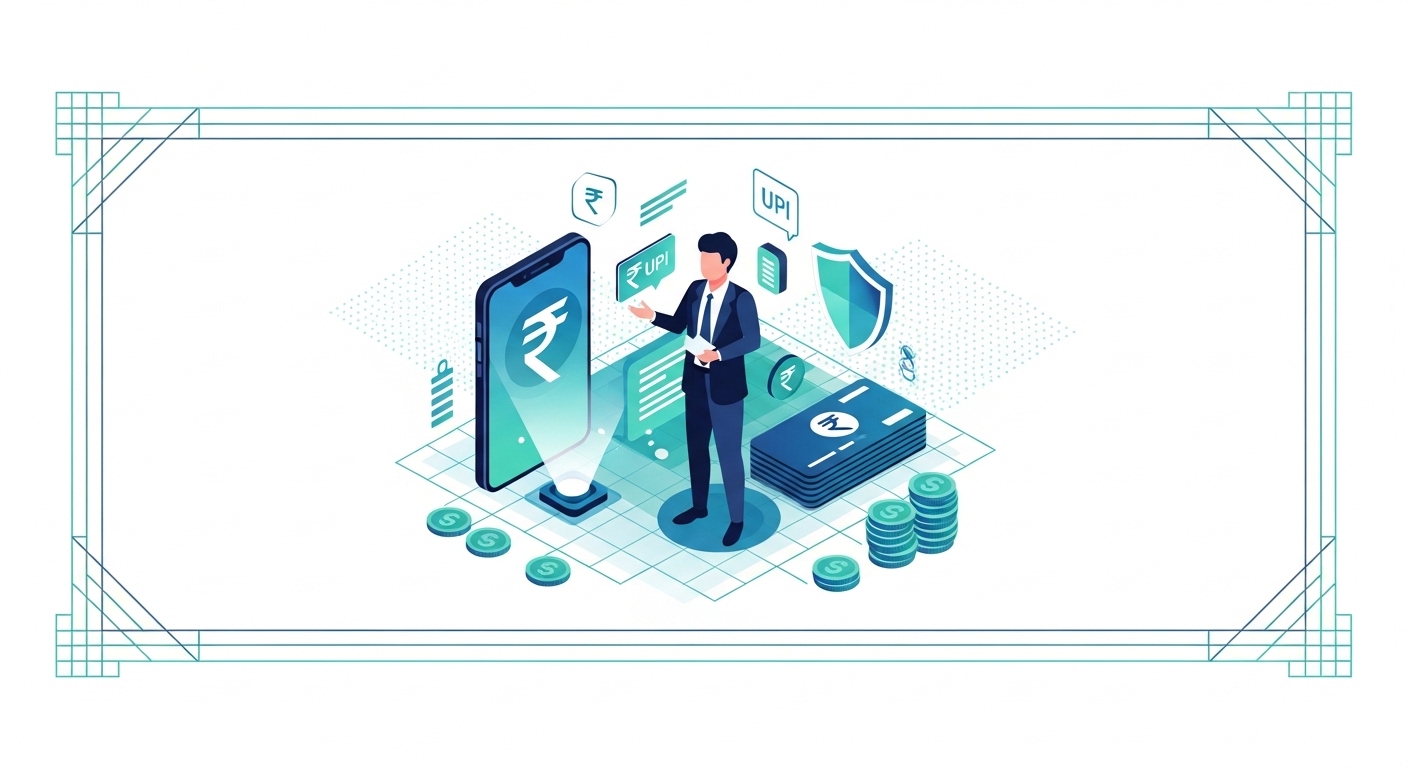
Securing your checking account is much like safeguarding your home with multiple layers of protection. You wouldn’t use a single lock; you’d have strong doors, an alarm system, and perhaps even security cameras. Each layer works together to keep everything inside safe.
Understanding these protective measures helps you feel confident about your finances and use digital banking without worry. This guide will walk you through the essential security features protecting your modern checking account, explaining how they work and what you can do to enhance them.
Table of Contents
What Is Modern Checking Account Security Features?
Modern checking account security features are the comprehensive measures put in place by banks and regulatory bodies, like the Reserve Bank of India (RBI), to protect your funds and personal data. This involves a combination of technological safeguards and operational policies designed to prevent unauthorised open and fraud.
For instance, many banks now offer instant card blocking; additionally, as per official RBI guidelines (2026), contactless payment limits are set at as per the latest official guidelines per transaction to mitigate risk. Failing to understand and use these features can leave your account vulnerable to scams, potentially leading to significant financial loss.
You should always report any suspicious activity directly to your bank or through the official Cyber Crime Portal.
Why Is Account Security Important for You?
Protecting your checking account is more crucial than ever in 2026, as digital transactions become a daily part of life. You rely on your bank to keep your money safe, and understanding how they do this helps you play your part. This knowledge builds trust in the banking system and prevents potential financial setbacks.
Protecting your money
Your checking account holds your hard-earned money, which you use for daily expenses and future plans. strong security features act as a shield, ensuring that only you can open and spend your funds. This protection is fundamental to your financial well-being.
Stopping fraud attempts
Fraudsters are always looking for new ways to trick you and steal your money. Modern security features are designed to detect and block these attempts before they can cause harm. You’re less likely to become a victim when these systems are in place and actively monitored.
Peace of mind
Knowing that your money is safe and secure provides immense peace of mind. You can conduct transactions, pay bills, and manage your savings without constantly worrying about threats. This confidence allows you to focus on your life, knowing your finances are protected.
Quick Context: The digital space
In 2026, digital payments are widespread, making checking account security paramount. The government’s push for digital India means more transactions happen online, increasing the need for strong protection.
What Are the Security Features of Your Debit Card?
Your debit card is often your primary tool for accessing your checking account, both online and offline. Modern cards come equipped with several advanced security features to protect your transactions.
Understanding these helps you use your card more safely every day. These features make it harder for unauthorised individuals to use your card.
Chip and PIN technology
Every modern debit card in India now features EMV chip technology, which encrypts your transaction data differently each time you use it. This makes it incredibly difficult for fraudsters to clone your card, unlike older magnetic stripe cards. When you make a payment, you’ll need to enter your unique Personal Identification Number (PIN), adding another layer of security.
Contactless payment limits
Contactless payments offer convenience, allowing you to tap your card for quick transactions without entering a PIN. To prevent misuse if your card is lost, a limit is usually set for these payments.
As per official RBI guidelines (2026), the per-transaction limit for contactless payments in India is as per the latest official guidelines. You’ll need to enter your PIN for any amount exceeding this.
Card verification value
The Card Verification Value (CVV) is a three or four-digit security code found on the back of your debit card. You’ll need to enter this code when making online purchases, proving that you physically possess the card. This helps prevent fraudulent online transactions if your card number is stolen but the card itself isn’t.
Instant card blocking
Losing your debit card can be a worrying experience, but modern banking offers immediate solutions. You can block your card instantly through your bank’s mobile app, internet banking portal, or by calling their customer service. This immediate action prevents any unauthorised use of your card once it’s reported missing.
Common Confusion: Blocking Lost Cards
It is commonly assumed that blocking a lost card is a slow, complicated process.
Blocking your debit card is usually instant, accessible 24/7 through multiple channels like your bank’s app or customer care helpline. You don’t have to wait for a branch to open.
| Debit Card Security Feature | How it Protects You | When it’s Used |
| Chip and PIN | Encrypts transaction data, requires PIN | Point-of-sale transactions |
| Contactless Limit | Prevents large unauthorised taps | Small value tap-and-pay transactions |
| CVV | Verifies card’s physical presence for online use | Online purchases |
| Instant Blocking | Disables card immediately if lost/stolen | Emergency situations |
How Do Online Banking Platforms Keep You Safe?
Online banking has transformed how you manage your money, offering convenience from your home or office. Banks invest heavily in strong security measures to protect your financial information on these platforms. These digital safeguards are designed to keep your online transactions secure.
Strong login passwords
Your login password is the first line of defence for your online banking account. Banks require you to create strong passwords, often combining uppercase and lowercase letters, numbers, and special characters. You should regularly change your password and never share it with anyone to maintain its strength.
Two-factor authentication
Two-factor authentication (2FA) adds an extra layer of security beyond your password. When you log in or make a significant transaction, the bank sends a One-Time Password (OTP) to your registered mobile number or email. You must enter this OTP to complete the action, ensuring only you can open your account, even if someone knows your password.
Secure browsing connections
When you open your online banking, look for “https://” in the website address and a padlock icon in your browser’s address bar. This indicates a secure, encrypted connection, meaning that the data transferred between your device and the bank’s server is scrambled and protected from eavesdropping. Using public Wi-Fi for banking is generally discouraged unless you use a Virtual Private Network (VPN).
Real-time transaction alerts
Banks provide real-time alerts for transactions via SMS or email. You receive an immediate notification every time money leaves or enters your account. This allows you to quickly spot and report any unauthorised activity, helping your bank investigate and potentially reverse fraudulent transactions swiftly.
Pro Tip: Password Management
Use a password manager to create and store unique, complex passwords for all your online accounts. This reduces the risk of multiple accounts being compromised if one password is stolen.
Steps to Secure Your Online Banking Login
Protecting your online banking starts with your login credentials. Following these steps helps fortify your account against unauthorised open. You’re actively participating in your own security.
Step 1: Create a complex password using a mix of letters, numbers, and symbols, ensuring it’s at least 12 characters long and not easily guessable. After setting it, the bank’s system will confirm its strength, and you’ll be prompted to remember it securely.
Step 2: Enable two-factor authentication (2FA) for your account if you haven’t already, typically through your bank’s settings or by contacting customer support. Once enabled, you’ll receive an OTP on your registered mobile for every login, adding a crucial security layer.
Step 3: Always log out of your online banking session when you’re finished, especially on shared computers or public networks. This prevents anyone else from accessing your account if they use the same device after you.
What Security Should You Expect from Mobile Banking Apps?
Mobile banking apps offer unparalleled convenience, allowing you to manage your finances on the go. These apps are designed with specific security features designed for mobile devices. They provide a secure environment for your banking activities.
Biometric login options
Many mobile banking apps now offer biometric login, using your fingerprint or facial recognition to verify your identity. This is a highly secure and convenient way to open your account, as your biometrics are unique to you. It eliminates the need to type passwords, reducing the risk of them being observed.
Session time-outs
Mobile banking apps often have automatic session time-outs. If you leave the app open and inactive for a certain period, it will automatically log you out.
This prevents unauthorised open if your phone is lost or falls into the wrong hands while the app is open. You’ll need to re-authenticate to continue banking.
Encrypted data transfer
like online banking websites, mobile apps use strong encryption to protect your data as it travels between your phone and the bank’s servers. This ensures that sensitive information, such as your account number or transaction details, remains private and secure from interception. You can trust that your data is being handled carefully.
Remote device management
Some banks offer features that allow you to manage your banking app open remotely. If your phone is lost or stolen, you might be able to de-register the device from your banking app through another trusted device or by contacting customer service. This ensures that the app on your lost phone cannot be accessed.
Common Confusion: Mobile App Security
Mobile banking apps are less secure than desktop online banking due to phone vulnerabilities.
Modern mobile banking apps often incorporate advanced security features like biometric authentication and end-to-end encryption, making them very secure, sometimes even more so than browser-based banking.
Biometric Login
Uses your fingerprint or face for quick, secure open, making it nearly impossible for others to log in.
Session Time-outs
Automatically logs you out after inactivity, safeguarding your account if your device is left unattended.
Encrypted Data Transfer
Scrambles your information during transmission, protecting it from cyber threats and ensuring privacy.
Remote Device Management
Allows you to unlink your banking app from a lost or stolen phone, preventing unauthorised open.
How Banks Protect Your Account Behind the Scenes
While you see the front-end security features, banks also operate extensive systems behind the scenes to protect your checking account. These invisible layers of security are constantly working to safeguard your money and data. They are crucial for maintaining the integrity of the banking system.
Fraud detection systems
Banks employ sophisticated Artificial Intelligence (AI) and machine learning algorithms to monitor transactions for unusual patterns. If a transaction deviates significantly from your typical spending habits – for example, a large purchase in a different city – the system may flag it as suspicious. You might receive a call or an SMS from your bank to verify such transactions, preventing potential fraud.
Regular security updates
Cybersecurity threats evolve constantly, so banks regularly update their security systems and protocols. These updates patch vulnerabilities, enhance encryption methods, and improve fraud detection capabilities. You benefit from these continuous improvements, as they keep your account protected against the latest threats.
Data protection measures
Banks adhere to strict data protection regulations, ensuring your personal and financial information is stored securely. This includes using firewalls, intrusion detection systems, and regular security audits. Your data is encrypted both in transit and at rest, meaning it’s protected even when stored on bank servers.
Customer support channels
Should you encounter any security concerns or suspicious activity, banks provide dedicated customer support channels. You can contact them via phone, email, or secure messaging within your banking app. Prompt reporting allows the bank to investigate and take immediate action, minimising potential losses.
Quick Context: Regulatory Oversight
The Reserve Bank of India (RBI) mandates stringent security standards for all banks operating in India, ensuring a baseline level of protection for your checking account. This regulatory framework ensures banks prioritise your security.
What Can You Do to Enhance Your Account Security?
While banks implement many security features, you also have a vital role to play in protecting your checking account. Taking proactive steps can significantly reduce your risk of falling victim to fraud. Your vigilance is a powerful defence.
Monitor your statements
Regularly review your bank statements and transaction history, either through online banking or physical statements. Look for any unfamiliar transactions, no matter how small. Catching discrepancies early allows you to report them promptly to your bank, which is essential for dispute resolution.
Report suspicious activity
If you notice any unusual activity on your account, receive suspicious emails or SMS messages claiming to be from your bank, or suspect your credentials have been compromised, report it immediately. You can use the official Cyber Crime Portal to file a complaint, or contact your bank directly. Swift action is key to mitigating damage.
Use strong, unique passwords
Avoid using easy-to-guess passwords like your birth date or common words. Instead, create complex, unique passwords for your banking accounts that include a mix of letters, numbers, and symbols. Using different passwords for different services prevents a breach in one service from affecting your bank account.
Be wary of phishing
Phishing scams are attempts by fraudsters to trick you into revealing sensitive information, often through fake emails or websites that look legitimate. Always verify the sender’s email address and the website URL before clicking links or entering your details. Remember, your bank will never ask for your PIN or OTP via email or SMS.
Common Confusion: Phishing Scam Recovery
My bank will always recover my money if I fall for a phishing scam.
While banks have fraud protection, your liability can increase if you’ve shared sensitive information like OTPs, as you are expected to protect your credentials. Prompt reporting is crucial for investigation.
Steps to Report Suspicious Activity
If you suspect fraud or notice unusual activity, acting quickly is vital. Follow these steps to report the issue and protect your account. Your quick response can make a significant difference.
Step 1: Immediately contact your bank’s customer service helpline or block your debit card through your mobile app if it’s compromised. This prevents further unauthorised transactions from occurring.
Step 2: Gather all relevant details, such as transaction dates, amounts, and any suspicious communication (emails, SMS). This information will be crucial for the bank’s investigation.
Step 3: File a formal complaint with your bank and, if applicable, report the incident on the official Cyber Crime Portal. According to the Ministry of Home Affairs (MHA, 2026), this portal is designed to help citizens report cyber crimes efficiently.
Understanding Your Rights and Responsibilities
As a checking account holder, you have certain rights regarding security, but also responsibilities to protect your own information. Knowing both sides helps you manage potential security incidents effectively. This balance ensures a safer banking experience for everyone.
Bank’s liability for fraud
The Reserve Bank of India (RBI) has guidelines on customer liability in unauthorised electronic banking transactions. Generally, if the fraud is due to the bank’s fault, you have zero liability.
If it’s a third-party breach where your negligence isn’t involved, you may have limited liability, especially if you report it promptly. However, if your negligence contributes to the fraud (e.g., sharing OTPs), your liability can be higher.
Your role in prevention
You play a critical role in preventing fraud. This includes safeguarding your PIN, passwords, and OTPs, and being cautious about sharing personal information online.
Don’t click on suspicious links or download attachments from unknown senders. Your proactive behaviour significantly strengthens your account’s security.
Reporting lost cards
Reporting a lost or stolen debit card immediately is one of your most important responsibilities. Most banks offer 24/7 services for card blocking.
The faster you report it, the less likely you are to be held liable for any fraudulent transactions that occur after the loss. This swift action protects your funds.
Pro Tip: Know Your Bank’s Policies
Familiarise yourself with your bank’s specific policies on fraud liability and reporting procedures. This knowledge will be invaluable if you ever face a security incident, helping you act correctly.
Conclusion
Understanding the essential security features of modern checking accounts help you to bank with confidence in 2026. From the chip on your debit card to the advanced fraud detection systems used by banks, multiple layers of protection are actively safeguarding your money.
Make it a habit to regularly review your bank statements and immediately report any suspicious activity to your bank or the Cyber Crime Portal. This simple action can protect your funds and ensure your financial peace of mind.
How can I instantly block my debit card if it's lost or stolen in India?
What is the difference between Chip & PIN and contactless payment security for debit cards?
Can I use my mobile banking app safely on public Wi-Fi networks?
Why is Two-Factor Authentication (2FA) considered essential for online banking security, and how does it protect my account?
What are the key advantages of using biometric login over traditional passwords for mobile banking apps?
Is my money fully protected by the bank if I fall victim to an online banking scam, especially after sharing an OTP?
What immediate steps should I take if I suspect fraudulent activity on my checking account?
How do banks use AI and machine learning to protect my account, and what happens if a suspicious transaction is detected?
Author
