

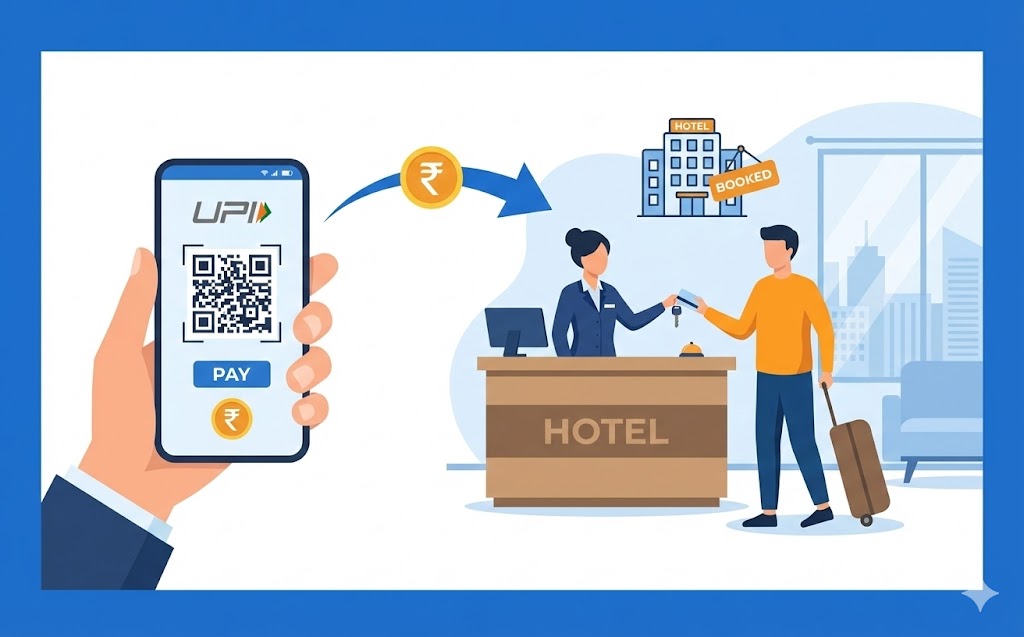
This guide explains how to use your UPI ID for quick, secure hotel bookings. Learn what a UPI ID is and its benefits, including real-time payments and enhanced privacy without sharing sensitive bank details. Follow simple steps to select UPI, enter your ID or scan a QR code, and authorise payment with your PIN via your payment application. Ensure a smooth, convenient booking process for your next trip by keeping your PIN secret and checking transaction history.
Imagine planning a lovely trip and needing to book a hotel room. In today’s fast-paced world, paying for things should be as simple and quick as possible, especially when you’re making travel arrangements. That’s where your UPI ID comes in, offering a remarkably straightforward and secure way to handle your hotel bookings. This guide will walk you through everything you need to know, ensuring your next stay is booked with ease and peace of mind.
Getting Started with Your UPI ID
Before we dive into booking hotels, let’s make sure we understand what a UPI ID is and how it helps you manage your money.What Exactly is a UPI ID?
Think of your UPI ID as your very own, special address for payments. Just like an email address helps people send you messages, your UPI ID allows others to send money directly to your bank account, and you to send money to them. It’s a unique identifier, often looking something like ‘yourname@bankname’ or ‘yourmobile@bankname’. This simple ID is linked directly to your bank account, making it incredibly easy to send and receive money without needing to share lots of sensitive bank details. It’s all part of the Unified Payments Interface (UPI) system, which was created to make digital payments accessible to everyone.How Your UPI ID Makes Payments Easy
The beauty of your UPI ID lies in its simplicity. Instead of remembering long bank account numbers, IFSC codes, or other complex details, all you need is this single ID and your secret UPI PIN. When you want to pay, you simply enter the recipient’s UPI ID, the amount, and then confirm with your PIN. The payment happens almost instantly, at any time of day, every day of the year. This means you can pay for things quickly, whether you’re at home, out and about, or even when booking your next hotel stay.Why UPI is a Great Choice for Hotel Bookings
When it comes to securing your accommodation, UPI offers several compelling advantages that make it a top choice.Quick and Convenient Payments
No one likes waiting around, especially when booking something important like a hotel room. With UPI, payments are processed in real-time. This means that as soon as you confirm your payment with your secret PIN, the hotel or booking platform receives the funds almost instantly. You get immediate confirmation of your booking, allowing you to relax and focus on planning the rest of your trip. You won’t need to carry cash or even your physical debit or credit cards; your payment application on your smartphone is all you need.Keeping Your Money Safe and Sound
Security is paramount when dealing with your money, and UPI is designed with robust safety features. Every transaction you make requires your unique UPI PIN, which only you should know. This acts as a crucial layer of protection, ensuring that only you can authorise payments from your account. Furthermore, all transactions are handled through secure banking channels, overseen by trusted financial authorities, adding an extra layer of confidence that your money is being transferred safely.Simple Payments Without Sharing Many Bank Details
One of the biggest benefits of using your UPI ID is the privacy it offers. When you pay using UPI, you only share your UPI ID with the merchant or hotel. You do not need to reveal your bank account number, card number, or any other sensitive financial information. This significantly reduces the risk of your personal banking details being compromised, giving you greater control over your financial privacy and peace of mind during your transactions.Your Step-by-Step Guide to Booking Hotels with UPI
Ready to book your next adventure? Here’s how you can use your UPI ID to secure your hotel room.Finding Hotels That Welcome UPI payments
Many hotels and online travel booking platforms now accept UPI payments. When you are browsing for hotels online, or when you reach the payment section of a booking website or application, look out for the UPI logo. This symbol indicates that you can choose UPI as your payment method. Often, you will see an option like “Pay with UPI” or “Other Payment Methods” where UPI will be listed.The Simple Steps to Pay for Your Hotel Room
Once you’ve found your perfect hotel and are ready to pay, follow these easy steps:- Step 1: Select UPI as your payment option. On the hotel’s website or booking app, choose UPI from the list of payment methods.
- Step 2: Enter your UPI ID or scan a QR code. You will either be asked to type in your unique UPI ID (e.g., yourname@bankname) or to scan a QR code displayed on the screen using your chosen payment application.
- Step 3: Open your payment application. A payment request will appear in your chosen payment application on your smartphone.
- Step 4: Confirm details and enter your secret PIN. Carefully check the payment details, such as the amount and the hotel’s name. If everything looks correct, enter your confidential UPI PIN to authorise the payment.
- Step 5: Receive confirmation. Once your payment is successful, you will receive an instant confirmation from your payment application and the hotel or booking platform. Your hotel room is now booked!
What to Do If Your Payment Hits a Snag
Occasionally, a payment might not go through immediately. If this happens, don’t worry, it’s usually easy to fix:- Check your internet connection: Ensure your phone has a stable internet connection.
- Verify details: Double-check that you entered your UPI ID and PIN correctly.
- Wait a moment: Sometimes, there’s a slight delay. Wait for a few minutes and check your payment application for any updates.
- Contact support: If the issue persists, reach out to your bank’s customer support or the customer service of the hotel/booking platform. They can help investigate the transaction.
- Review transaction history: Always check your transaction history in your payment application to see the status of the payment.
Keeping Your UPI Transactions Secure
While UPI is built with security in mind, you also play a vital role in keeping your transactions safe.Protecting Your Secret UPI PIN
Your UPI PIN is the key to your payments, so it’s crucial to keep it absolutely secret. Never share your PIN with anyone, not even with bank officials or family members. Choose a PIN that is difficult for others to guess, and avoid using obvious numbers like your birth date. It’s also a good practice to change your PIN regularly to maintain strong security. Be extremely cautious of any messages or calls asking for your PIN; these are likely scams.Always Checking Your Transaction History
Regularly reviewing your transaction history in your chosen payment application is a smart habit. This allows you to keep track of all your payments and quickly spot anything that looks unfamiliar or incorrect. Most payment applications provide a detailed record of your transactions, showing dates, amounts, and recipients.What to Do If Something Looks Unusual
If you ever notice a transaction in your history that you don’t recognise, or if you suspect any unusual activity with your UPI ID, act immediately. The first step is to contact your bank’s customer service helpline without delay. They can help you investigate the suspicious transaction and, if necessary, take steps to secure your account or block further unauthorised payments. Prompt action can help protect your funds.Enjoying Your Smooth Hotel Booking with UPI
Using your UPI ID to book hotels truly makes the process smoother, faster, and more secure. By understanding how it works, following the simple steps, and always keeping your transactions safe, you can confidently use this powerful digital payment method for all your travel needs. Enjoy the ease and convenience that UPI brings, making your next hotel booking a hassle-free experience!Author

FAQs
What is a UPI ID?
It's your own special address for payments, linked directly to your bank account. It lets you send and receive money easily without sharing many bank details.
How does using a UPI ID help with hotel bookings?
It offers a very simple and secure way to pay for your hotel room, making travel arrangements quick and easy.
What details do I need to make a payment with my UPI ID?
You only need your UPI ID and your secret UPI PIN. You don't need long bank account numbers or other complex details.
How quickly do UPI payments for hotels go through?
Payments are processed in real-time. The hotel or booking platform gets the money almost instantly, and you receive immediate confirmation of your booking.
What sensitive information do I share when paying for a hotel with UPI?
You only share your UPI ID with the hotel or merchant. You do not need to show your bank account number, card number, or any other sensitive financial information.
How can I tell if a hotel accepts UPI payments?
Look for the UPI logo on the hotel's website or booking application, usually in the payment section. There might be an option like "Pay with UPI".
What should I do if my UPI payment for a hotel doesn't work?
Check your internet connection, confirm the details you entered, wait a few minutes, or contact your bank's customer support or the hotel/booking platform's customer service. Always check your transaction history.
How can I keep my secret UPI PIN safe?
Never share your PIN with anyone. Choose a PIN that is hard to guess and change it often. Be very careful of any messages or calls asking for your PIN.
