

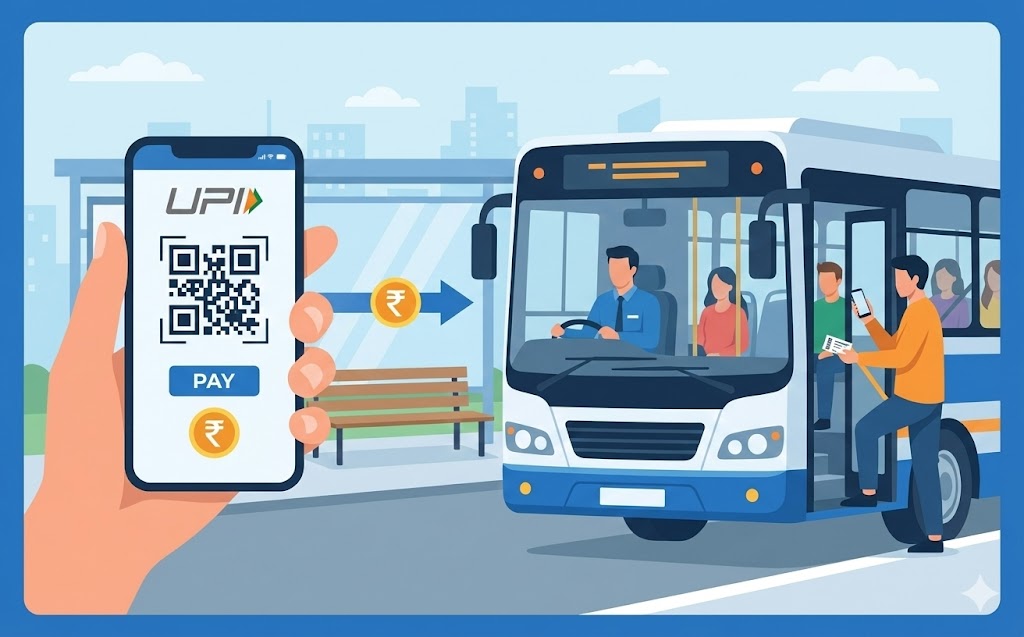
This guide explains how to use your UPI ID for quick and secure bus ticket payments. Learn to set up your payment application, link your bank account, and keep your PIN safe. We detail finding journeys, choosing UPI, entering your ID, and confirming payments. Discover the convenience, speed, and robust security that makes UPI a smart choice for modern travel, ensuring hassle-free journeys.
Imagine a world where you can pay for your bus tickets quickly and safely, without needing cash or even your bank card. That world is here, thanks to something called a UPI ID. Using your UPI ID for bus tickets is a wonderfully simple and secure way to manage your travel, making your journeys much smoother. This guide will show you exactly how to get ready and use this clever payment method for your next bus trip.
Understanding Your UPI ID
Before we dive into buying tickets, let’s make sure we understand what a UPI ID is and why it’s such a helpful tool for everyday payments, especially for travel.What exactly is a UPI ID?
Think of your UPI ID as a unique address for your bank account, much like an email address, but specifically for sending and receiving money. It’s a simple, easy-to-remember name that links directly to your bank account. Instead of sharing your bank account number or other sensitive details, you just share your UPI ID. This clever system is part of a bigger network in India, managed by the National Payments Corporation of India (NPCI), designed to make digital payments easy, instant, and very secure for everyone.Why UPI is a great choice for bus tickets
Using your UPI ID to pay for bus tickets brings a lot of benefits. Firstly, it’s incredibly convenient. You can buy your ticket from anywhere, at any time, using just your mobile phone. There’s no need to search for an ATM or worry about having the correct change. Secondly, payments are usually instant, meaning your ticket is confirmed almost immediately. Finally, and perhaps most importantly, it’s a very secure way to pay, as you’ll see shortly.Getting Ready to Pay with UPI
To start using your UPI ID for bus tickets, there are a few simple steps to follow to get your phone and bank account ready.Setting up your payment application
The first thing you need is a payment application on your smartphone. You can easily download one of these applications from your phone’s app store. Once downloaded, you’ll need to register using your mobile number. It’s important that this mobile number is the same one you have linked to your bank account.Linking your bank account to your UPI ID
After setting up your payment application, the next step is to link your bank account. Inside the app, you will find an option to add or link a bank account. You simply select your bank from a list, and the application will usually verify your details automatically using your registered mobile number. Once linked, your payment application will create your unique UPI ID, which often looks something likeyourname@bankname or yourphonenumber@bank.
Keeping your UPI PIN safe and secret
Your UPI PIN is a very important secret number, usually 4 or 6 digits long, that you create when you first set up your UPI. This PIN is like the key to your digital wallet; you must enter it every time you make a payment to approve the transaction. It’s absolutely crucial that you never share your UPI PIN with anyone, not even friends, family, or people claiming to be from your bank or payment application. Keeping it secret keeps your money safe.Checking your bank balance before you travel
Before you book your bus ticket, it’s a good idea to quickly check your bank balance. Most payment applications allow you to do this easily within the app. Just make sure you have enough money in your linked bank account to cover the cost of your bus ticket to avoid any last-minute payment issues.Buying Your Bus Ticket with UPI
Now that you’re all set up, let’s go through the steps of actually buying your bus ticket using your UPI ID.Finding your bus journey online
Start by visiting the website or mobile application of your preferred bus service or ticket booking platform. You will need to enter your starting point, your destination, the date you wish to travel, and the time. Once you’ve found the perfect journey, you can usually pick your seat and proceed to the payment section.Choosing UPI as your payment option
At the payment stage, you will see various ways to pay. Look for the option that says “Pay with UPI” or simply “UPI”. Select this option to continue.Entering your unique UPI ID
You will then be asked to enter your unique UPI ID. Type it in carefully, making sure there are no spelling mistakes. Some platforms might also give you the option to scan a QR code using your payment application, which is another quick way to initiate the payment without typing.Confirming your payment with your secure PIN
After entering your UPI ID, you will usually receive a payment request notification on your payment application. Open your payment application, review the details of the payment (like the amount and the bus service name), and then enter your secret UPI PIN to authorise the transaction. This is the final step to approve the payment.Receiving your ticket on your phone
Once your payment is successfully approved, the bus service will send your e-ticket directly to your phone. This might come as an SMS message, an email, or appear within the booking application itself. Make sure to keep this e-ticket safe as you will need to show it when you board the bus.What to Do If You Need Help
Sometimes, things don’t go exactly as planned. Here’s what you can do if you encounter any issues.Checking your payment history
If you’re unsure whether a payment went through, or if you didn’t receive your ticket, the first thing to do is check your payment application’s transaction history. Every payment you make using UPI is recorded there, showing the date, time, amount, and status of the transaction. This can help you confirm if the payment was successful or if it failed.Contacting the bus service for support
If your payment shows as successful but you haven’t received your ticket, or if you have any questions about your journey, it’s best to contact the customer support of the bus service or the ticket booking platform you used. They can help you locate your booking and send you the ticket again if needed. Remember to have your transaction details ready.Getting help from your payment application provider
For issues related to the payment itself, such as a payment failing but money being deducted, or an incorrect amount being charged, you should contact the customer support of your payment application provider. They can investigate the transaction on their end and help resolve any discrepancies.The Benefits of Using UPI for Your Journeys
Using your UPI ID for bus tickets is more than just a convenient option; it’s a smart and secure way to travel in our modern world.Quick and easy payments every time
One of the biggest advantages is how incredibly quick and easy it is. You can book tickets in just a few taps on your phone, saving you valuable time and effort. There’s no need to carry cash, worry about change, or even pull out your bank card, making the entire process seamless and stress-free.Keeping your money safe and sound
Your money is protected by multiple layers of security, including your unique UPI PIN. This means that even if you lose your phone, no one can make payments without knowing your secret PIN. This robust security system, overseen by NPCI, ensures that your transactions are safe, giving you peace of mind with every payment.A smart way to pay for modern travel
UPI has become a widely accepted and trusted method for digital payments across India. By using it for your bus tickets, you are embracing a modern, efficient, and reliable way to pay for travel. It’s a smart choice for anyone looking for convenience, speed, and security in their everyday journeys.Author

FAQs
What is a UPI ID?
It's a special address for your bank account, like an email address, used for sending and receiving money. It links directly to your bank account.
Why is a UPI ID good for buying bus tickets?
It's very handy, payments are usually instant, and it's a very safe way to pay for your travel.
How do I get ready to pay with a UPI ID?
First, download a payment application and sign up with your mobile number linked to your bank account. Then, link your bank account within the app.
What is a UPI PIN and why is it important?
It's a secret 4 or 6-digit number you create. You need it to approve every payment, so it's vital to keep it secret to protect your money.
How do I pay for a bus ticket using my UPI ID?
On the bus booking website or app, choose "Pay with UPI", enter your ID, and then confirm the payment in your application using your secret PIN.
What happens after I pay for my bus ticket?
The bus service will send your e-ticket straight to your phone, either by text, email, or in the booking application.
What should I do if my payment goes wrong or I don't get my ticket?
First, check your payment history in your application. If the payment shows as successful but no ticket, contact the bus service. For payment issues, contact your payment application provider.
