

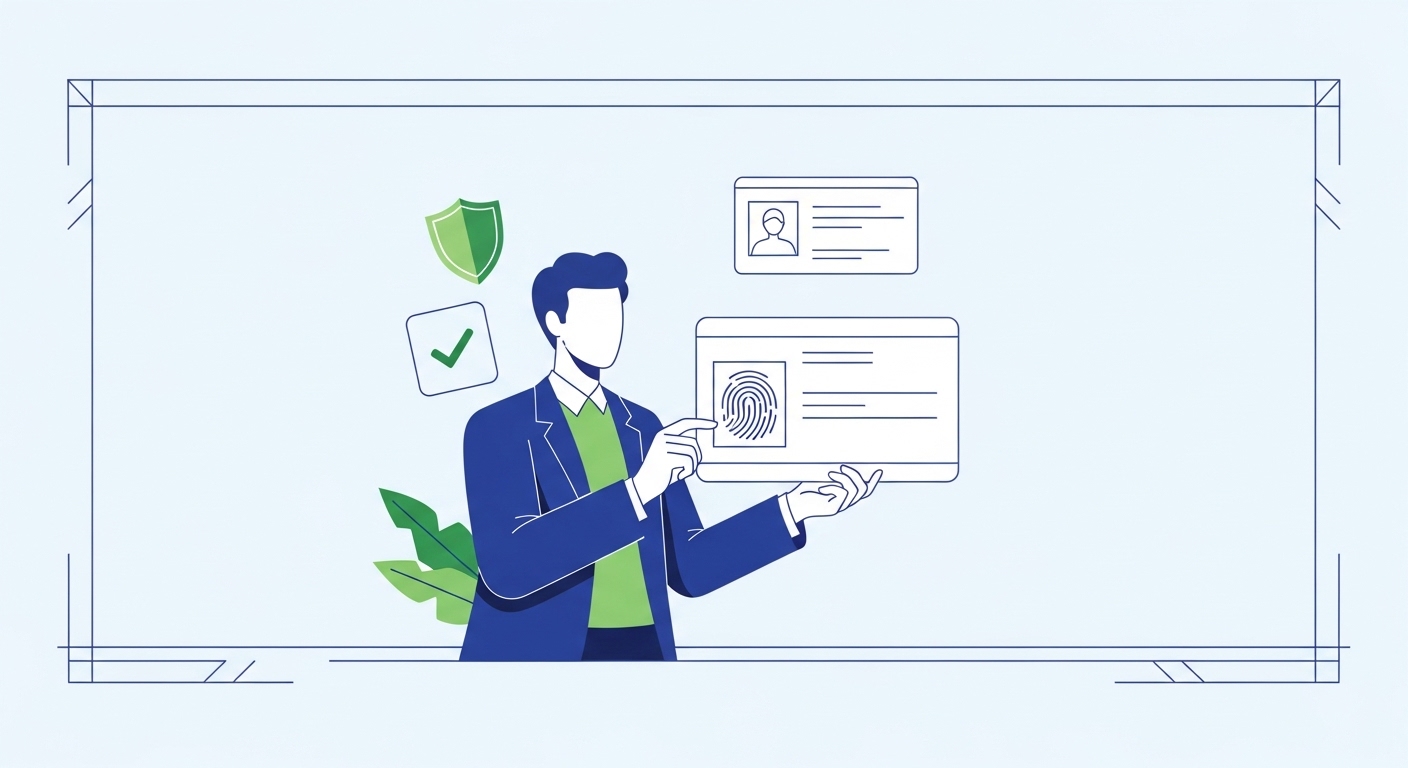
Many people believe that once you’ve registered for your Aadhaar, you never need to think about it again. It’s commonly assumed that your biometrics, like fingerprints and iris scans, stay the same forever, making updates seem like an unnecessary hassle. This thinking can unfortunately lead to problems when you try to open essential services later on.
The reality is that regular Aadhaar biometric updates are crucial, especially as you get older, and the process is far simpler than you might imagine. This comprehensive guide will walk you through why these updates are vital, when you should consider them, and exactly how to complete the process. You’ll find a clear checklist to ensure your Aadhaar remains accurate and fully functional.
Table of Contents
What Is Aadhaar Biometric Update?
Aadhaar biometric update refers to the process of re-recording your fingerprints, iris scans, and photograph to ensure they are current and accurate, a service overseen by the Unique Identification Authority of India (UIDAI). This mechanism helps maintain the integrity of your unique digital identity, ensuring reliable authentication for various services across India. F
or children, mandatory biometric updates are required at ages 5 and 15 years, as per UIDAI (2026) guidelines. If you do not update your biometrics, you might face difficulties in authenticating your identity, potentially leading to denial of essential government services or financial transactions. Y
ou can initiate this update process by visiting an authorised Aadhaar Enrolment Centre.
What Is Aadhaar and Why Is It Important for You?
Aadhaar is more than a 12-digit number; it’s your unique digital identity in India. For residents in Tier-2 cities, it acts as a foundational document, enabling open to a wide array of services that improve daily life. Think of it as your primary key to the digital world, simplifying many interactions with government and financial institutions.
This unique number helps ensure that benefits and services reach the right person, preventing duplication and fraud. It streamlines processes that once required multiple documents and lengthy verification steps. Understanding its importance helps you appreciate why keeping it updated is so vital.
Quick Context: Aadhaar’s Reach
According to UIDAI (2026), over 1.4 billion Aadhaar numbers have been issued, making it the world’s largest biometric ID system. This widespread adoption means it’s integral to almost every aspect of public and private services.
Your unique digital identity
Your Aadhaar number is a unique identifier, assigned to only one person, based on your demographic and biometric information. It helps establish your identity reliably, preventing others from impersonating you. This uniqueness is crucial for secure transactions and accessing personal benefits.
It’s designed to be a lifelong identity, connecting you to various systems without needing to carry multiple physical cards. This digital link simplifies verification processes across different platforms.
Accessing government services
Aadhaar is indispensable for accessing numerous government welfare schemes and subsidies. Whether you’re receiving your pension, collecting rations through the Public Distribution System (PDS), or benefiting from social security schemes, your Aadhaar is often the key. It ensures that these vital services directly reach eligible citizens.
For senior citizens, this link is especially important for smooth pension disbursements and healthcare benefits. An accurate Aadhaar ensures you don’t face unnecessary delays or complications when trying to use these services.
Proving who you are
Beyond government services, Aadhaar serves as a widely accepted proof of identity (PoI) and proof of address (PoA). You’ll use it for opening bank accounts, getting a new mobile connection, or even applying for a loan. Its eKYC (Electronic Know Your Customer) feature, verified through UIDAI eKYC (2026), allows for instant digital verification.
This digital verification process speeds up many administrative tasks, removing the need for physical document submission in many cases. It makes proving your identity much more convenient and secure.
Why Do Biometrics Need Updating?
Your biometrics, such as fingerprints and iris scans, are collected at the time of your initial Aadhaar enrolment. However, these physical attributes are not static; they can change over time due to various factors. Keeping them updated is essential to ensure your Aadhaar remains functional for authentication.
An outdated biometric record can lead to repeated authentication failures, causing frustration and delays when you try to open services. Regular updates help maintain the accuracy and reliability of your identity. This proactive approach safeguards your open to vital digital and government services.
Common Confusion: Biometrics are permanent
A widespread myth is that your fingerprints and iris patterns never change, so biometric updates are only for children.
This is incorrect. While unique, biometrics can degrade in quality over time, especially with age or certain health conditions.
Changes over time
As you age, the quality of your fingerprints can naturally diminish due to wear and tear, dry skin, or certain medical conditions. Similarly, your iris patterns, though generally stable, can sometimes be affected by eye conditions or surgeries. These changes can make it difficult for biometric scanners to accurately read your identity.
For senior citizens, these physiological changes are a common reason for authentication failures at various service points. Updating your biometrics ensures that the system has the clearest possible record of your unique features.
Ensuring accuracy
Updated biometrics significantly improve the success rate of Aadhaar authentication. When your stored biometrics are current, the scanners at banks, post offices, or ration shops can easily match them to your live scan. This accuracy is vital for quick and efficient service delivery.
Imagine trying to withdraw your pension using AePS (Aadhaar Enabled Payment System) and failing repeatedly because your fingerprints don’t match the old record. According to AePS (2026), successful biometric authentication is key for these transactions. Regular updates prevent such frustrating experiences.
Preventing misuse of identity
Keeping your biometrics current adds an extra layer of security to your Aadhaar. If your old biometrics were compromised or became too generic due to degradation, it could theoretically increase the risk of misuse. By updating them, you ensure that only your most current and distinct features are linked to your identity.
This proactive measure helps protect you from potential identity fraud, which is increasingly important in our digital world. An accurate and up-to-date biometric record makes it harder for anyone else to impersonate you.
When Should You Update Your Aadhaar Biometrics?
Knowing the right time to update your Aadhaar biometrics can save you from future inconveniences. While not always mandatory for adults, certain situations strongly recommend an update to ensure smooth open to services. Being aware of these triggers helps you stay ahead.
Proactive updates are always better than reactive ones, especially when it comes to an identity document as crucial as Aadhaar. Consider these key times to ensure your biometrics remain effective.
Pro Tip: Set a Reminder
If you’re an adult and haven’t updated your biometrics in a decade, consider setting a calendar reminder for a check-up. While not mandatory, it’s a good practice, especially if you experience frequent authentication issues.
Recommended update intervals
According to UIDAI (2026) guidelines, biometric updates are mandatory for children at two specific age milestones: once at age 5 and again at age 15. For adults, there isn’t a strict mandatory interval, but UIDAI recommends updating if you haven’t done so in a significant period, typically every as per the latest official guidelines, or if you face authentication issues. This ensures the quality of your data remains high.
This recommendation is particularly relevant for senior citizens, whose physical characteristics may change more noticeably over time. A voluntary update can prevent future authentication problems.
After major life changes
While less common for seniors, significant physical changes can impact biometric readability. For instance, if you’ve had a severe injury to your hand that altered your fingerprints, or undergone eye surgery affecting your iris, an update would be advisable. These events can directly impact the accuracy of your stored biometric data.
Even without a specific injury, general ageing and changes in skin texture can make older biometric scans less effective. A visit to an Aadhaar centre after such changes can restore your authentication success.
If facing authentication issues
The most immediate sign that your biometrics need updating is frequent authentication failure. If you find yourself repeatedly struggling to verify your identity using your fingerprints or iris scan at a bank, post office, or any AePS point, it’s a clear indicator. These failures suggest that your current biometrics no longer match the stored record effectively.
Don’t wait for multiple failed attempts to take action. Addressing these issues promptly by updating your biometrics will restore your ability to open services smoothly. According to AePS (2026), successful biometric authentication is fundamental for Aadhaar-enabled transactions.
How to Check Your Aadhaar Update History
Keeping track of your Aadhaar update history is a smart practice, especially if you’ve made previous changes or are unsure about your last biometric update. The UIDAI provides an easy online portal to check this information from the comfort of your home. This helps you stay informed about your Aadhaar’s status.
Knowing your update history can help you decide if another update is due. It offers transparency and peace of mind regarding your digital identity.
Using the online portal
You can easily check your Aadhaar update history by visiting the official UIDAI Resident Portal (resident.uidai.gov.in). Look for the “Aadhaar Update History” or “Check Aadhaar Update Status” option. You’ll need to enter your Aadhaar number or Enrolment ID (EID) and the security captcha.
Once you submit these details, the portal will display a of any updates made to your Aadhaar. This includes demographic updates as well as biometric ones.
Understanding update statuses
When you check your history, you might see various statuses like “Request Accepted,” “Under Review,” or “Completed.” “Request Accepted” means your application has been received. “Under Review” indicates it’s being processed. “Completed” means the update has been successfully applied to your Aadhaar.
If you see “Rejected,” there might have been an issue with your application or documents, and you’ll need to reapply. The portal usually provides a reason for rejection, helping you correct any errors for your next attempt.
What Documents Do You Need for an Update?
Preparing the right documents before visiting an Aadhaar Enrolment Centre can save you a lot of time and hassle. While biometric updates primarily involve your physical features, you might need to carry proof of identity and address, especially if you’re also making demographic changes. Always bring original documents for verification.
Having your documents organised ensures a smooth and quick update process. It’s always better to be over-prepared than to be turned away.
Common Confusion: Only biometrics are needed
The misunderstanding here is that a biometric update requires no documents, as you’re only scanning your body.
This is incorrect. While the primary action is biometric capture, you often need a valid Proof of Identity (PoI) and Proof of Address (PoA) for verification, especially if any demographic details are also being updated.
Proof of Identity
For your Aadhaar update, you’ll need to present a valid Proof of Identity (PoI) document. Common examples include your PAN card, passport, Voter ID card, or government-issued photo ID. These documents help confirm that you are indeed the person whose Aadhaar is being updated.
Make sure the name on your PoI matches the name on your Aadhaar record. Any discrepancies could lead to delays or rejection of your update request.
Proof of Address
A Proof of Address (PoA) document is also generally required, even if you are only updating biometrics, as it verifies your current residential details. Acceptable PoA documents include your electricity bill, water bill, telephone landline bill, bank passbook or statement, or ration card. The bill should not be older than three months.
Ensure that the address on your PoA matches your current residential address. If you’ve recently moved, you might need to update your address first, or submit a PoA reflecting your new address.
Other supporting documents
While less common for biometric updates, sometimes other documents might be useful. For instance, if there’s a significant age discrepancy or a name change, a birth certificate or marriage certificate might be requested. It’s always wise to check the latest UIDAI guidelines on their official website (uidai.gov.in) before your visit.
Always carry the original documents along with self-attested photocopies. The originals are for verification, and the photocopies might be retained by the centre.
Read More
How to check gold balance on Paytm?Where Can You Get Your Biometrics Updated?
Finding a convenient and authorised location for your Aadhaar biometric update is crucial, especially for senior citizens who may have mobility concerns. Fortunately, the UIDAI has established a wide network of enrolment and update centres across the country, including in Tier-2 cities. You have a few reliable options.
Choosing the right centre can make your update experience much smoother. Consider accessibility and proximity when making your choice.
Pro Tip: Use the Locator Tool
Before visiting, use the “Locate an Enrolment/Update Centre” tool on the UIDAI website (resident.uidai.gov.in). This tool allows you to find centres near you by entering your PIN code or locality, saving you a wasted trip.
Aadhaar Enrolment Centres
These are dedicated centres specifically set up for Aadhaar enrolment and update services. They are equipped with the necessary biometric devices and trained operators. You’ll typically find these centres in government buildings, municipal offices, or designated private facilities.
Aadhaar Enrolment Centres are generally well-versed in all types of Aadhaar services, ensuring a comprehensive and reliable update experience. They are your primary and most comprehensive option.
Post office locations
Many post offices across India, including those in Tier-2 cities, have been authorised to provide Aadhaar services. This is a particularly convenient option for many senior citizens, as post offices are often easily accessible within local communities. According to India Post (2026), selected post offices offer Aadhaar enrolment and update facilities.
Checking with your local post office branch is a good idea to confirm if they offer biometric update services and what their operating hours are. This can be a familiar and trusted location for many.
Bank branches offering service
Certain bank branches are also designated as Aadhaar Enrolment and Update Centres. Major public and private sector banks often have these facilities in their larger branches. This can be convenient if you already have banking relationships with one of these institutions.
It’s advisable to check with your bank or use the UIDAI locator tool to find out which specific branches offer Aadhaar services. Not all branches will have this facility.
| Update Centre Type | Accessibility | Typical Wait Time | Service Scope |
| Aadhaar Enrolment Centre | High (dedicated centres) | Moderate to High | Full range of services |
| Post Office | High (local branches) | Moderate | Enrolment & Updates (selected services) |
| Bank Branch | Moderate (selected branches) | Low to Moderate | Enrolment & Updates (often appointment-based) |
The Step-by-Step Update Process
Updating your Aadhaar biometrics is a simple process when you know the steps involved. By following these instructions, you can ensure a simple experience at the enrolment centre. Each step is designed to be simple and clear.
Understanding the sequence of events helps you feel prepared and confident. You’ll know exactly what to expect from start to finish.
Booking an appointment
Step 1: Visit the official UIDAI Resident Portal (resident.uidai.gov.in) and locate the “Book an Appointment” option. You’ll need to select your city and the type of service you require, which is a biometric update.
Step 2: Choose an Aadhaar Enrolment Centre, a convenient date, and a time slot from the available options. After confirming your selection, you will receive an appointment slip with a unique Appointment ID.
Visiting the centre
Step 3: On the day of your appointment, arrive at the chosen Aadhaar Enrolment Centre at least as per the latest official guidelines early. Make sure you carry your appointment slip, all original supporting documents (PoI, PoA), and their self-attested photocopies.
Step 4: Present your appointment slip and documents to the operator. They will verify your details and guide you through the next stages of the update process.
Providing your biometrics
Step 5: The operator will use specialised equipment to re-capture your fingerprints. You’ll be asked to place your fingers on a digital scanner, usually one hand at a time, to ensure clear images are recorded.
Step 6: Next, your iris scans will be taken by looking into a dedicated device, followed by a new photograph. Ensure you follow the operator’s instructions carefully for the best quality captures.
Receiving acknowledgement slip
Step 7: After your biometrics are successfully captured, the operator will provide you with an acknowledgement slip. This slip contains your Update Request Number (URN), which is crucial for tracking the status of your update.
Step 8: Before leaving, carefully review all the details on the acknowledgement slip to ensure accuracy. The update process typically takes a few days to a few weeks to reflect in the system.
Important Tips and Things to Remember
Successfully updating your Aadhaar biometrics involves more than following the steps; it also requires attention to a few crucial details. These tips will help you manage the process smoothly and avoid common pitfalls. Being informed can make a significant difference.
Remembering these points will safeguard your update and ensure its effectiveness. You’ll be well-prepared for any situation.
Quick Context: Update Tracking
You can track the status of your Aadhaar update request online using your URN on the UIDAI Resident Portal (resident.uidai.gov.in). This allows you to monitor its progress from submission to completion.
Keep your acknowledgement safe
The acknowledgement slip you receive after submitting your update request is extremely important. It contains your URN, which is your only way to track the status of your request online. Treat it like a valuable document.
Do not discard this slip until your Aadhaar update is fully processed and you have verified the changes. It’s your proof of submission.
Verify details carefully
Before the operator finalises your update request, they will show you the captured biometric data and any demographic details on a screen. This is your last chance to verify everything. Carefully check your name, address, date of birth, and especially the quality of the captured biometrics.
Any errors at this stage can lead to further delays and the need for another update. Take your time to ensure all information is accurate.
Use official sources only
Always rely on the official UIDAI website (uidai.gov.in or resident.uidai.gov.in) for information, appointment booking, and checking update status. Be wary of unofficial websites, agents, or calls promising quick Aadhaar updates, as these can be fraudulent. Stick to verified channels for your security.
Never share your Aadhaar number, OTP, or personal details with unverified sources. Official channels will never ask for your Aadhaar OTP over the phone or email.
Understanding Update Charges
According to UIDAI (2026), mandatory biometric updates for children at ages 5 and 15 years are free of charge. However, for all other biometric updates, whether done with or without a demographic update, a nominal fee is applicable. It’s important to be aware of these charges before your visit.
The current fee structure for various Aadhaar services is clearly listed on the UIDAI website (resident.uidai.gov.in/fee-charges). Always pay the official fee at the centre and obtain a receipt.
Conclusion
Regular Aadhaar biometric updates are a small but essential step to ensure your continued open to vital services and to protect your digital identity. By understanding why these updates are necessary and how to complete them, you help yourself with a reliable and functional Aadhaar.
Taking the time to update your biometrics now will prevent future authentication issues, allowing you to smooth open benefits like your pension or AePS transactions without any hassle. Make it a priority to check your update status and schedule an appointment if needed.
Author

